

Run a modern, tech-enabled law firm
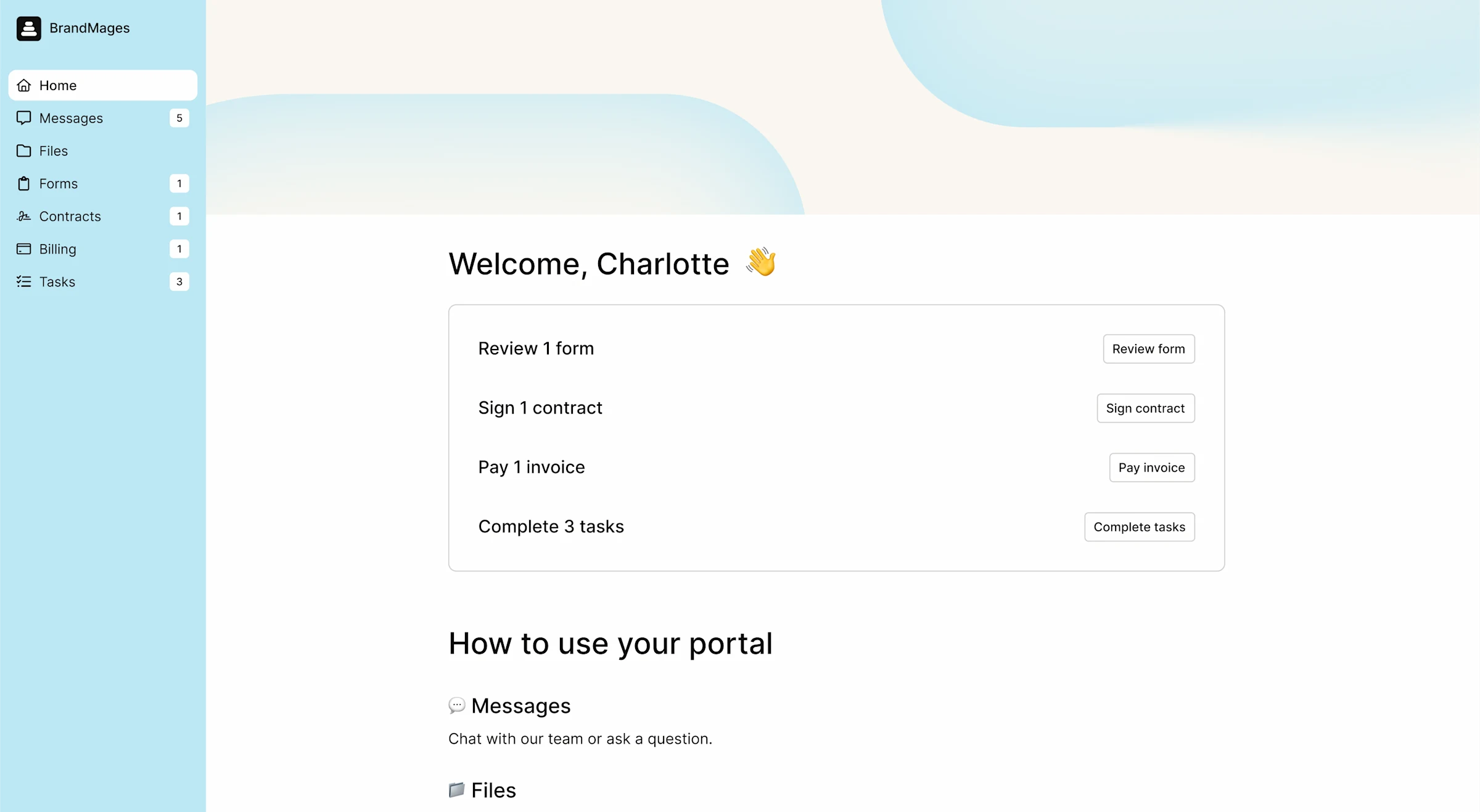
Differentiate your law firm with a secure portal that gives your clients a one-stop shop to upload files, sign contracts, send messages, access dashboards, and more.

Give your clients a better experience.
Whether you're working with individuals or companies, give them a branded professional experience with a secure client portal.
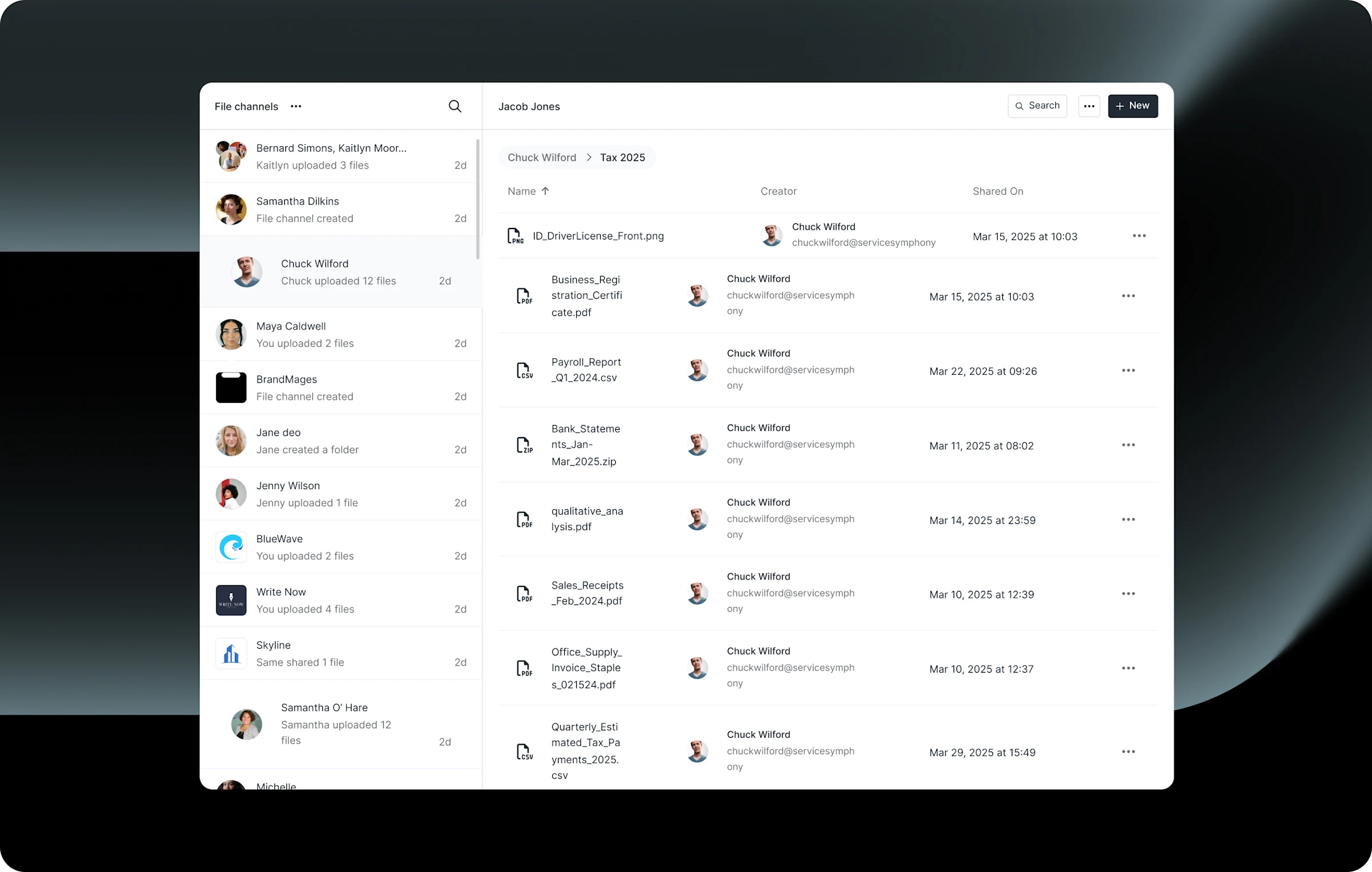
File sharing
Share files securely
Share files with your clients in a secure data platform with custom permissions.
A fully custom client portal for independent law firms
Make client management easier than your existing practice management software.
Our portal saves time and really improves our client satisfaction with our firm. Assembly is a powerful tool to make us and our clients more efficient.
Assemble everything your clients need
Deliver a bespoke client experience with all features included at no extra cost.

Branding
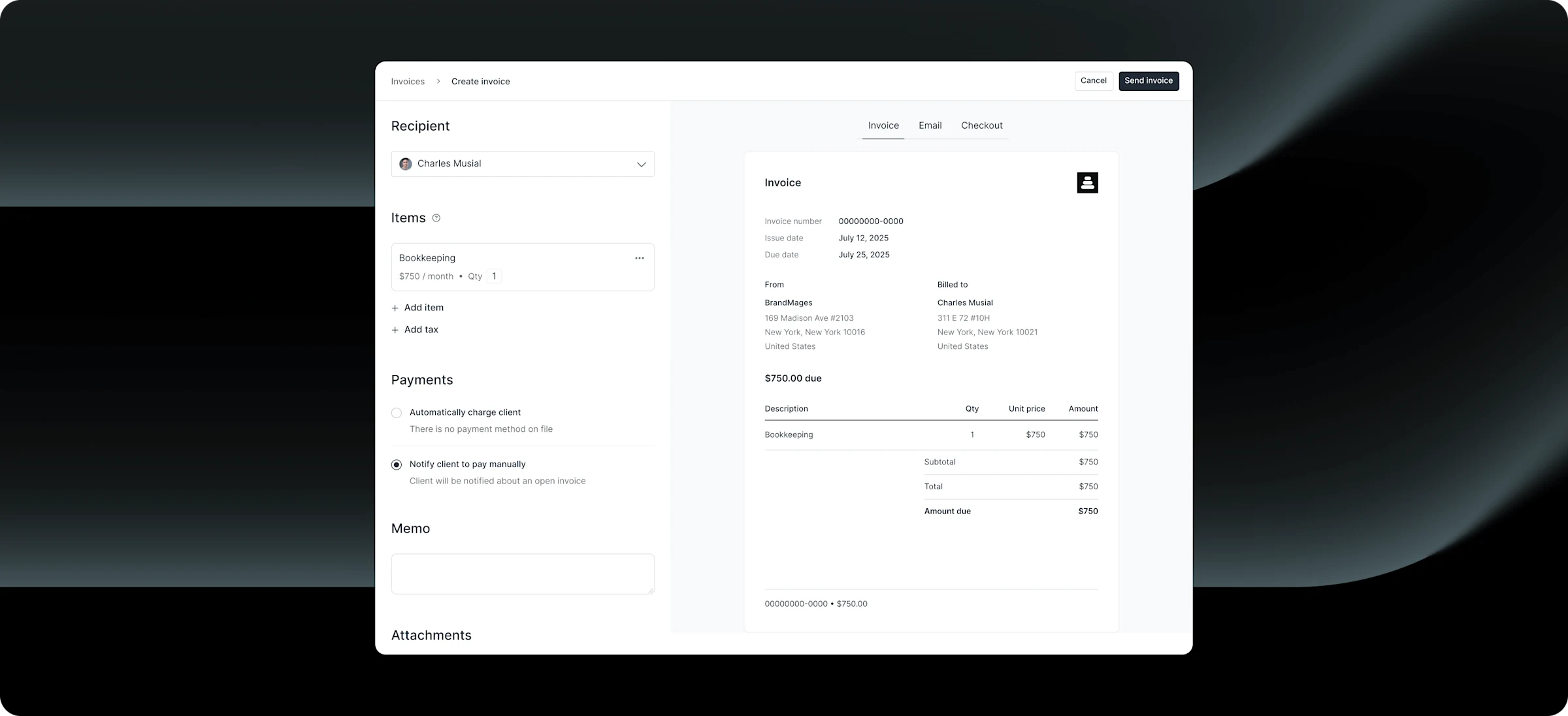
Create personalized online invoices and let clients checkout on a custom domain.

Client portal
Give clients access to messages, contracts, files, and more.

Client onboarding
Save time with automatic onboarding using custom forms and messages.

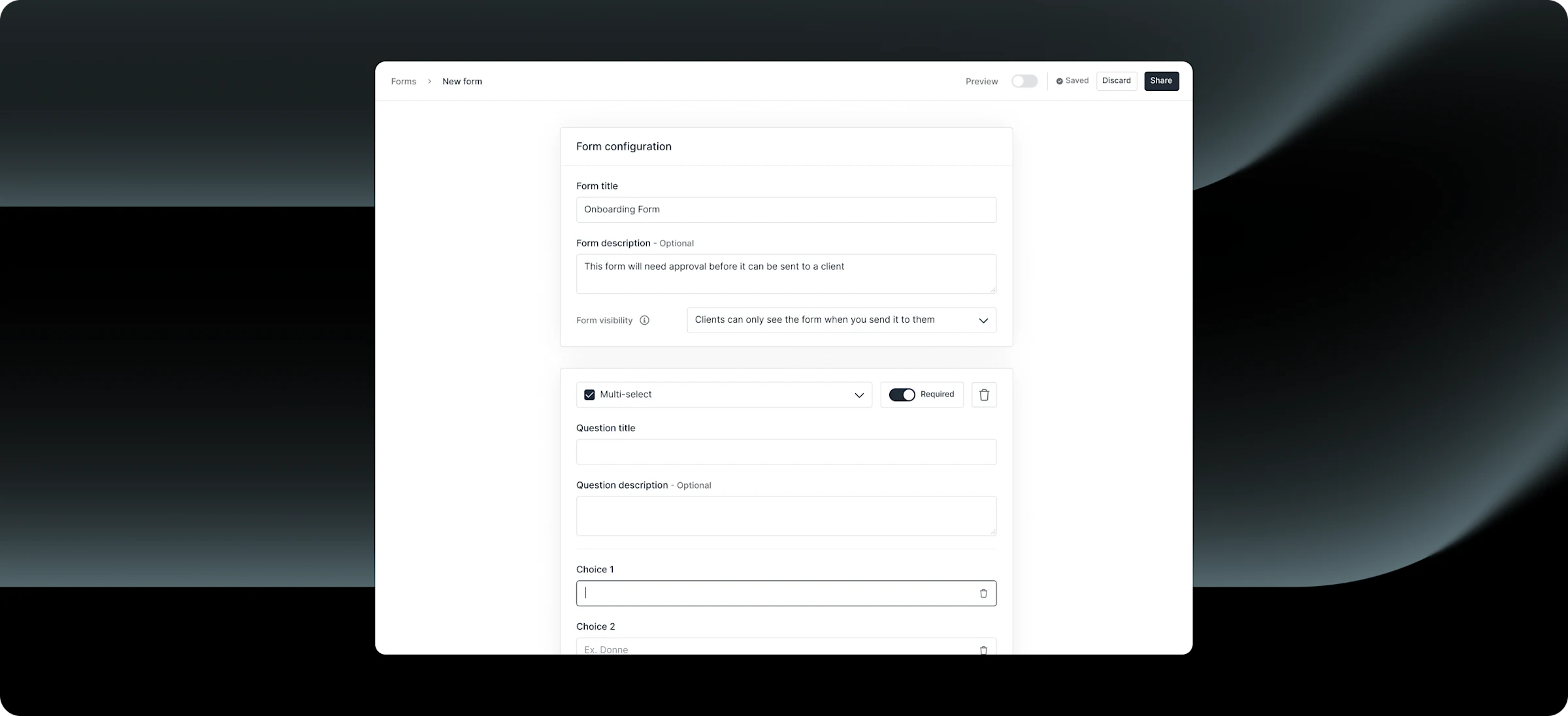
Forms
Create custom intake forms to collect client information efficiently.

File-sharing
Share files and documents securely with easy client access and permissions.

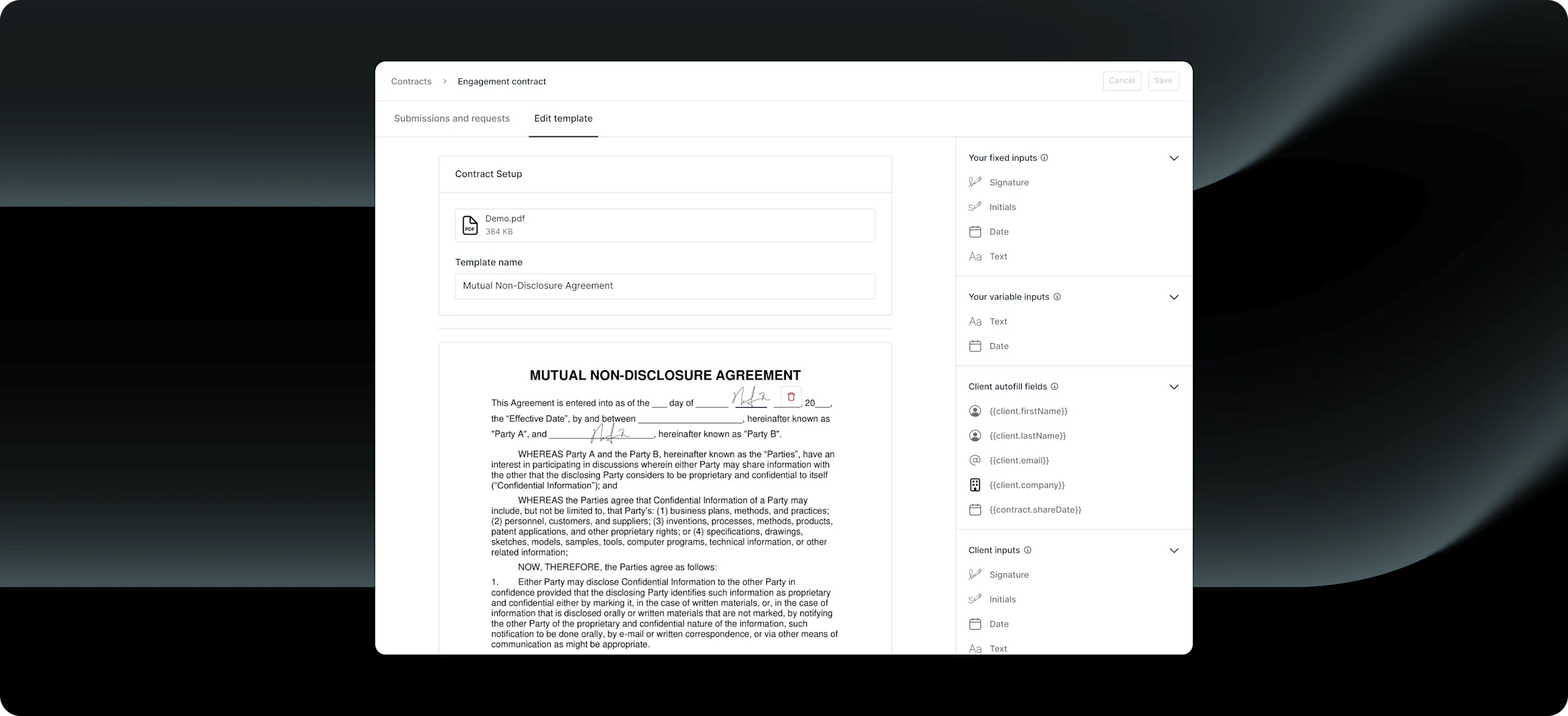
Contracts
Send professional agreements with built-in eSignatures.

Messaging
Communicate with clients through secure, centralized channels

Reminders
Automate payment reminders to keep clients on track and minimize overdue invoices.

Security
Keep data safe with enterprise-grade SOC 2 and HIPAA compliance.
Frequently asked questions
Assembly is a client portal platform that gives law firms a secure, branded digital workspace for client engagement. Your clients — whether individuals or corporate counsel — get a single portal to access case documents, sign retainer agreements, pay legal invoices, complete intake questionnaires, and communicate with your team. Assembly handles client-facing operations so your attorneys can focus on practicing law rather than chasing emails and documents.
Security is foundational to Assembly. The platform is SOC 2 certified, with all data encrypted in transit and at rest. On Advanced plans, Assembly offers HIPAA and GDPR compliance with a signed BAA, multi-factor authentication enforcement for both attorneys and clients, and client access permissions that restrict which team members can view specific matter data. An audit log feature is also coming soon for firms that require detailed activity tracking for compliance purposes.
Clio and MyCase are legal practice management systems — strong at internal case management, time tracking, and court-specific workflows. But they come with per-seat pricing that adds up fast: Clio charges $39–$138/user/month plus a $399 setup fee, MyCase runs $39–$99/user/month, and alternatives like PracticePanther and Smokeball follow similar per-attorney models. Assembly takes a different approach: it’s a client-portal-first platform with firm-level pricing rather than per-seat. If your priority is delivering a polished, branded client experience — where clients can easily access their documents, sign agreements, pay retainers, and communicate securely — Assembly excels. Unlike Moxo, which is enterprise-priced and less customizable, Assembly offers transparent pricing from $0/month with white-label branding, eSignatures, billing, and a flexible integration platform. Many firms use Assembly alongside their practice management system to handle the client-facing side.
Yes. Assembly includes built-in contracts with legally binding eSignatures. You can create retainer agreement templates, send them to clients through the portal, and track execution — all without third-party tools like DocuSign. Clients receive a notification, review the document, and sign directly from their portal or email.
Yes. With App Visibility settings on Professional plans, you can configure which portal sections each client sees based on custom fields. For example, corporate clients might see a different set of documents and forms than individual estate planning clients. You can tailor the experience without creating separate portals.
Assembly provides custom intake forms and a secure file center. You can build client questionnaires for new matter intake, request specific document uploads (like financial records or identification), and organize everything by client or matter in encrypted file folders. Clients upload directly to their portal rather than emailing sensitive documents.
Yes. Assembly supports invoicing via credit card and ACH, as well as recurring subscription billing for retainer arrangements. You can automate payment reminders, and clients can view and pay their invoices directly from the portal. This helps firms reduce accounts receivable timelines significantly.
Assembly is an open platform with one of the most comprehensive integration ecosystems in the client portal space. You can embed tools like Google Drive, SharePoint, or Airtable directly into client portals. Zapier and Make integrations (on Professional plans) connect Assembly to hundreds of apps. The REST API and Custom Apps framework support deeper integrations for firms with specific workflow needs — including connections to practice management tools like Clio or MyCase.
Assembly is designed for simplicity. Clients access their portal via a standard web URL — no app download required. They can reply to messages directly from email notifications without logging in. Login supports standard email/password as well as magic links. The interface is clean and intuitive, and works seamlessly on mobile devices.
Assembly Assistant is an AI-powered feature that surfaces relevant client context — case notes, prior communications, uploaded documents, and engagement history — before meetings and calls. It can also draft follow-up correspondence and summarize client interactions. For attorneys managing heavy caseloads, it reduces preparation time and ensures no critical details are overlooked during client communications.
Small firms can be up and running within a day — branding, client setup, intake forms, and billing can all be configured in under an hour. For larger firms, Assembly provides personalized onboarding support (on annual plans) to help configure workflows, train staff, and set up automations. There are no implementation fees.
Assembly provides client-level task management, forms, file organization, and messaging — which covers the client-facing aspects of matter management. For deep internal matter management (time tracking, court deadlines, conflict checks), most firms pair Assembly with a dedicated practice management tool. Assembly handles the client experience; your PM tool handles internal operations.
Your clients deserve better.
Try Assembly for free, no credit card required.