

Run a modern, tech-enabled consulting firm.
Differentiate your consulting firm with a white-label portal that gives your clients a one-stop shop to access dashboards, submit tickets, send messages, make payments, and more.

Deliver a delightful client experience.
Create a branded client portal to manage consulting clients at every stage of your relationship.
Tasks
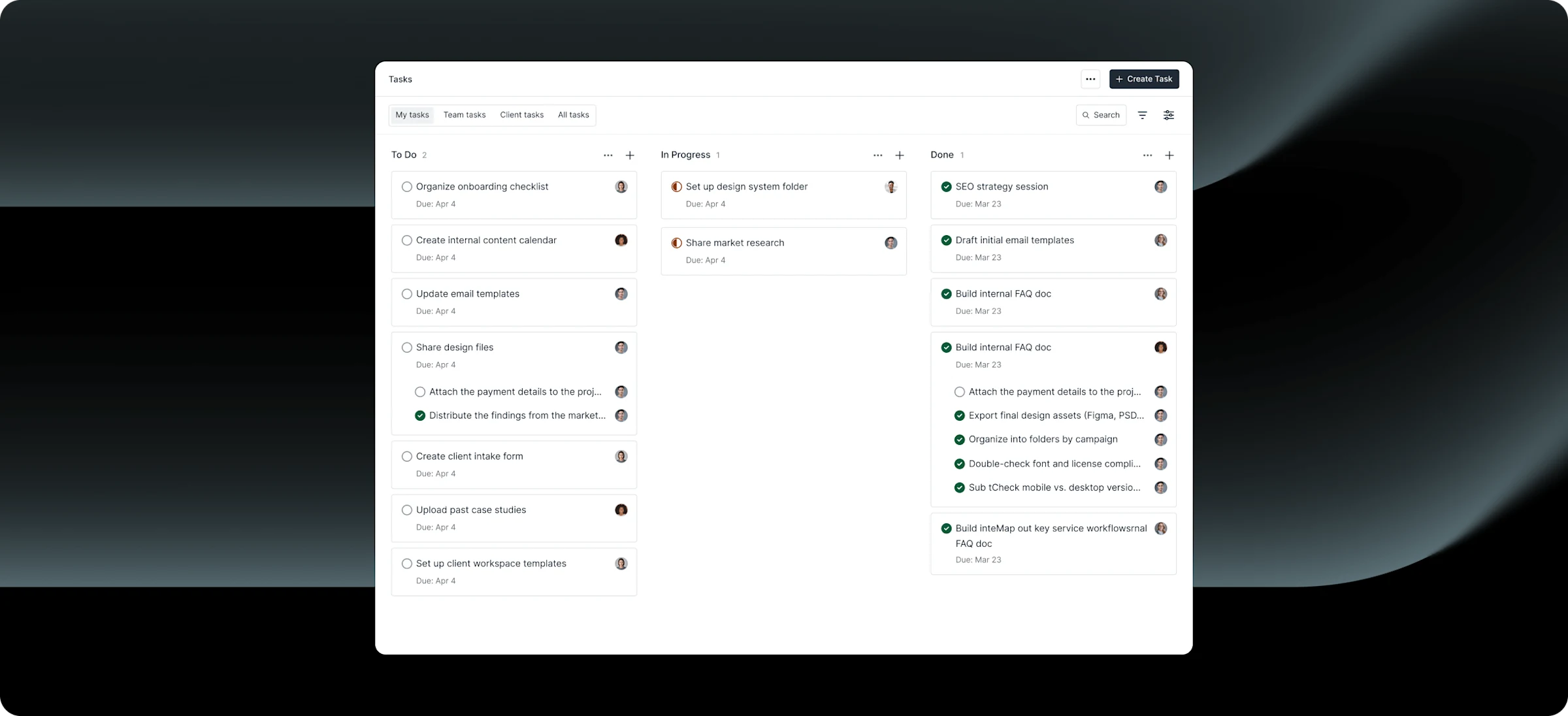
Keep clients updated about projects
Use task management apps to share project statuses and streamline the communication between you and your clients.
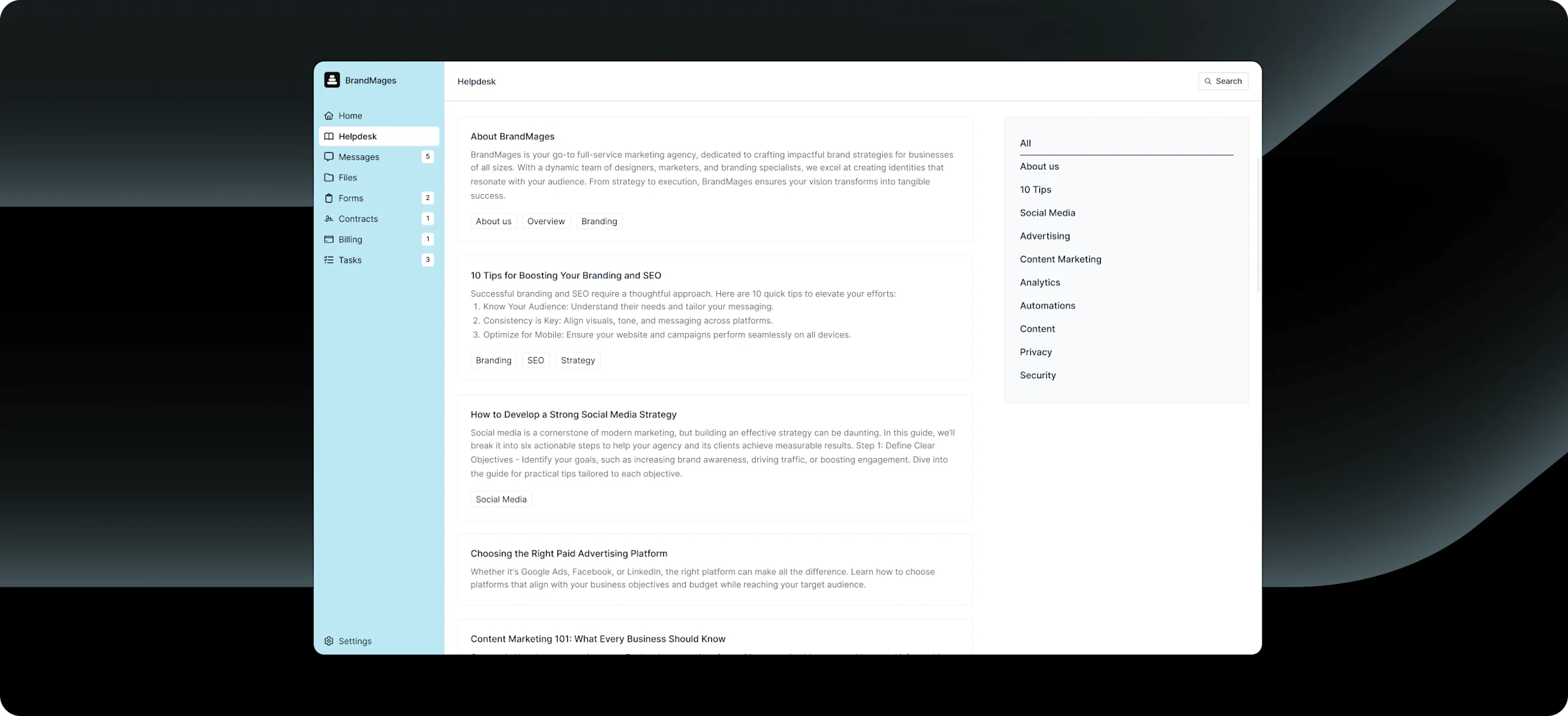
Assemble everything your clients need
Deliver a bespoke client experience with all features included at no extra cost.

Branding
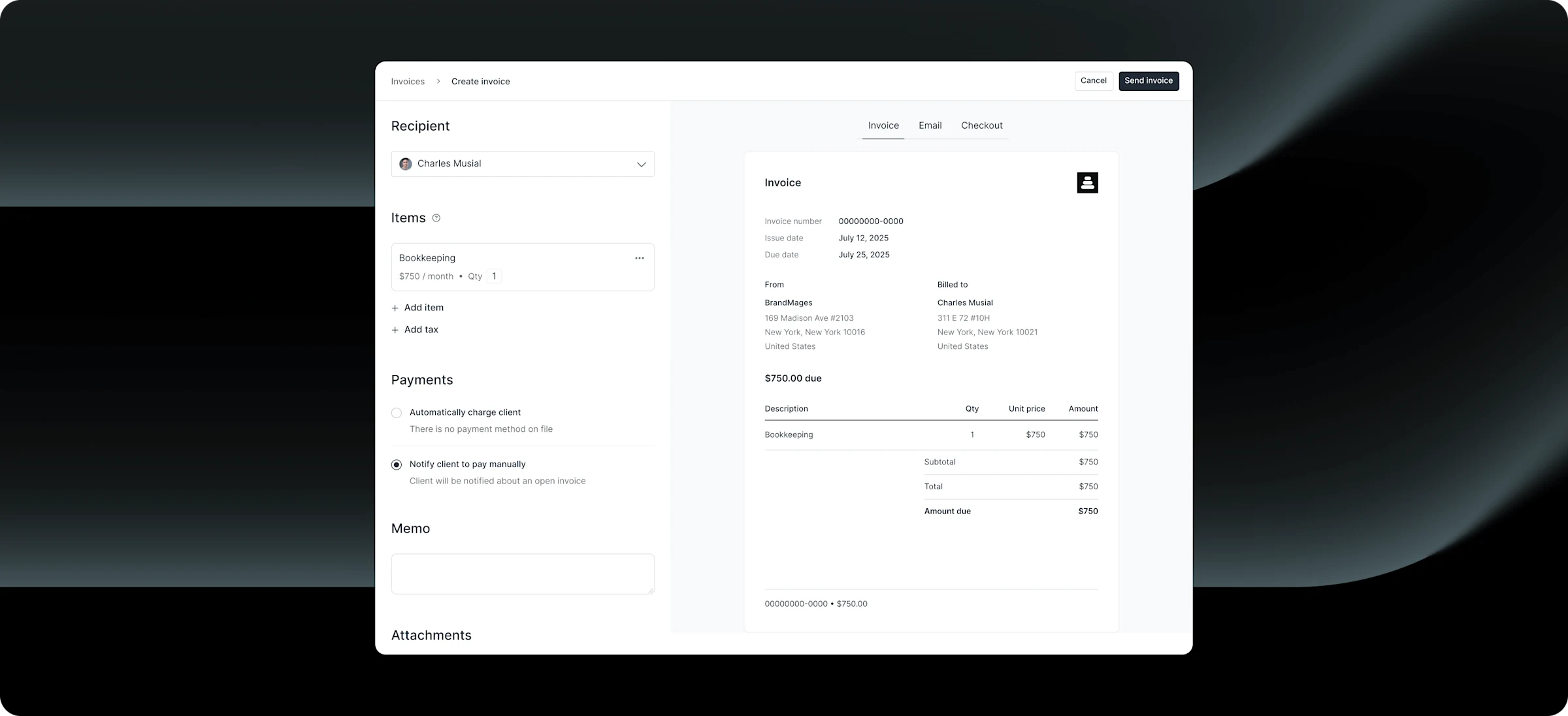
Create personalized online invoices and let clients checkout on a custom domain.

Client portal
Give clients access to messages, contracts, files, and more.

Client onboarding
Save time with automatic onboarding using custom forms and messages.

Forms
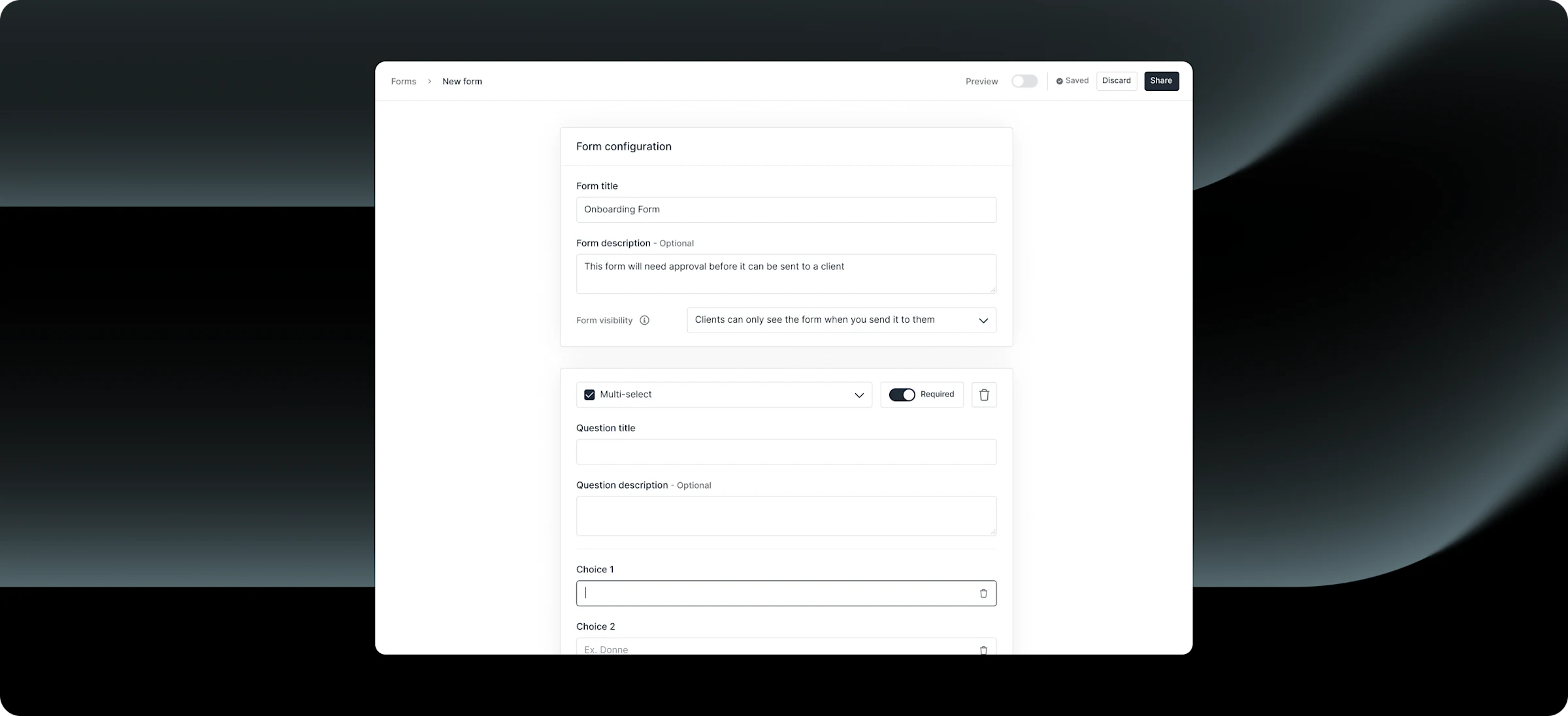
Create custom intake forms to collect client information efficiently.

File-sharing
Share files and documents securely with easy client access and permissions.

Contracts
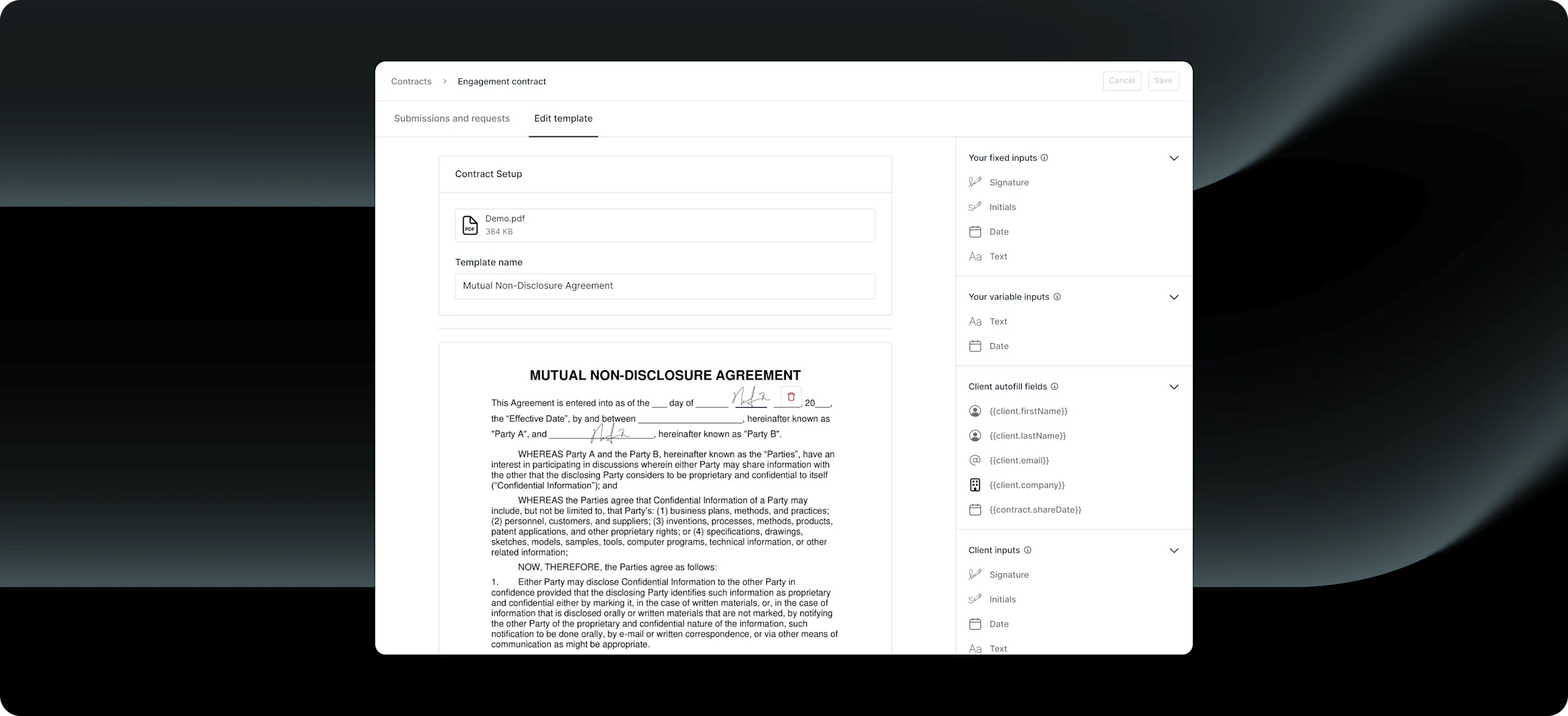
Send professional agreements with built-in eSignatures.

Messaging
Communicate with clients through secure, centralized channels

Reminders
Automate payment reminders to keep clients on track and minimize overdue invoices.

Security
Keep data safe with enterprise-grade SOC 2 and HIPAA compliance.
Frequently asked questions
A consulting client portal is a secure, client-facing workspace where consultants share deliverables, manage communication, and track work in one place. Clients log in to view files, messages, tasks, and invoices related to their engagement instead of relying on email or shared folders.
Yes, fully. You can add your logo, brand colors, custom domain (e.g., portal.yourfirm.com), and even send email notifications from your own domain (e.g., noreply@yourfirm.com). Your clients will never see Assembly’s branding — the experience is entirely yours. White-label features are available on Professional plans and above.
Assembly stands out in three key areas. First, it’s more flexible — unlike Moxo, which leans enterprise and can be expensive for growing firms, Assembly gives you the same white-label portal experience at a transparent flat price starting at $0/month. Unlike Accelo, which is primarily a practice management tool, Assembly is portal-first — meaning the client experience is the centerpiece, not an afterthought. And compared to CoordinateHQ, Assembly offers a fuller suite including billing, contracts with eSignatures, and a developer platform with API and Custom Apps, so you can grow without hitting feature ceilings.
Absolutely. Assembly includes built-in invoicing (one-time and recurring subscriptions), payment collection via credit card and ACH, and a contracts app with legally binding eSignatures. Clients can review, sign, and pay all from their portal — no need for separate tools like DocuSign or QuickBooks.
Yes. You can embed virtually any web-based tool directly into your client portal, so clients can see your Airtable project trackers, book meetings via Calendly, or access Google Drive folders without leaving the portal. Assembly is an open platform with a full API, native Zapier and Make connectors, and a Custom Apps framework — meaning you can connect to virtually any tool your firm uses, from CRMs and calendaring apps to accounting software like QuickBooks. The integration ecosystem is one of the most comprehensive in the client portal space.
Assembly streamlines onboarding with automated workflows. When you create a new client, you can automatically send a welcome message, assign intake forms, deliver contracts for eSignature, and share your first invoice — all triggered without manual effort. Consulting firms on Assembly report cutting onboarding time by 50–75% compared to email-based workflows.
Yes. Assembly is SOC 2 compliant and supports HIPAA and GDPR compliance, with a signed Business Associate Agreement available on Advanced plans. All data is encrypted in transit and at rest. You can also enforce multi-factor authentication for both your team and clients, and use client access permissions to control which team members can see specific client data.
Absolutely. Assembly is designed to scale from solo consultants to 100+ person firms. The Professional plan ($99/month) includes 3 team members and supports up to 500 clients. The Advanced plan ($499/month) includes 5 team members with unlimited clients and automation tasks. As you grow, you can add users and leverage the API and Custom Apps to build workflows tailored to your firm.
Yes. Assembly supports multi-company clients on Professional plans and above. Each client can belong to multiple companies, and each company can have multiple contacts — all under a single organized CRM. This is ideal for consultancies working with different divisions or portfolio companies.
Most consulting firms are fully operational within a day. You can create your branded portal, add clients, set up billing, and configure intake forms in under an hour. For larger teams, Assembly offers personalized onboarding support with annual plans to help you build automations and train your team.
Assembly is designed with the end-client experience in mind. Clients get a clean, intuitive portal that’s accessible on desktop and mobile. They can even reply to messages directly from email notifications without needing to log into the portal. Setup requires no app downloads — clients simply visit your custom portal URL.
Yes. Assembly includes a storefront feature that lets you package and sell productized services — like strategy sessions, audit packages, or monthly advisory retainers — directly through your client portal. Clients can browse, purchase, and pay without any back-and-forth email negotiations.
Assembly Assistant is an AI-powered feature that surfaces relevant client context — notes, files, message history — before meetings and calls. It can also help draft follow-up messages and summarize conversations. For consultants juggling multiple client engagements, it eliminates the prep time of digging through emails and documents before every interaction.
Your clients deserve better.
Try Assembly for free, no credit card required.