



Many projects set themselves up to fail through improper planning, poor communication, or competing expectations on how processes should be conducted.
A project execution plan is a valuable tool that helps avoid these problems, offering a better likelihood of project success. Through this article, we will help you understand what exactly a project execution plan is, how it functions, and how to write one so that you give yourself and your team the tools to collaborate and make sure there's a smooth process throughout the project's duration.
What is a project execution plan?
A project execution plan (PEP) is the governing document that outlines the overall project scope as well as quality, technical, and contractual specifications. Also included in the contents of a PEP are resource allocation and delegation, budget, project timeline, a goal-based schedule, and communication plans between project team members. These plans are often considered a living document that you should update as the project develops to provide an accurate and helpful project baseline.
This information is consolidated into a reusable, readable, and concise project execution plan template. Your template may be specific to certain projects, whether it be researched-based, engineering, software, contracting, or another subdivision of work. In essence, a PEP is your game plan — a step-by-step outline that ensures that everyone involved in the project is oriented towards a common goal to ensure a successful project execution.
With larger projects especially, a project execution strategy helps ensure that project deliverables, often coming from multiple people and sources, match the expectation of the program manager and client's project assumptions for quality assurance. With that, a PEP will also communicate a complete implementation plan for the project execution phase and dictate what the final product will look like — be it a presentation, research article, or project report.
Another similar work breakdown structure (WBS) is much more oriented toward the tasks that specific team members will take on and focuses on efficiently breaking projects into smaller deliverable pieces. Consider what fits your team's needs best and help you fill execution gaps for your integrated project team.
Why is a project execution plan necessary?
The strength of a PEP is that all participants in your group have the same information on schedule baselines, scope baselines, and other project specifications. Being on the same page helps the group unite under a common goal by using the PEP as the primary communication vehicle for project details and timelines. Consider using a PEP to facilitate larger projects of greater complexity, especially if you plan to or have already divided the project into smaller project deliverables to delegate to your team. In essence, a PEP is a contingency from an absence of common understanding; it is there to mitigate the variables.
You should discuss your PEP with project stakeholders to delineate a clear plan on their end for expectations on total project cost estimates, parameters, and other higher-level constraints. You should include the cost baseline of your PEP in your project scope. By clearing your project controls and plans in accordance with what your stakeholders want, you prevent miscommunications that can lead to needing to make sweeping, disastrous changes down the road.
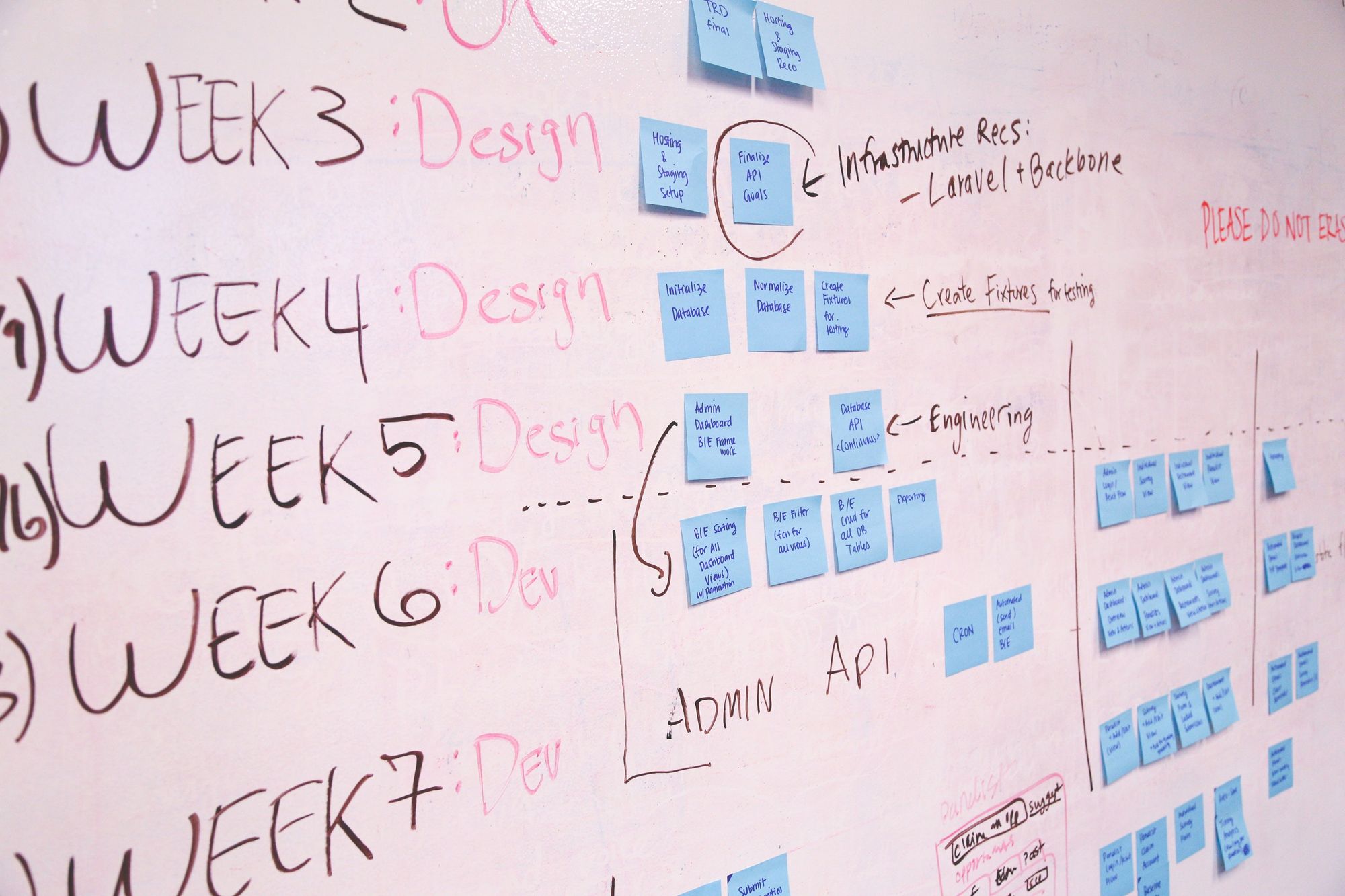
What goes into a project execution plan?
There are a few different elements that go into a project execution strategy and plan to help make sure you have the best project performance:
1. Project scope
The project scope defines the broad vital elements of your PEP. Often a project scope will include information on the project's description and purpose, resources allocated, budget, constraints, assumptions, project timeline, procurement strategies, and how you will measure success.
Your team and project sponsors should have agreed-upon expectations. To understand what falls in the purview of the scope, you should concretely define what will not be included in your project. Omission of particular items in your PEP will guide your project team to work within specific parameters, preventing scope-creep and tacked-on tasks after the planning and design phase.
2. Project goals
In your PEP, establish the goals for the project, its purpose, when it is considered complete, and how you will measure success. Success in this context is often measured against KPIs included in the final deliverable. For example, you may state the need for market-based research to establish a business. It is agreed upon between you and the project stakeholder that you will present the findings of this research in a two-thousand-word written deliverable. In this example, we have established what is needed, what the final deliverable will look like, what is considered finished, and the final intent.
3. Technical requirements
Once you have outlined the general goal, you can develop those goals further with actual, measurable specifics and add definitions. This section is the nitty-gritty of your PEP. In our previous example about the need for market-based research, we can elaborate that this research should involve tracking buying trends within a specific time frame or conducting surveys. Include a deadline and project milestones to track your progress. The format of the final deliverable, the word count, and what information will be included are examples of some technical requirements.
4. Resource allocation
You may think of resource allocation as refining and specifying the person-hours and tangible resources required of your project. Consider the resources you will need, such as staff, any special knowledge or skill someone on your team might need, time restraints, equipment on hand to carry out specific tasks, and any finances allocated towards attaining additional tools or equipment.
5. Project schedule and timelines
Project timelines can be thought of in two broad categories—deadline of the final deliverable and, as previously stated, having project milestones; each informs the other. Once tasks are delegated amongst your team in your resource allocation section, your project can function as multiple smaller projects running parallel toward the same goal. To track overall progress, consider cross-team milestones with helpful KPIs. Once smaller tasks are delegated amongst a project team, a project leader may incorporate these cross-team milestones to generate enthusiasm and camaraderie.
6 steps to create a project execution plan
Here's an outline of rough steps to begin creating your PEP.
1. Collect feedback from the team
Clear communication and expectations are essential to the execution and success of any project. Establish KPIs to track progress and consider each individual's skills and knowledge and inform a more efficient workflow. Before solidifying your PEP, consider the needs and expectations of your team. As the project progresses, collect feedback to develop and improve the process.
2. Work backward from your end goals
Often it is helpful to work backward from your end goals to delineate well-defined objectives. Working backward can give you a broader view of how each task and purpose can work in conjunction and how each element correlates with creating the final product.
3. Set major milestones
Major milestones help your team track their progress and timing throughout the project. Setting deadlines for these milestones and expected resource use for them can help you see if tasks are taking longer than anticipated so that you can adjust your PEP and plans as needed. Your team should define these milestones to create enthusiasm and camaraderie between project groups.
4. Create subtasks
When you make your milestones, delegate subtasks between two or more groups to break down the workload. Establish the work parameters of each group to avoid redundancies and better facilitate productivity.
5. Set cross-team status checks
As well as establishing strong communication between project groups and leaders, encourage and facilitate communication between the groups themselves. Creating meetings and check-ins to encourage cross-team conversations ensures that major milestones are met and that you can collaboratively approach roadblocks.
6. Assign a project manager
In some cases, it can help to assign a project manager, especially in projects with more immense scopes and multiple teams that may need extra guidance. A project manager can help facilitate communications, advise on timelines, monitor resource use, and help delegate new tasks. Not all projects will need this, especially for smaller teams working closely on smaller projects without needing one person to provide oversight.
Conclusion
With a project execution plan, you give yourself, your team, and your client, the means of having a single, solidified template that defines the overall goal and expectations of the final deliverable. With a specified outline, you can better facilitate the project each step of the way, having clearly outlined the goals and objectives in a readily accessible document. A project is given shape through parameters and a means of execution through well-defined, purpose-based objectives through a PEP.
All your project planning and client communications in one place

Assembly is a no-code customer portal solution that lets you offer clients a unified hub for messaging, file-sharing, eSignatures, payments, forms, and self-serve support. Assembly enables you to design a customized client experience that elevates your brand in all customer interactions. Try Assembly for free.