



I dug through Hubflo reviews and tested the platform across CRM, project, and billing workflows. Read on to learn where it supports growing teams and where it slows them down in 2025.
Quick verdict: TL;DR
Hubflo is quick to set up, and the unified portal works well for small teams that want CRM, projects, and billing in one place. The limit shows up when you need deeper control or hit the pricing tiers that lock certain customization tools, which can feel tight for teams that expect more flexibility as they grow.
What is Hubflo?
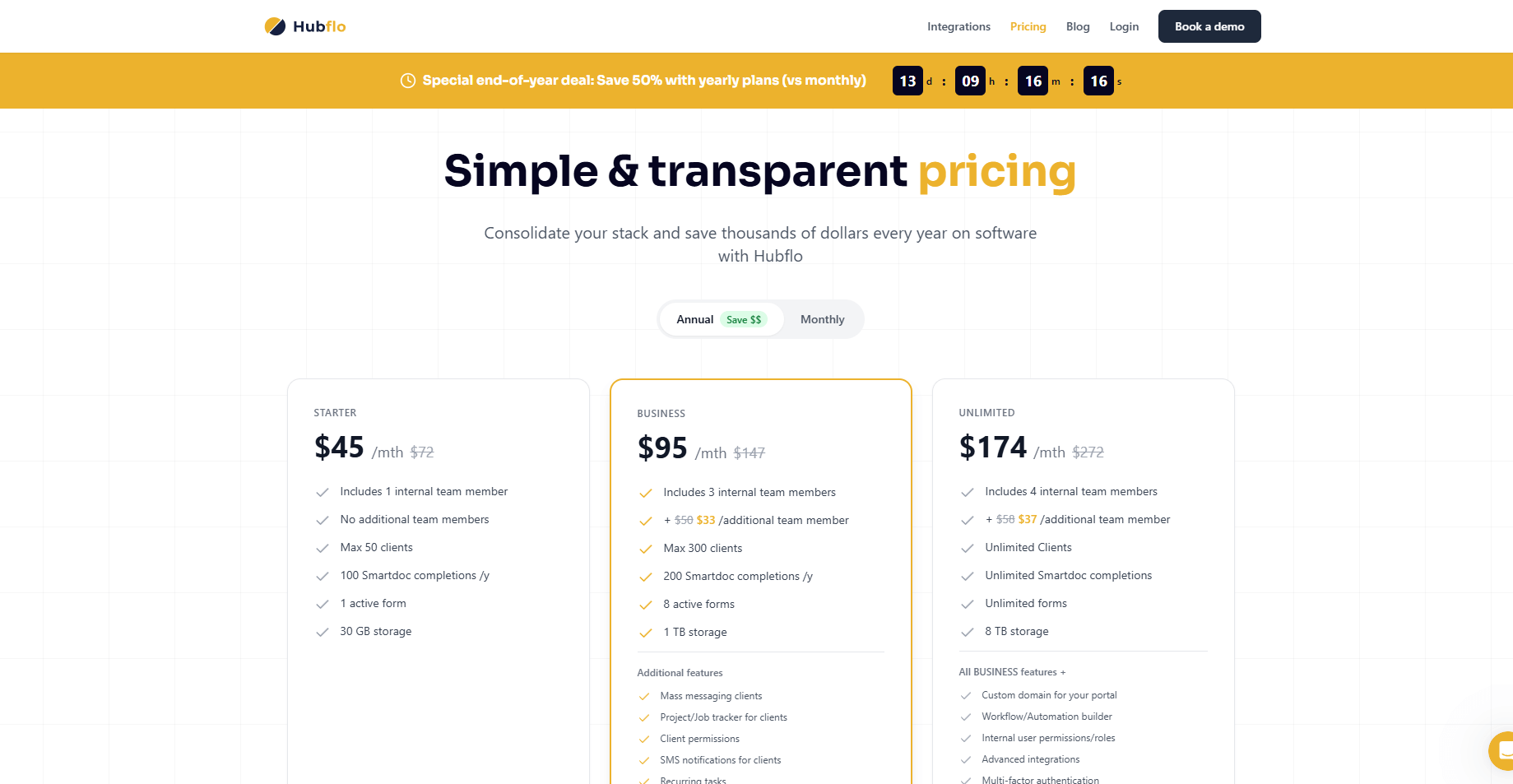
Hubflo is a client portal platform built for teams that handle service delivery. It brings tasks, messages, shared files, and invoices into one workspace, so you can keep client activity in a single view instead of bouncing between tools. The portal gives clients a simple place to check updates and upload materials, which keeps day-to-day work clear for both sides.
The platform doesn’t run payments itself. It connects to processors like Stripe, and those payments show up in the portal alongside project activity. This approach keeps billing visible without relying on a native payment system.
Hubflo key features
Hubflo includes tools that help you manage clients, track work, and handle billing in one place. Here are the core features you’ll find inside the platform:
- Client records: You can store contact details, notes, and past activity so you always have the context you need.
- Project tracking: Tasks, deadlines, and progress updates live in a central workspace where you can follow active work.
- Client portal: Clients can view updates, send files, reply to messages, and settle invoices through one secure link.
- Billing tools: You can send invoices, collect payments, and review transaction history without using separate software.
- Proposals and contracts: You can create proposals with pricing options, turn accepted proposals into agreements, and collect signatures inside the platform.
- Document sharing: Files can be uploaded, organized by project, and kept tied to the right client.
- Forms: Intake forms help you gather key details at the start of a project so you don’t start work with missing information.
- Messaging: Conversations stay in a dedicated thread so you don’t have to manage long email chains.
- Time and scheduling: You can track work hours and share booking links or calendar events with clients for easier coordination.
- Integrations and embeds: You can connect payment processors, accounting tools, and external apps through integrations or in-portal embeds.
- Automation: Zapier and similar tools let you cut repetitive steps across your connected systems.
Hubflo reviews: What real users are saying
I went through Hubflo reviews on G2, Trustpilot, SoftwareFinder, and a mix of community threads. Many users mention quick onboarding, a clean portal, and a client handoff process that feels easier to manage. The most consistent complaints involve file issues, limited customization on lower tiers, and reporting that doesn’t go deep enough for teams with heavier workloads.
Here’s what users say about their Hubflo experience:
Pros
- Quick onboarding: Many reviewers say setup takes little effort, which helps teams start working faster.
- Clean interface: Users highlight the simple layout that feels easier to follow than bulkier client systems.
- All-in-one workflow: Reviewers like having client records, project tasks, communication, and billing in one place.
- Responsive support: I saw many comments noting fast replies and helpful guidance from the Hubflo team.
- Strong value for small teams: Users often mention that the pricing works well for agencies that need one connected workspace.
Cons
- Upload issues: Some reviewers report slowdowns or bugs when sending large files through the portal.
- Customization limits: More advanced role settings and layout controls tend to require higher-tier plans.
- Reporting gaps: Users say they want deeper insights as their client load grows.
- Navigation friction: A few reviews mention that some parts of the platform take time to learn.
- Scaling concerns: Teams with complex workflows say they might outgrow Hubflo sooner than expected.
My personal take on Hubflo
I see why small agencies and consultancies pick Hubflo. The layout is clean, setup is quick, and the client portal cuts down on the long email loops that slow projects. It connects CRM details, tasks, files, and invoices in one place, which helps teams that want a straightforward system for client work without relying on heavier setups.
The cracks appear when your process gets more advanced. Larger uploads can lag, and some users report bugs that take time to resolve. Custom roles, deeper controls, and stronger reporting sit behind higher tiers, which limit how much you can tailor the platform without paying more. Navigation also takes a bit of trial-and-error in certain areas, which may slow new team members.
For small teams with steady workloads, Hubflo offers a clear and affordable system. If you need more tailored workflows, richer analytics, or tight control over permissions, you may outgrow it faster than expected.
Is Hubflo right for you?
Hubflo is a good fit if you want a simple client portal, connected project work, and built-in billing without managing a large software stack. It works well for agencies that prefer a clean setup and don’t need deep customization on day one.
Here’s how to tell if Hubflo fits your needs:
Who will love it
- Small service teams: If you run client work in steady cycles and want one place to track tasks, files, and communication, Hubflo keeps everything organized without heavy setup.
- Agencies that need quick onboarding: Teams that bring on new staff or contractors regularly will appreciate how fast people can learn the system.
- Businesses that value a client portal: If you want clients to check updates, send files, and pay invoices in one space, Hubflo offers a clear and approachable experience.
Who should avoid it
- Teams with complex workflows: If your process depends on advanced reporting, granular permissions, or intricate task structures, Hubflo may feel limited on lower tiers.
- Businesses handling large files: Video, animation, or heavy design teams may run into slowdowns or upload friction.
- Growing firms that need deep flexibility: Agencies that expect rapid scale or plan to customize every part of their system may want a tool with broader controls.
The best Hubflo alternative: Assembly
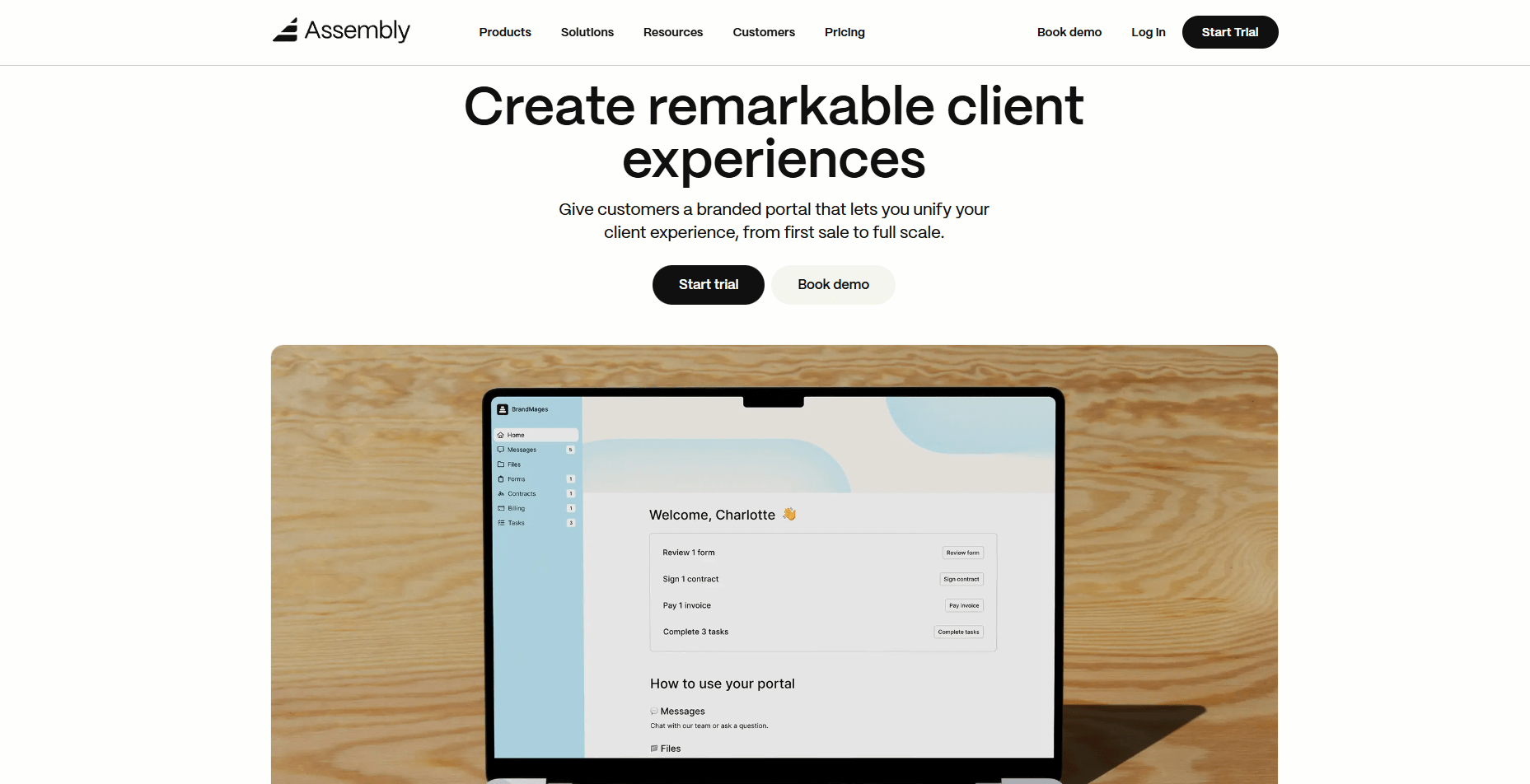
Many Hubflo reviews mention limits around file handling, customization, and reporting depth. That lines up with what I saw during testing. It works well for small teams that want a simple portal, but growing agencies may feel some friction once their workflow expands.
Assembly takes a broader approach by pairing CRM tools, project tracking, billing, and communication with built-in AI and modular apps. The AI Assistant handles summaries and follow-ups, and the App Store adds options for automation, reporting, and selling services.
Here’s what you can do with Assembly:
- See the full client record: Notes, files, payments, and communication history stay linked in one place. You never have to flip between systems or lose context when switching from sales to service.
- Prep faster for meetings: The AI Assistant pulls past interactions into a clear summary so you can walk into any call knowing exactly what’s been discussed and what’s next.
- Stay ahead of clients: Highlight patterns that may show churn risk or upsell potential, making outreach more timely and relevant.
- Cut down on admin: Automate repetitive jobs like reminders, status updates, or follow-up drafts that used to take hours. The Assistant handles the busywork so your team can focus on clients.
- Track team performance: View active projects, overdue invoices, or pending approvals in one dashboard to keep your operations running smoothly.
- Give clients a branded experience: Share updates, invoices, and documents through a professional client portal that reflects your business identity.
- Sell and onboard clients faster: Storefronts lets you package and sell your services online. Once a client pays, their account and portal are created automatically, and onboarding starts right away.
Want a platform that grows with your client base? Start your free Assembly trial today.