



Hello Bonsai (usually just called Bonsai) combines proposals, payments, and time tracking for service providers. I analyzed Hello Bonsai’s pricing, features, and user limits across every tier to help service teams decide if it fits their budget in 2026.
Hello Bonsai pricing: At a glance
Each Bonsai plan includes time tracking, task management, and CRM tools. Pricing is charged per user, so costs scale with your team size.
Here's a side-by-side look at what each plan includes:
| Plan | Monthly price | Annual price | Key limits | Best for |
|---|---|---|---|---|
| Basic | $15 per user | $9 per user | Time tracking, task management, and unlimited projects | Freelancers tracking time on occasional projects |
| Essentials | $25 per user | $19 per user | Invoices, proposals, contracts, and client portal | Solo consultants who need billing and contracts |
| Premium | $39 per user | $29 per user | Project insights, Gantt view, deals pipeline, and integrations | Small teams managing multiple client projects |
| Elite | $59 per user | $49 per user | Custom permissions, timesheet locking, Xero integration, and 3-user minimum | Larger teams that need advanced controls and reporting |
Bonsai charges processing fees on client payments, and the rates change depending on how your client pays. We’ll cover the full fee breakdown below.
One thing to note is that Zoom announced its acquisition of Bonsai in November 2025, and Bonsai now operates as a Zoom company. It's unclear how this will affect pricing, features, or the product roadmap, so keep an eye on updates if you're considering a long-term commitment.
Tip: Bonsai offers a 7-day free trial on all plans. Teams with 30 or more users can request reduced rates.
Plan prices are only part of the decision. Our Bonsai software review covers the templates and interface users praise and the payment delays that keep frustrating them, and our Bonsai vs Dubsado comparison adds Assembly to the mix to show which one suits a freelancer best.
Hello Bonsai pricing plans breakdown
Bonsai organizes its plans around client management, billing, and project tracking features. The per-user pricing means your monthly cost rises with each team member you add. Here's what each plan gives you:
Basic plan: $15 per user per month or $9 per user billed annually
- What's included: Time tracking, task management, unlimited projects, CRM, service library, and iOS/Android apps.
- Key limits: No invoicing, no contracts, no proposals, no client portal, 10 GB storage.
- Best for: Freelancers who need simple time and project tracking without client-facing features.
- Pros: Low entry cost and unlimited projects for basic work.
- Cons: Missing billing tools, contracts, and client portal access.
Essentials plan: $25 per user per month or $19 per user billed annually
- What's included: Everything in Basic, plus invoices, payments, proposals, contracts, forms, scheduling, client portal, expense tracking, and income tracking.
- Key limits: 1 event type for scheduling, 100 GB storage.
- Best for: Solo consultants or freelancers who need a client-facing portal with billing and contracts in one place.
- Pros: Adds the core tools most service providers need for client work.
- Cons: Limited scheduling options and no advanced reporting.
Premium plan: $39 per user per month or $29 per user billed annually
- What's included: Everything in Essentials, plus project insights, workload management, Gantt view, deals pipeline, custom fields, client tasks and messaging, profit and productivity reports, white-label branding, and integrations with QuickBooks, Zapier, Calendly, Google, Gmail, and Slack.
- Key limits: 500 GB storage, dedicated onboarding starts at 10 seats.
- Best for: Small teams that manage multiple clients and want reporting, white-label branding, and third-party integrations.
- Pros: Removes Bonsai branding and adds workflow tools like Gantt charts.
- Cons: Per-user pricing adds up quickly for teams over 3-4 people.
Elite plan: $59 per user per month or $49 per user billed annually
- What's included: Everything in Premium, plus custom permissions, timesheet locking, expense markup, Xero integration, custom data import, and custom roles.
- Key limits: 3-user minimum, 500 GB storage, dedicated onboarding at 10+ seats.
- Best for: Larger teams that need advanced permission controls, accounting integrations, and detailed audit features.
- Pros: Adds granular controls for team management and accounting sync.
- Cons: 3-user minimum means you're paying at least $147 per month (annual) even if you only have two people.
Hello Bonsai payment processing fees
Beyond the subscription cost, Bonsai charges processing fees when your clients pay invoices through the platform. The fees vary depending on which payment method you use and where your clients are located.
Here are the payment processing rates to factor into your costs:
| Payment method | Bonsai Payments | Stripe | PayPal |
|---|---|---|---|
| Credit and debit cards | 2.9% + $0.30 | 2.9% + $0.30 | 2.9% + $0.30 |
| American Express | 3.25% + $0.30 | 3.25% + $0.30 | 2.9% + $0.30 |
| Bank transfer (ACH) | 1.0% ($1 min) | 1.0% ($1 min) | N/A |
| Instant payouts | +1.5% | N/A | N/A |
Bonsai Payments is available in the US, UK, Canada, and Australia. US users have Bonsai Payments activated by default, so you'll need to deactivate it first if you want to use Stripe instead.
Here are some additional fees to know about:
| Fee type | Rate | When it applies |
|---|---|---|
| Third-party platform fee | 1.0% | Using Stripe or PayPal, where Bonsai Payments is available |
| Amex via Stripe platform fee | 1.35% | American Express cards processed through Stripe |
| Foreign exchange (FX) fee | 2.5% | International payments through Bonsai Payments or Stripe |
These fees add up quickly if you process a lot of payments or work with international clients. A $1,000 invoice paid by credit card costs about $32 in fees through Bonsai Payments.
If that client is international, the FX fee bumps the total to around $57. As your client base grows, these transaction costs can quietly cut into your margins.
Which Hello Bonsai plan should you choose?
Choosing the right Bonsai plan depends on whether you work solo, run a small team, or need advanced controls for a larger operation. The per-user pricing model makes sense for individuals but can become expensive as you add team members.
Choose Basic if you:
- Work alone and only need time tracking and task management.
- Don't send invoices, proposals, or contracts through your project tool.
- Want a lightweight system for tracking hours on occasional projects.
Choose Essentials if you:
- Need to send invoices, proposals, and contracts from one platform.
- Want a client portal where customers can view documents and pay.
- Work solo or with one other person and want core billing features.
Choose Premium if you:
- Manage a small team and need project insights, Gantt views, and workload tracking.
- Want to remove Bonsai branding from client-facing pages.
- Need integrations with QuickBooks, Zapier, Slack, or Google tools.
Choose Elite if you:
- Run a larger team and need custom permissions, roles, and timesheet locking.
- Want Xero integration for accounting sync.
- Can commit to the 3-user minimum and need advanced audit controls.
Is Hello Bonsai worth the cost?
Bonsai combines time tracking, billing, contracts, and project management in one platform. The value depends on how many people need access and which features your work requires.
Here's how to decide:
- It's worth it if: You're a solo freelancer or small team that wants time tracking, invoicing, contracts, and a client portal without juggling separate tools.
- It's a good fit for: Consultants, designers, and agencies that bill by the hour and need to track time against projects.
- Skip it if: You have a team of 5 or more people and the per-user cost pushes your monthly spend higher than flat-rate alternatives. A team of 5 on Premium costs $145 per month (annual) or $195 per month (monthly), and that's before any add-ons.
The per-user model works well for solo operators and pairs. Once you grow past 3-4 people, I'd recommend comparing Bonsai's total cost against platforms that charge per workspace or include more team members in their base price.
Hello Bonsai alternatives and pricing comparison
Bonsai works for many freelancers and small teams, but some firms need different tools for client management and billing. I compared a few platforms that take their own approach to managing clients, invoices, and communication. Here's how the Bonsai alternatives stack up:
| Tool | Annual price | Best for | Key advantage |
|---|---|---|---|
| Assembly | $29 per month | AI-powered client management with custom apps | Connects billing, contracts, and communication inside a branded client workspace |
| HoneyBook | $29 per month | Creative freelancers | Combines proposals, contracts, and payments with a polished client experience |
| Dubsado | $335 per year | Workflow automation | Builds automated client workflows with forms, contracts, and scheduling |
Assembly: Best for AI-powered client management with custom apps
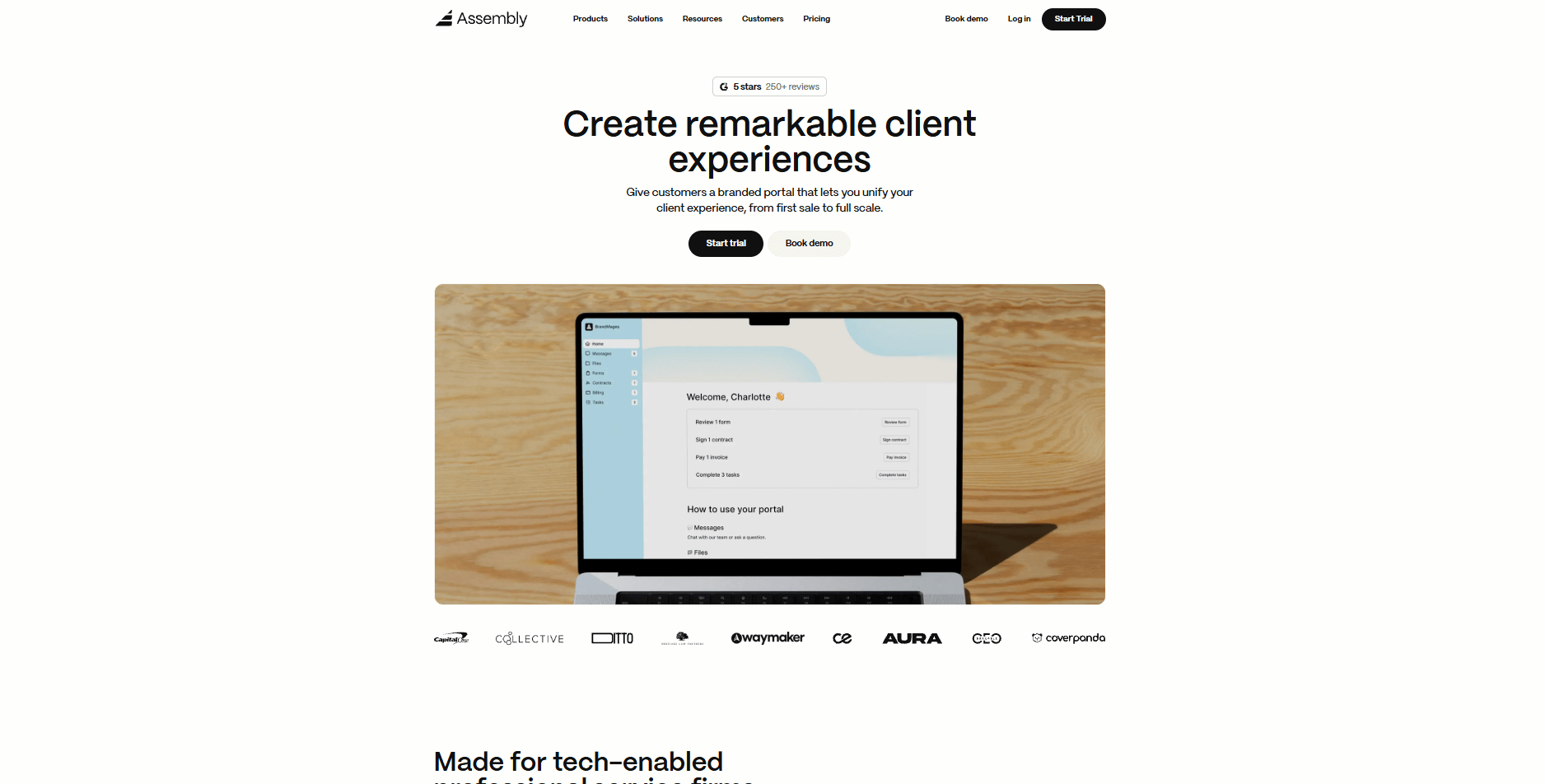
We built Assembly for service teams that want a branded client portal with built-in billing, contracts, and communication tools. You can add internal notes, custom fields, and prep client records before sending an invite. Once they're in, clients see their contracts, invoices, messages, tasks, and files in one place. Your team sees the same view, plus the internal tools they need to deliver work.
Assembly has an App Store that lets you add what you need. The Billing App handles invoices, subscriptions, and stored payment methods. Storefronts let clients purchase services directly. Forms, tasks, file sharing, and contracts each have their own apps you can configure per client.
We also have the AI Assembly Assistant, which pulls recent activity from each client record before calls or check-ins. Instead of clicking through notes and emails, you get a summary of where things stand. It's context-aware, so the more you use Assembly, the more useful it becomes.
Assembly has a free plan, and paid plans start at $29 per month billed annually, or $49 billed monthly.
HoneyBook: Best for creative freelancers
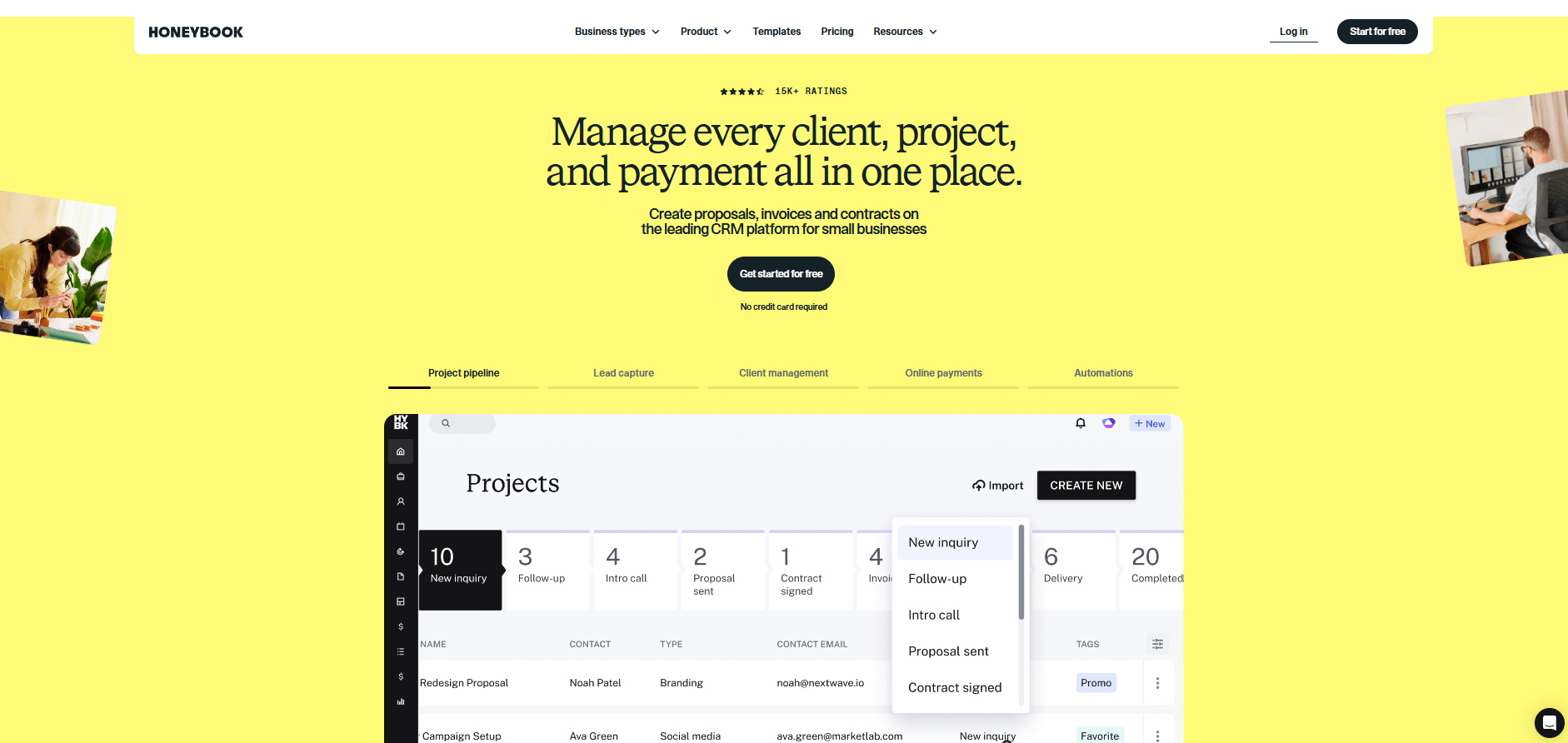
HoneyBook focuses on freelancers and creative professionals who want a polished way to book clients and get paid. The platform handles proposals, contracts, and invoicing in one flow, so clients can review terms and submit payment without jumping between tools.
HoneyBook pricing starts at $29 per month, billed annually. It's a solid choice for photographers, designers, and event planners who want a client-facing system without complex project management features.
Dubsado: Best for workflow automation
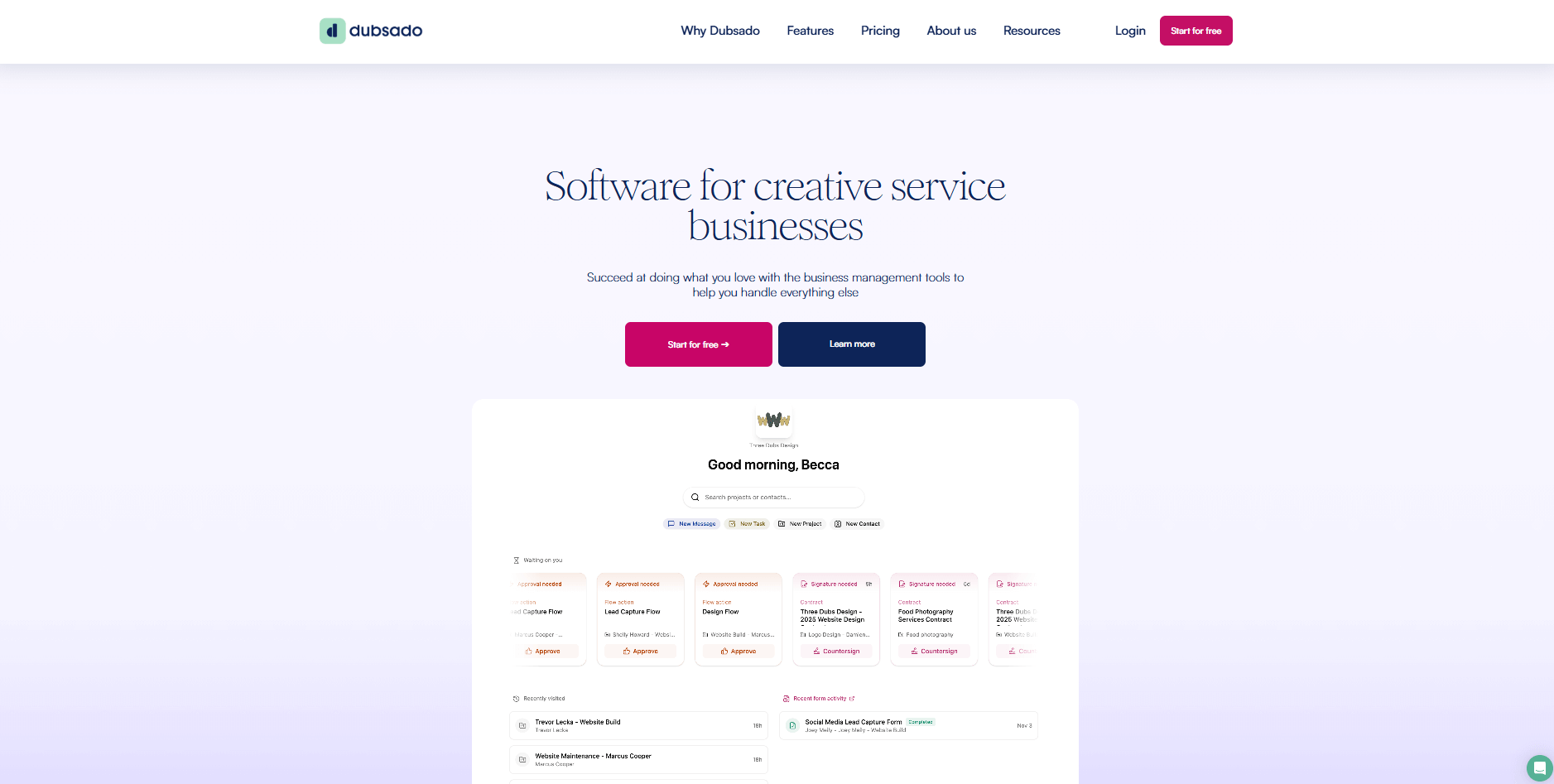
Dubsado lets you build automated workflows that handle forms, contracts, invoices, and scheduling based on triggers you set. It's designed for service providers who want to automate repetitive client tasks. You can set up a workflow that sends a welcome email when someone fills out your lead form, then automatically delivers a proposal, contract, and invoice in sequence without manual steps.
Dubsado pricing starts at $335 per year. It fits teams that want deep control over their client workflows and don't mind spending time configuring automations.
If you want a Bonsai software alternative beyond these three, our roundup of the 11 best Hello Bonsai alternatives ranges from simple task managers to complete agency platforms. And if HoneyBook is on your shortlist, our guide to HoneyBook alternatives reviews Bonsai and Dubsado alongside seven other tools.
Assembly vs Hello Bonsai: Which should you choose?
Assembly and Hello Bonsai both help service teams manage clients, but they focus on different parts of the workflow. Bonsai centers on time tracking and project-based billing. Assembly centers on client portals and long-term client relationships.
Use this guide to figure out which one fits your work:
- Assembly is better for: Teams that want a branded client portal with built-in contracts, billing, messaging, and an AI assistant that pulls context from client history. The App Store lets you add only what you need, which helps consolidate workflows and cut down on tool fatigue.
- Hello Bonsai is better for: Freelancers who bill by the hour and want time tracking tied directly to invoices and projects. Hello Bonsai pricing works well if your workflow revolves around logging hours and converting them to billable work.
- Use both if: You want Bonsai's time tracking for internal use while using Assembly to deliver client work through a branded portal.
Want to see how Assembly can simplify client delivery and communication? Try Assembly for free today.
My bottom line on Hello Bonsai pricing
Bonsai fits solo freelancers and small teams that need time tracking, invoicing, and contracts in one tool. I think the per-user pricing is reasonable when you're working alone or with one other person. But once you grow past 3-4 team members, the costs add up quickly compared to platforms that charge flat rates or include more seats in their base plans.
If you want a client portal with AI tools and a flexible app marketplace, I'd recommend trying Assembly. It combines billing, contracts, communication, forms, tasks, and files in one workspace. Many teams find that having everything in one system lowers the need for extra tools.