


AI tools for accounting firms cover everything from tax research and audit documentation to invoice processing, client communication, and everyday writing tasks. I tested over 60 tools across every use case to put together this list of 32 worth considering in 2026.
32 AI tools for accounting firms: Quick comparison
| Tool | Best for | Annual price | Strengths |
|---|---|---|---|
| Karbon | Accounting firms managing client workflows | $59/user/month | Workflow automation, email management, client collaboration, and time tracking |
| TaxDome | Tax firms managing practice operations | $800/seat/year for a one-year commitment | Client portal, e-signatures, document management, and billing |
| Vic.ai | AP teams processing high invoice volumes | Custom pricing | Invoice capture, GL coding, ERP integration, and AP automation |
| DataSnipper | Audit teams working in Excel | Custom pricing | Document matching, data extraction, and Excel integration |
| MindBridge | Risk detection and transaction analysis | Custom pricing | Risk scoring, anomaly detection, and transaction-level analysis |
| Trullion | Lease accounting and audit compliance | Custom pricing | Lease accounting, data extraction, audit preparation, and compliance reporting |
| Numeric | Month-end close automation | $30/user/month, billed monthly | GL reconciliation, close checklists, and flux analysis |
| CoCounsel Tax | AI-assisted tax and audit research | Custom pricing | Tax research, document summarization, and regulatory guidance |
| Blue J | AI tax research and outcome prediction | $1,498/user/year | Tax research, outcome prediction, and regulatory analysis |
| SurePrep 1040SCAN | Automated tax document scanning | Custom pricing | Tax document scanning, workpaper assembly, and data extraction |
| QuickBooks | Small business accounting and reporting | $38/month | Invoicing, expense tracking, payroll, and financial reporting |
| Xero | Cloud-based accounting for small firms | $25/month | Bank reconciliation, invoicing, and multi-currency support |
| Docyt | Multi-entity bookkeeping workflows | Custom pricing | Transaction categorization, expense management, and real-time reporting |
| Dext | Receipt and invoice capture | $20.80/client/month, minimum of 10 clients | Receipt capture, invoice processing, and accounting software integration |
| Nanonets | Document extraction and reconciliation | Custom pricing | OCR extraction, bank statement processing, and reconciliation automation |
| Zeni | AI bookkeeping with CFO support | $494/month | AI bookkeeping, financial reporting, and CFO advisory support |
| BILL | AP and AR automation | $49/user/month | AP automation, AR management, and payment processing |
| Assembly | Building client-facing apps without code | $29/month | App generation, contracts and e-signatures, and built-in billing and messaging |
| Aiwyn | Billing, collections, and client payments | Custom pricing | Revenue operations, collections automation, and billing management |
| Silverfin | Client file analysis and review | Custom pricing | Client file analysis, anomaly flagging, and financial review |
| Rillet | Multi-entity ERP and financial operations | Custom pricing | Real-time general ledger, multi-entity consolidation, and AR/AP automation |
| Botkeeper | Automated bookkeeping at scale | $134/license/month (for 1–4 licenses) | Automated bookkeeping, bank reconciliation, and financial reporting |
| Otter | Meeting transcription and summaries | $8.33/user/month | Meeting transcription, summary generation, and action item tracking |
| Fireflies.ai | Meeting recording and action items | $10/seat/month | Meeting recording, transcription, and searchable conversation history |
| ChatGPT | General-purpose AI writing and research | $8/month, billed monthly | Content drafting, research assistance, and workflow automation |
| Claude | Long-form drafting and document analysis | $17/month | Document analysis, long-form writing, and complex reasoning |
| Microsoft Copilot | Microsoft 365 users | $18/user/month | Microsoft 365 integration, writing assistance, and data analysis |
| Perplexity | AI-powered research with cited sources | $17/month | Real-time web research, source citation, and question answering |
| Google Gemini | Google Workspace users | — | Google Workspace integration, research, and content generation |
| Jasper | AI content creation for firm marketing | $59/seat/month | Marketing content, brand voice customization, and campaign copy |
| Grammarly | Writing assistance and proofreading | $12/month, billed monthly | Grammar checking, tone adjustment, and writing clarity |
| Superhuman | AI-powered email management | $12/member/month | Email organization, follow-up reminders, and inbox management |
How I researched and tested these AI tools for accounting firms
I worked through each tool using sample workflows across the use cases covered in this list, including invoice processing, audit documentation, tax research, month-end close tasks, meeting transcription, and everyday writing and communication. For tools without direct access, I reviewed product demos, documentation, and walkthroughs to assess their capabilities.
Here's what I considered:
- Core task performance: How well each tool handles the specific workflows it's built for, whether that's GL reconciliation, document extraction, tax outcome prediction, or drafting client communications.
- Ease of use: How quickly someone with an accounting background, not a technical one, can get oriented and productive without a lengthy setup or training period.
- Integrations: How well each tool connects with the software accounting firms already rely on, including accounting platforms, ERP systems, practice management tools, and communication software.
- Pricing and value: What you get at each tier relative to what accounting firms of different sizes actually need, and where the cost starts to outpace the return.
- Fit for accounting firm workflows: Whether the tool is built with the data sensitivity, compliance requirements, and day-to-day realities of accounting work in mind, rather than generic business use.
Testing across this many tool types made it clear that no single category dominates. The biggest gaps tend to show up not in the specialized tools, but in how well a firm's general productivity stack holds up alongside them.
1. Karbon: Best for accounting firms managing client workflows

- What it does: Karbon is an AI-powered practice management platform that connects client workflows, email, collaboration, and billing in one place for accounting firms.
- Best for: Accounting firms that manage multiple client engagements simultaneously and need their team's work, communication, and deadlines visible in a single system.
I ran 5 mock client accounts through a week of email in Karbon, alongside a simulated onboarding workflow. The AI separated urgent messages from routine ones more reliably than I expected, and its draft responses were close enough to send after minor edits. Getting the platform configured the way you want it takes time, and smaller firms may find the module depth more than they need.
Key features
- AI email triage: Karbon AI scans your inbox and prioritizes emails based on urgency and sentiment, surfacing the most time-sensitive client messages first.
- Workflow automation: Users can build templated workflows for recurring engagements like tax preparation or month-end close, with tasks, assignees, and due dates that trigger based on set conditions.
- Practice Intelligence: Karbon draws on your firm's existing data across clients, jobs, and communications to suggest task assignments, flag missed time entries, and generate summaries of long email threads.
Pros and cons
| Pros | Cons |
|---|---|
| Email and workflow sit in one platform, reducing the need to switch between tools | Initial configuration takes meaningful time before the platform runs efficiently |
| AI suggestions draw on actual firm data rather than generic prompts | Feature depth can feel overwhelming for smaller or less tech-forward firms |
| Time tracked on tasks flows directly into invoices through Karbon's built-in billing feature |
What users say
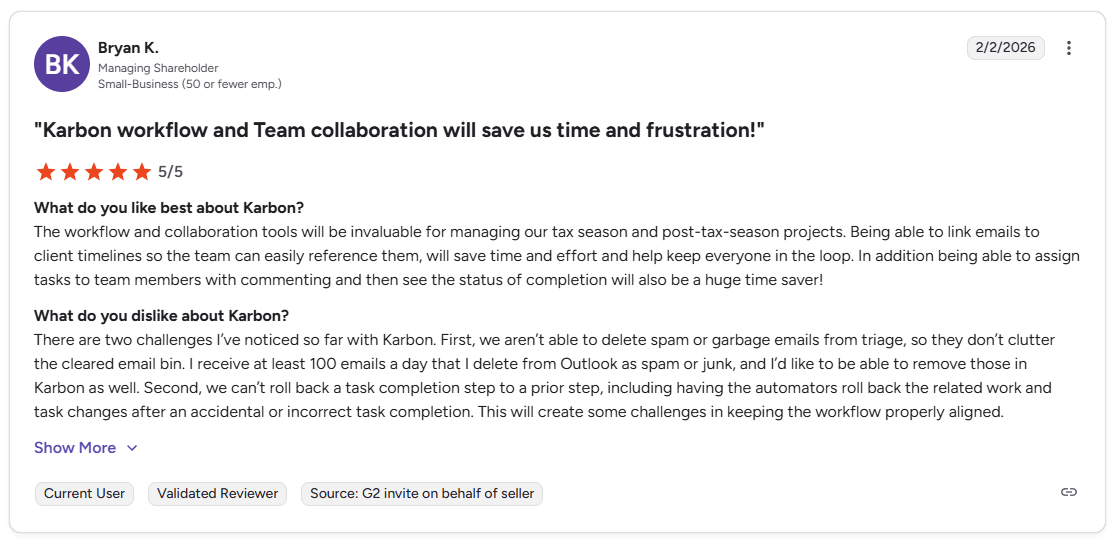
Pro: “The workflow and collaboration tools will be invaluable for managing our tax season and post-tax-season projects. Being able to link emails to client timelines so the team can easily reference them will save time and effort and help keep everyone in the loop.” - Bryan K., G2
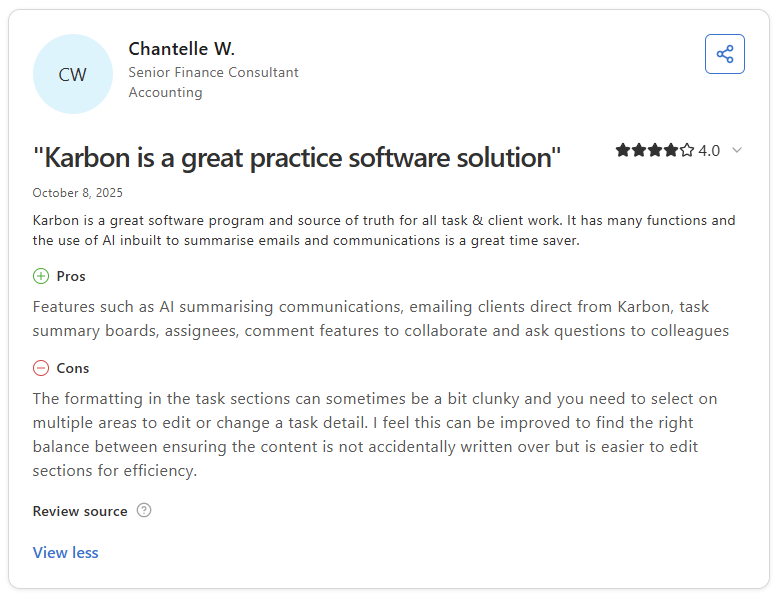
Con: “The formatting in the task sections can sometimes be a bit clunky, and you need to select multiple areas to edit or change a task detail. I feel this can be improved to find the right balance between ensuring the content is not accidentally written over, but is easier to edit sections for efficiency.” - Chantelle W., Capterra
Pricing
Karbon starts at $59 per user per month.
Bottom line
Karbon's AI works within your actual firm data rather than in isolation, which makes its suggestions more contextually relevant than a general-purpose tool. If your practice is primarily tax-focused and you want a simpler setup with a built-in client portal, TaxDome might be a better fit.
2. TaxDome: Best for tax firms managing practice operations
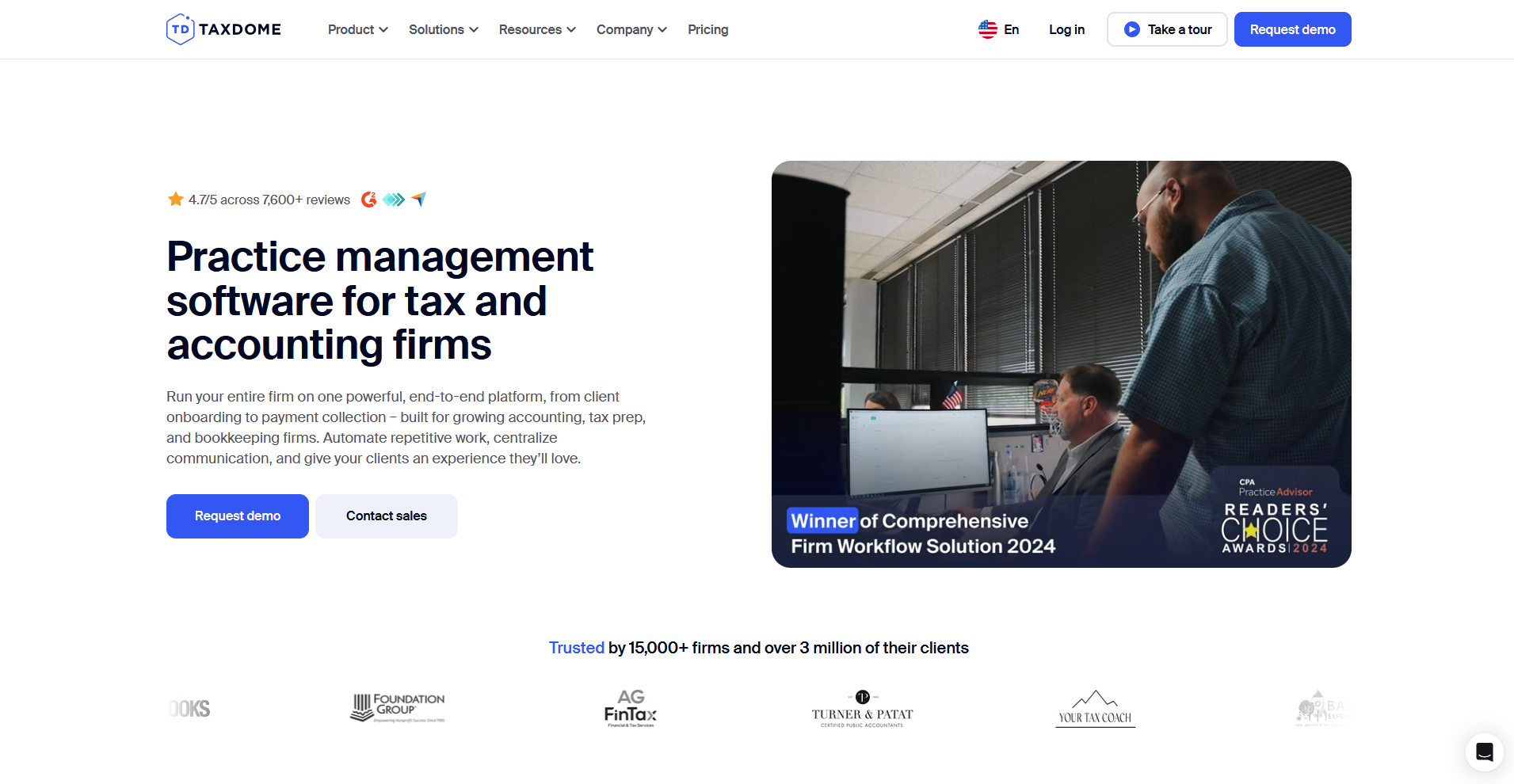
- What it does: TaxDome is a practice management platform for tax and accounting firms that covers client portal, workflow automation, document management, e-signatures, and billing in a single system.
- Best for: Tax firms that want client intake, document collection, e-signatures, and billing consolidated under one login rather than spread across separate tools.
I ran a simulated 1040 engagement in TaxDome from client onboarding through document collection and e-signature, and the pre-built pipeline templates meant the workflow was up and running without building from scratch. The client portal handled document uploads cleanly on both desktop and mobile, but onboarding averages 6 to 8 weeks. Firms expecting a quick start should factor that in.
TaxDome also appears in our guide to the best CRM for accounting firms, which compares it with other CRMs for accountants, bookkeepers, and tax pros.
Key features
- AI document management: TaxDome AI automatically detects, renames, tags, and categorizes client-uploaded files by document type, such as W-2s, 1099s, and engagement letters, reducing the time spent on manual document sorting.
- Workflow automation pipelines: Users can build visual pipelines for each service type with automated task triggers, status updates, and client reminders that fire as work moves through each stage.
- AI-powered reporting: Users can ask business questions in natural language to generate reports on invoices, time entries, tasks, and pipeline status without building reports manually.
Pros and cons
| Pros | Cons |
|---|---|
| E-signatures, document storage, and billing are included in the base plan rather than sold as add-ons | Onboarding averages 6 to 8 weeks, which requires a meaningful time investment before the platform runs efficiently |
| Pre-built workflow templates for common tax return types reduce setup time for standard engagements | Reporting customization has limits, and some users rely on workarounds for more specific analytics |
| Clients can upload documents, sign returns, and pay invoices through a dedicated mobile app on iOS and Android |
What users say
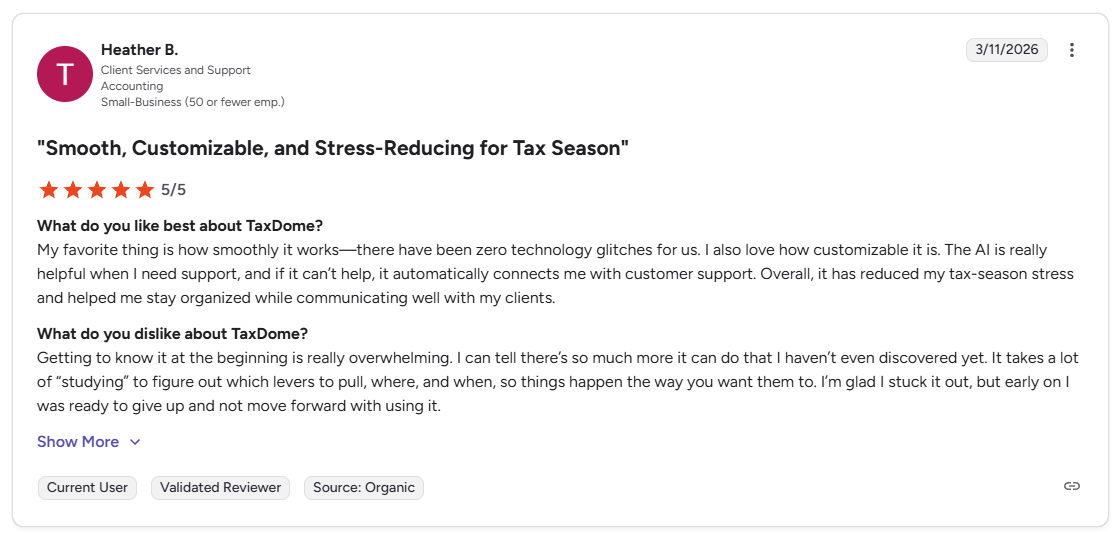
Pro: “My favorite thing is how smoothly it works, there have been zero technology glitches for us. I also love how customizable it is. Overall, it has reduced my tax-season stress and helped me stay organized while communicating well with my clients.” - Heather B., G2
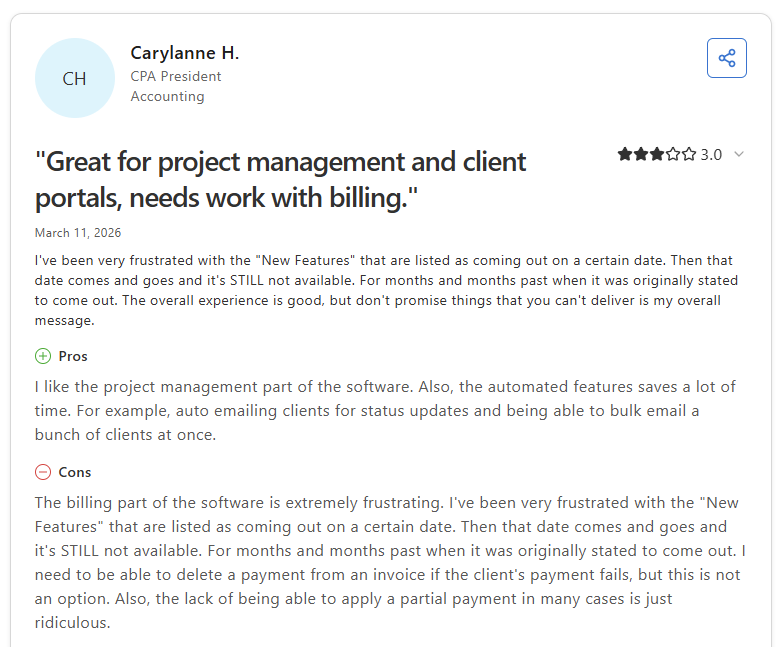
Con: “The billing part of the software is extremely frustrating. I need to be able to delete a payment from an invoice if the client's payment fails, but this is not an option…the lack of being able to apply a partial payment in many cases is just ridiculous.” - Carylanne H., Capterra
Pricing
TaxDome starts at $800 per seat per year for a one-year commitment.
Bottom line
TaxDome's pre-built tax workflow templates can get a standard tax engagement running faster than a more configurable platform would. If your firm handles a broader mix of compliance and advisory work where team collaboration and AI-assisted communication matter more than tax-cycle templating, Karbon might be a better fit.
3. Vic.ai: Best for AP teams processing high invoice volumes
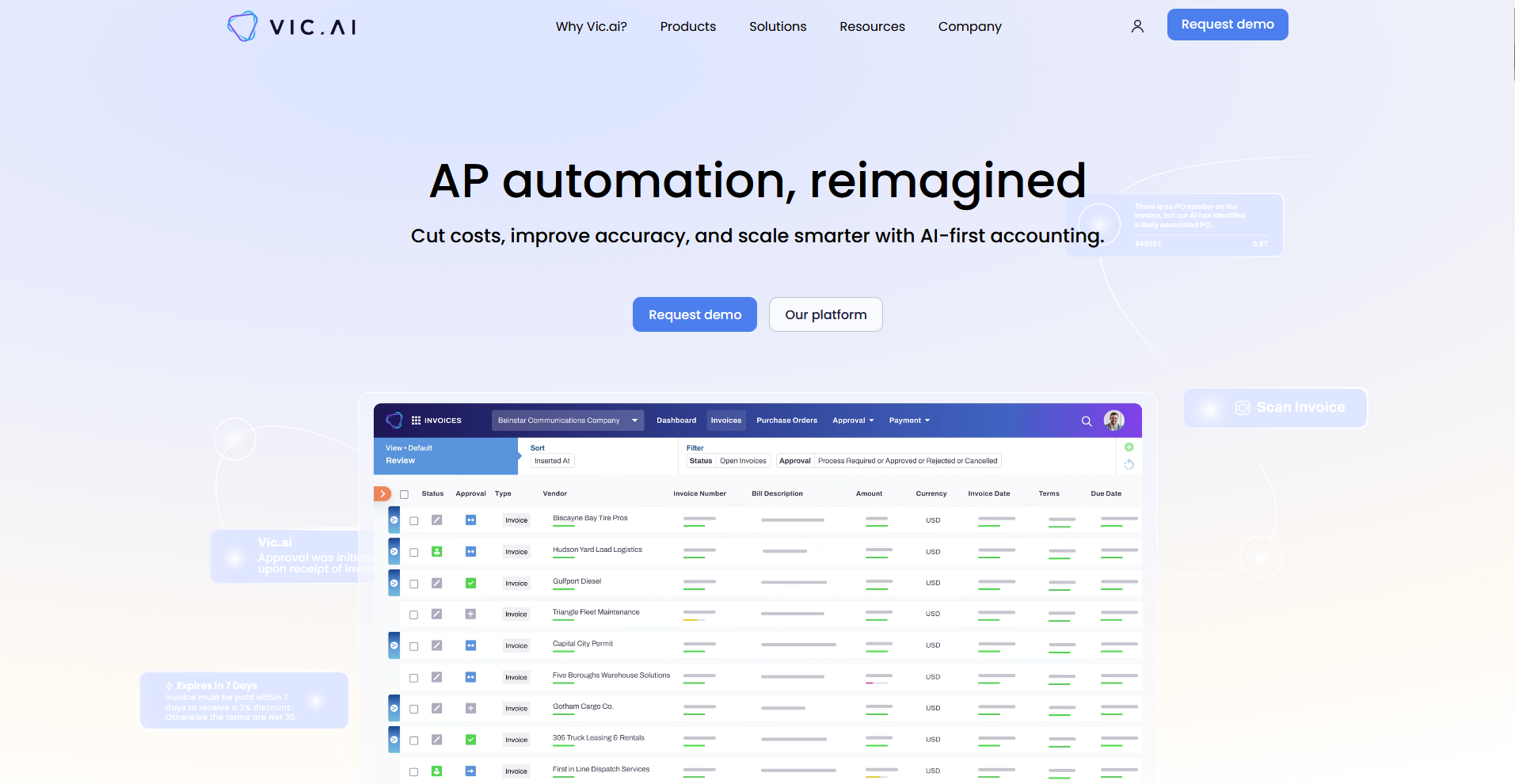
- What it does: Vic.ai is an AI-native accounts payable automation platform that handles invoice capture, GL coding, approval routing, and payment processing for mid-to-large finance teams.
- Best for: AP teams processing high invoice volumes across multiple vendors, regions, or entities who want to reduce manual data entry and coding errors.
I put Vic.ai through 40 invoices across 12 vendors and formats to test the AP workflow. The GL coding suggestions were accurate on standard invoices, with exceptions flagged clearly rather than left to manual review. The platform is built for significant invoice volume, so smaller firms processing a few hundred invoices a month may find the feature depth more than they need.
Key features
- Autonomous invoice processing: Vic.ai's AI extracts invoice data, suggests GL codes based on historical patterns, and routes invoices for approval without manual input, improving its accuracy over time as it learns from corrections.
- PO matching: Users can automate 2- and 3-way purchase order matching across invoices, POs, and receipts, with discrepancies flagged before they reach the approval stage.
- ERP integration: Vic.ai connects with major ERP and accounting systems including NetSuite, SAP, Oracle, and Microsoft Dynamics via an open API, with two-way sync to avoid duplicate postings.
Pros and cons
| Pros | Cons |
|---|---|
| AI coding and routing adapts to your firm's specific GL preferences and vendor history over time | No direct vendor payment interface, which requires managing payments through a separate system |
| Exceptions are flagged automatically before they reach the approval stage, reducing the chance of errors moving downstream | Bulk multi-currency payment processing has limitations, with each batch restricted to a single currency |
| ERP integrations are deep and reliable, with two-way sync across major platforms |
What users say
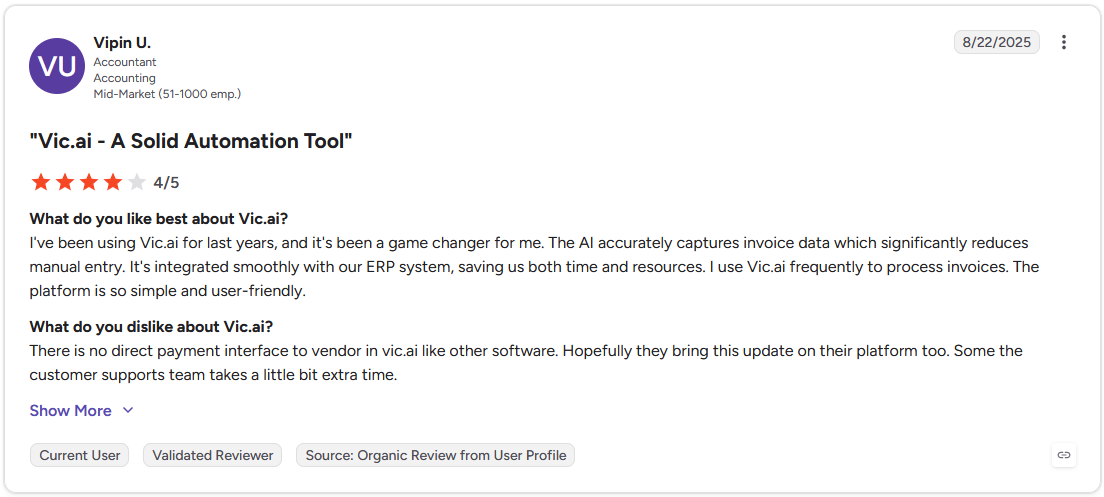
Pro: "The AI accurately captures invoice data, which significantly reduces manual entry. It's integrated smoothly with our ERP system, saving us both time and resources." - Vipin U., G2
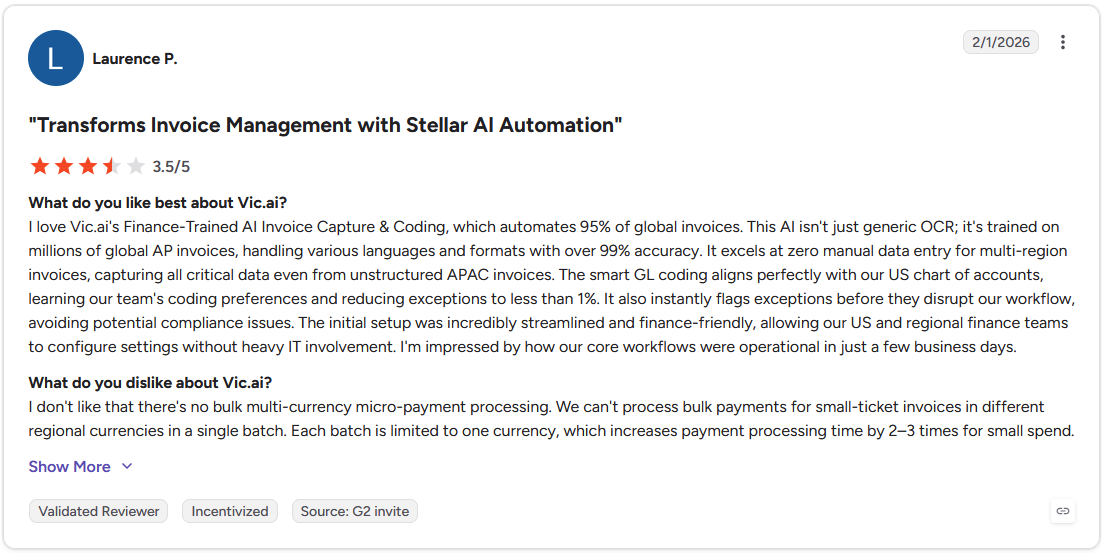
Con: "I don't like that there's no bulk multi-currency micro-payment processing. We can't process bulk payments for small-ticket invoices in different regional currencies in a single batch. Each batch is limited to one currency, which increases payment processing time by 2-3 times for small spend." - Laurence P., G2
Pricing
Vic.ai offers custom pricing.
Bottom line
Vic.ai is purpose-built for high-volume AP operations, with coding and routing logic that adapts to your firm's specific GL preferences and vendor history over time. If your priority is transaction-level risk scoring and anomaly detection across the general ledger rather than AP automation, MindBridge might be a better fit.
4. DataSnipper: Best for audit teams working in Excel
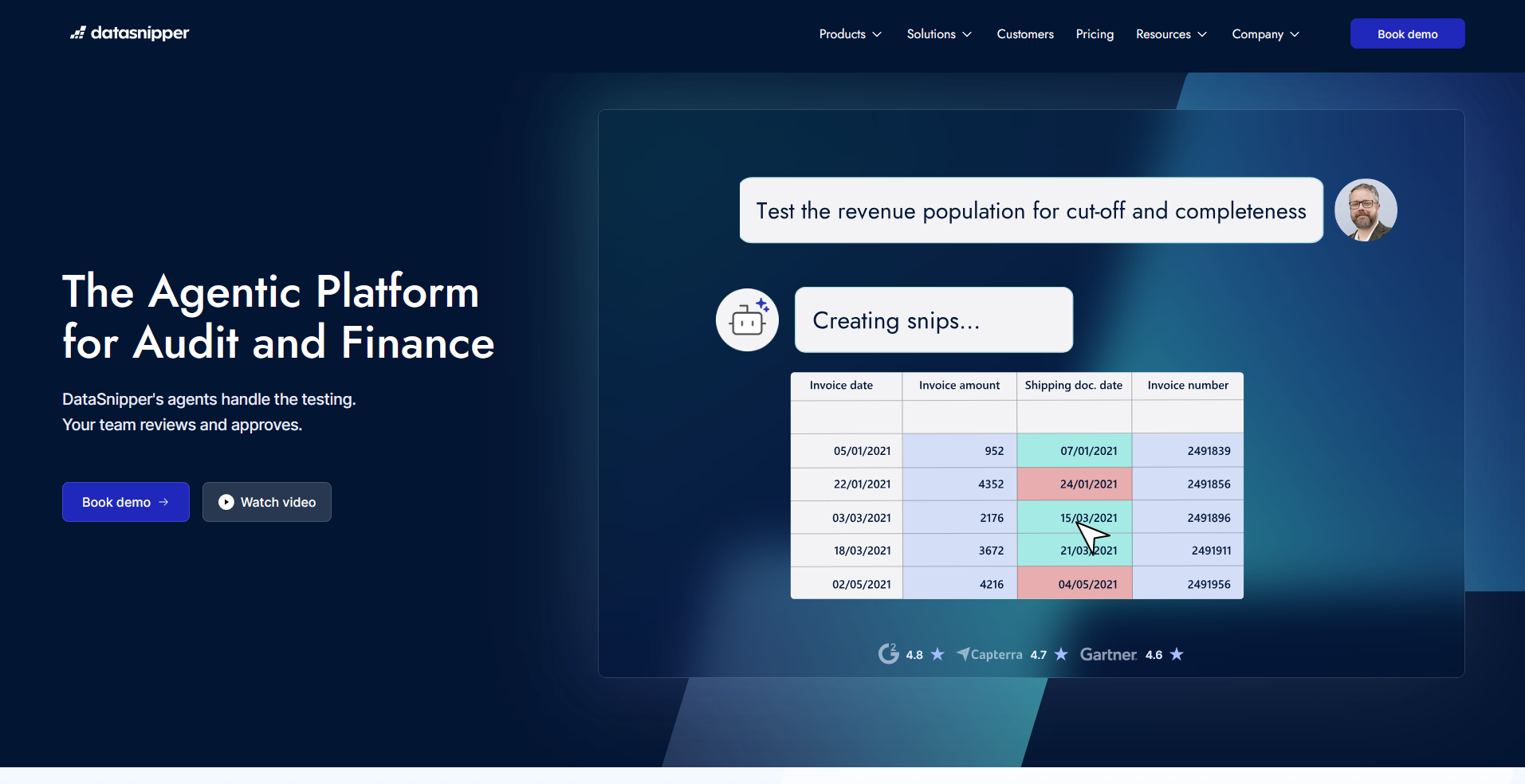
- What it does: DataSnipper is an AI-powered audit and finance automation platform that runs inside Microsoft Excel, handling document matching, data extraction, and evidence-linking directly within workpapers.
- Best for: Audit teams that work primarily in Excel and want to automate document matching, evidence extraction, and testing procedures without leaving their existing workflow.
To test how DataSnipper handles evidence linking in a realistic audit workload, I ran a sample substantive testing procedure matching transaction data in a workpaper against supporting PDF documents. Each matched value linked directly back to its source without a separate documentation step. However, performance can slow on very large or poorly scanned PDF files.
Key features
- Excel Agents: Users can type a natural-language instruction to initiate multi-step audit procedures inside Excel, with the agent returning a populated workpaper with cited evidence and flagged exceptions. Specific capabilities may vary as the feature continues to develop.
- Document matching: DataSnipper cross-references values in Excel workpapers against source documents including contracts, invoices, and bank confirmations, with each match linked directly back to its evidence.
- AI Extractions: Users can extract structured data from unstructured documents including payroll reports, tax documents, and vendor files using prompts and reusable templates, with every extracted value traceable to its source.
Pros and cons
| Pros | Cons |
|---|---|
| Every AI output links back to its source document, giving audit teams a defensible, traceable evidence trail | Performance can slow when processing very large or poorly scanned PDF files |
| Excel Agents run multi-step audit procedures from a single natural-language instruction, reducing manual testing time | Advanced features require time and training to use effectively, particularly for less experienced team members |
| DataSnipper is SOC 2 Type II certified and states that customer data is never used to train its AI models |
What users say
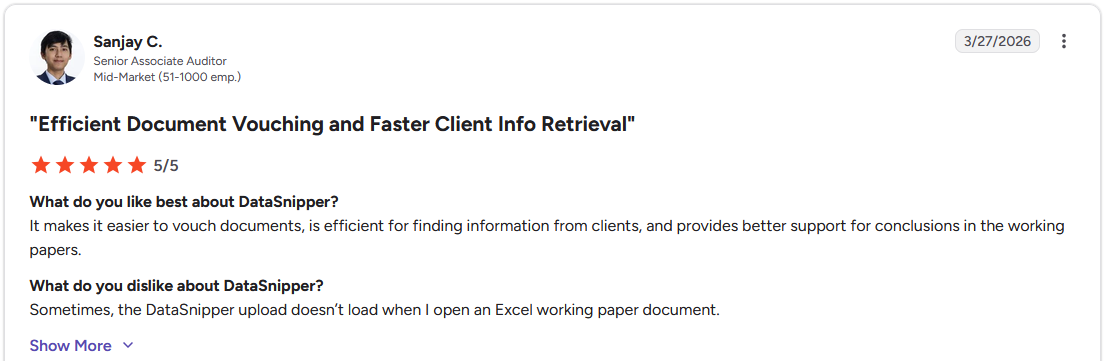
Pro: "It makes it easier to vouch documents, is efficient for finding information from clients, and provides better support for conclusions in the working papers." - Sanjay C., G2
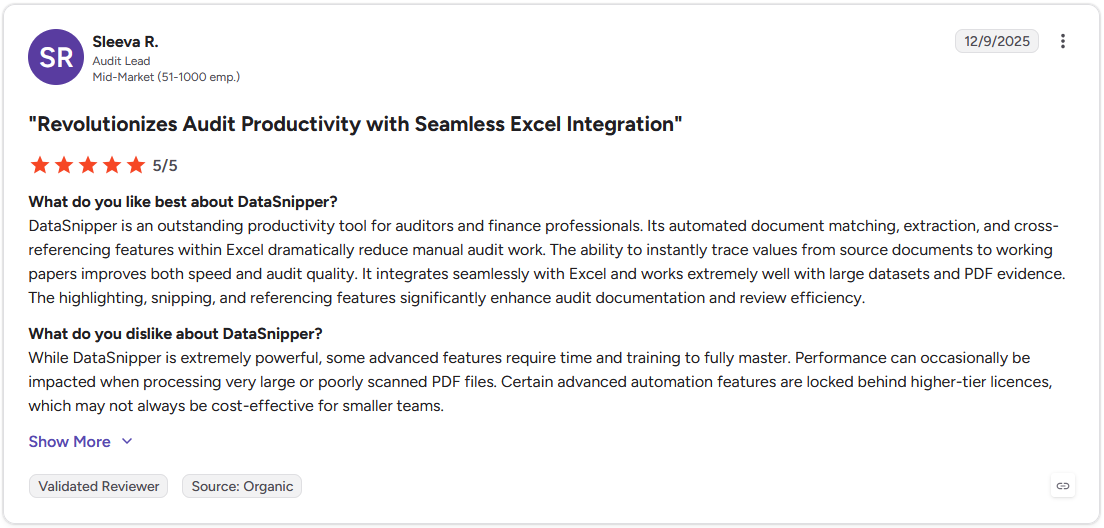
Con: "Performance can occasionally be impacted when processing very large or poorly scanned PDF files. Certain advanced automation features are locked behind higher-tier licences, which may not always be cost-effective for smaller teams." - Sleeva R., G2
Pricing
DataSnipper offers custom pricing.
Bottom line
DataSnipper is built specifically for audit evidence work inside Excel, with every output linked back to a traceable source document. If your firm handles complex lease portfolios and needs a purpose-built compliance and audit trail tool, Trullion might be a better fit.
5. MindBridge: Best for risk detection and transaction analysis
- What it does: MindBridge is an AI-powered financial risk platform that scores 100% of transactions across the general ledger for anomalies, control breakdowns, and fraud indicators using a combination of statistical models, business rules, and machine learning.
- Best for: Audit and finance teams that need transaction-level risk coverage across large datasets rather than relying on manual sampling to identify anomalies and potential fraud.
I ran a sample general ledger dataset of roughly 15,000 transactions through MindBridge to evaluate the risk scoring, and high-risk items surfaced with clear explanations of which control points contributed to each score. The initial setup and ERP data preparation can take more time than expected, particularly when working with complex or unstructured data sources.
Key features
- AI risk scoring: MindBridge assigns a risk score to every transaction in the general ledger using multiple control points across business rules, statistical models, and machine learning, with each score explained by the contributing factors.
- Continuous transaction monitoring: The platform analyzes financial transaction data on an ongoing basis, flagging anomalies and control breakdowns as they appear rather than waiting for a period-end review.
- Audit assertion risk dashboard: Users can evaluate risk at the account and assertion level, with visibility into the control points, transaction patterns, and underlying entries contributing to each assertion-level risk score.
Pros and cons
| Pros | Cons |
|---|---|
| Risk scores cover 100% of transactions rather than relying on sampling, which can surface issues that sample-based approaches miss | Initial setup and ERP data preparation can be time-consuming when working with complex or highly customized source systems |
| Each risk score includes visible control point breakdowns that show which factors contributed to a flag, giving teams a starting point for investigation | The explanation behind certain risk score anomalies can lack transparency, making it harder to interpret results without prior experience on the platform |
| Integrates with a wide range of ERP systems and handles different data formats across multiple audit engagements |
What users say
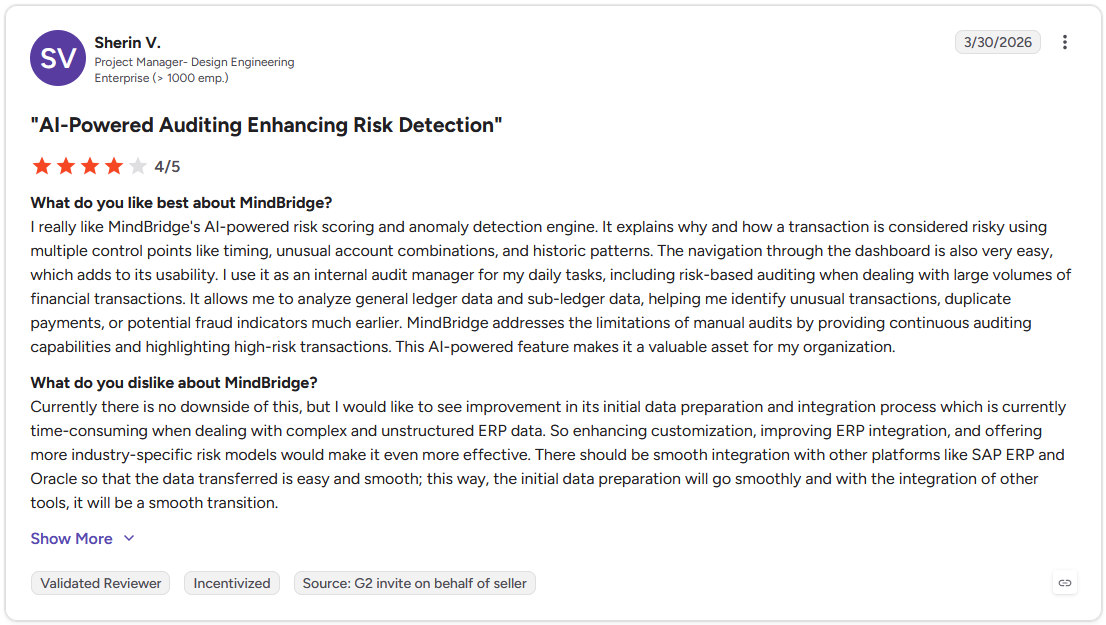
Pro: "I really like MindBridge's AI-powered risk scoring and anomaly detection engine. It explains why and how a transaction is considered risky using multiple control points like timing, unusual account combinations, and historic patterns." - Sherin V., G2
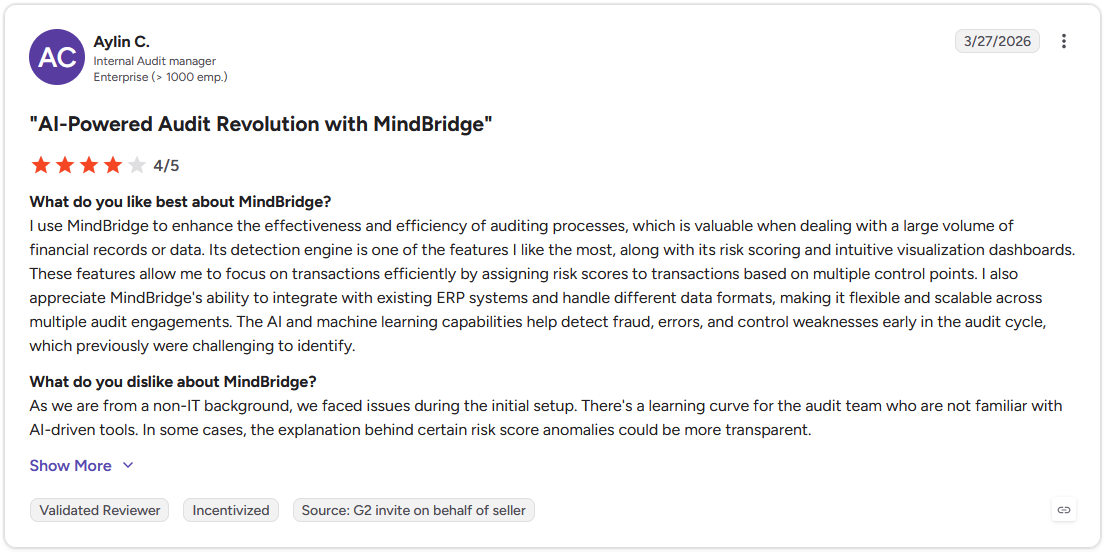
Con: "As we are from a non-IT background, we faced issues during the initial setup. There's a learning curve for the audit team who are not familiar with AI-driven tools. In some cases, the explanation behind certain risk score anomalies could be more transparent." - Aylin C., G2
Pricing
MindBridge offers custom pricing.
Bottom line
MindBridge covers every transaction in the general ledger rather than a sample, which changes the nature of what an audit team can catch and when they can catch it. If your priority is workpaper automation and evidence linking inside Excel rather than transaction-level risk analysis, DataSnipper might be a better fit.
6. Trullion: Best for lease accounting and audit compliance
- What it does: Trullion is an AI-powered accounting platform that automates lease accounting, data extraction, and audit workflows for finance teams and auditors, with full traceability built into every output.
- Best for: Finance teams and accounting firms managing complex lease portfolios under ASC 842, IFRS 16, or GASB 87, and audit teams that need traceable, defensible outputs from document-heavy workflows.
I uploaded a set of sample lease contracts into Trullion to test the AI extraction across different document formats. The platform pulled key terms, payment schedules, and classifications from the PDFs without manual data entry. Extraction accuracy can vary on complex or inconsistently formatted contracts, so non-standard leases are worth a manual review before finalizing outputs.
Key features
- AI data extraction: Users upload PDF or Excel lease contracts and Trullion's AI extracts key terms, payment schedules, classifications, and renewal options, generating compliant journal entries and amortization schedules automatically.
- Audit suite: The platform converts written audit procedures into matching logic, supporting substantive testing, tickmark carryover across document versions, and embedded workpaper results with a full audit trail behind every output.
- Trulli AI assistant: Trullion's agentic AI assistant lets users query their lease and contract data in natural language, surfacing answers grounded in the firm's own documents, policies, and accounting standards.
Pros and cons
| Pros | Cons |
|---|---|
| Every output links back to its source document, giving audit teams a defensible trail without a separate documentation step | AI extraction accuracy can vary on complex or inconsistently formatted contracts, requiring manual review on non-standard documents |
| Covers ASC 842, IFRS 16, and GASB 87 (for government entities) in a single platform, reducing the need for separate compliance tools | Navigation on the audit side can feel unintuitive, and users often need to reference documentation to find specific features |
| Bulk contract uploads let teams process large lease portfolios without uploading documents one at a time |
What users say
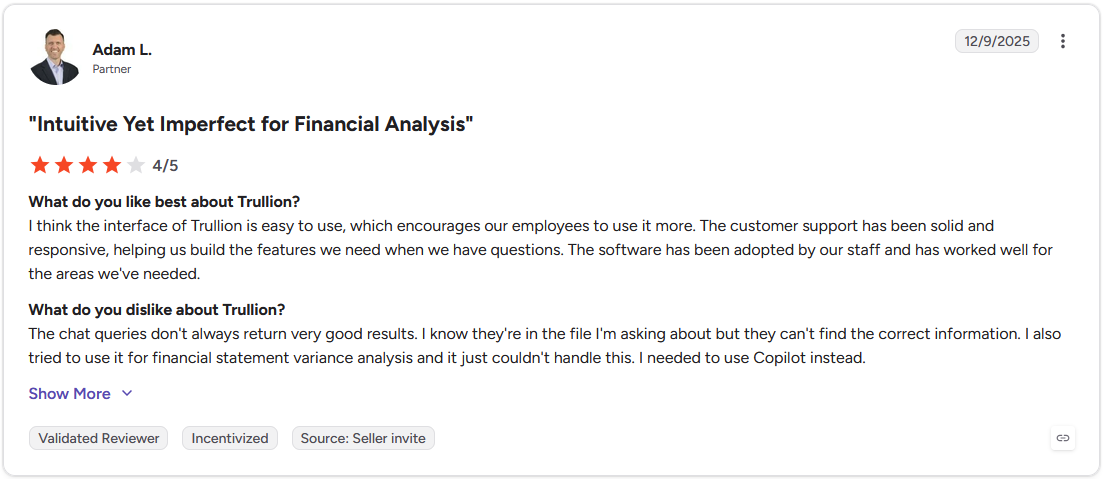
Pro: "I think the interface of Trullion is easy to use, which encourages our employees to use it more. The customer support has been solid and responsive, helping us build the features we need when we have questions." - Adam L., G2
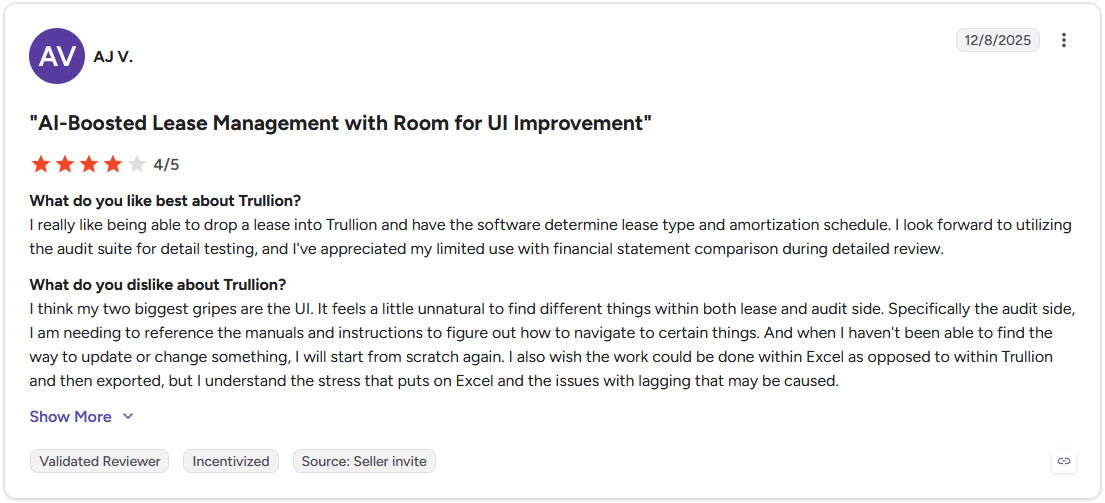
Con: "It feels a little unnatural to find different things within both lease and audit side. Specifically the audit side, I am needing to reference the manuals and instructions to figure out how to navigate to certain things. And when I haven't been able to find the way to update or change something, I will start from scratch again." - AJ V., G2
Pricing
Trullion offers custom pricing.
Bottom line
Trullion's combination of lease accounting automation and audit documentation in one platform can reduce the back-and-forth between compliance teams and external auditors at period end. If your primary need is transaction-level risk scoring across the general ledger rather than lease and contract compliance, MindBridge might be a better fit.
7. Numeric: Best for month-end close automation
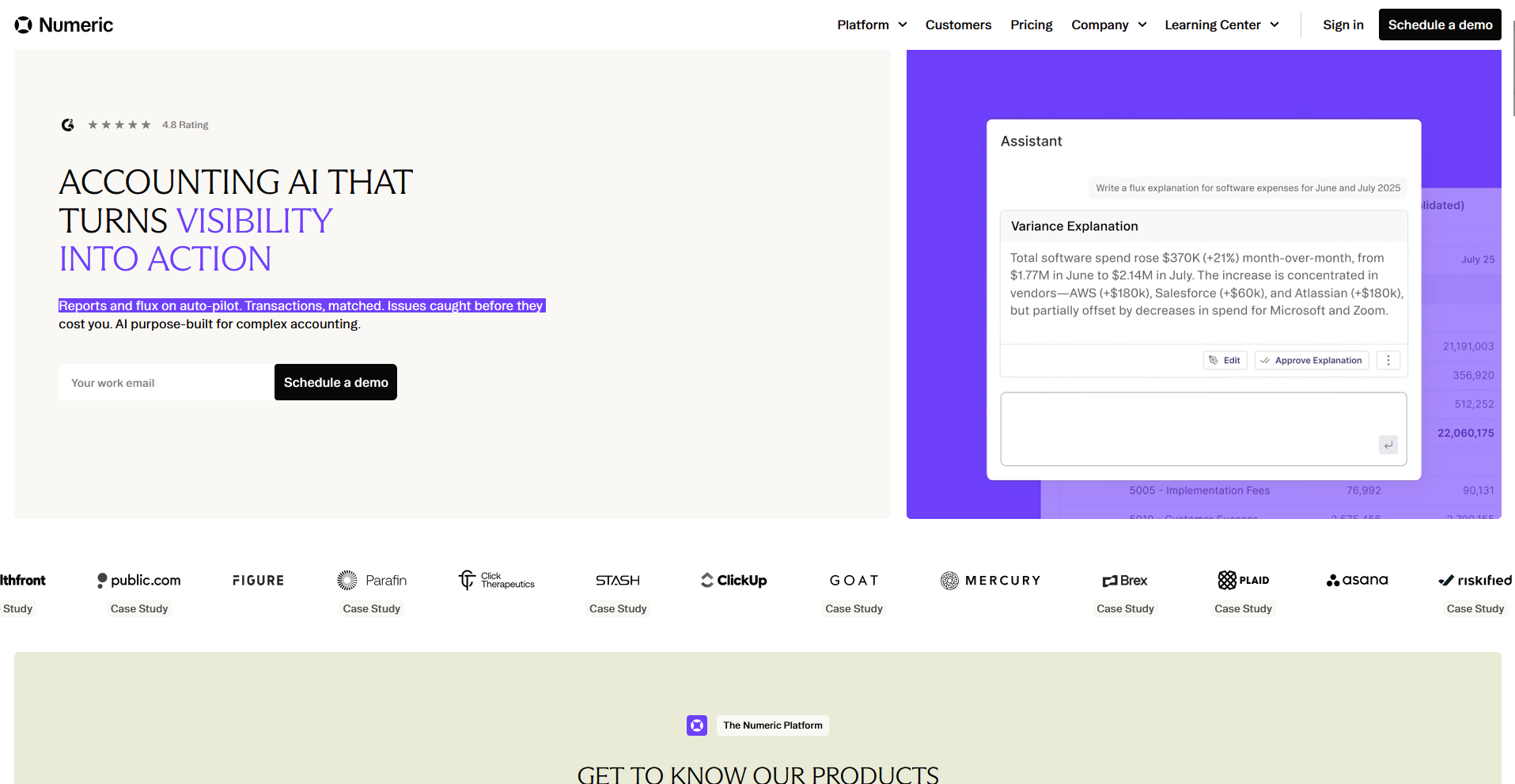
- What it does: Numeric is an AI-powered close management platform that automates reconciliations, flux analysis, and close task tracking for accounting teams, with ERP integrations that pull data directly into the platform.
- Best for: Accounting teams that manage a structured month-end close process and want to cut time on reconciliations, flux commentary, and close task coordination without rebuilding their existing workflows.
I ran a sample month-end close covering 25 GL accounts through Numeric, testing variance commentary and task tracking across the full workflow. The AI flux writer drafted initial explanations without starting from scratch, and task ownership was clear throughout. I found occasional performance issues during peak close periods, which is worth factoring in if your close timeline runs tight.
Key features
- AI flux analysis: Numeric's AI flux agent drafts initial variance explanations by combing through transaction-level detail in each account, identifying the key drivers of period-over-period changes rather than leaving teams to write commentary from scratch.
- Close management: Users can build structured close checklists with task ownership, due dates, and status tracking, giving the full team visibility into where the close stands and what's at risk of running late.
- Technical accounting AI: Numeric's AI assistant answers questions about accounting standards including US GAAP, IFRS, and UK GAAP, drawing on public company filings and Big 4 guidance to support policy memos and technical documentation.
Pros and cons
| Pros | Cons |
|---|---|
| The AI flux agent drafts variance commentary across accounts, reducing one of the most time-consuming manual steps in the close process | Some users report occasional performance issues during peak close periods |
| Close checklists with task ownership and status tracking give the full team visibility into progress without additional check-ins | The flux module requires sign-off on every assigned line, including ones that don't need explanation, which adds manual steps at the end of each close |
| Integrates with NetSuite, QuickBooks, Xero, and Sage Intacct, pulling GL data directly into reconciliations and reporting |
What users say
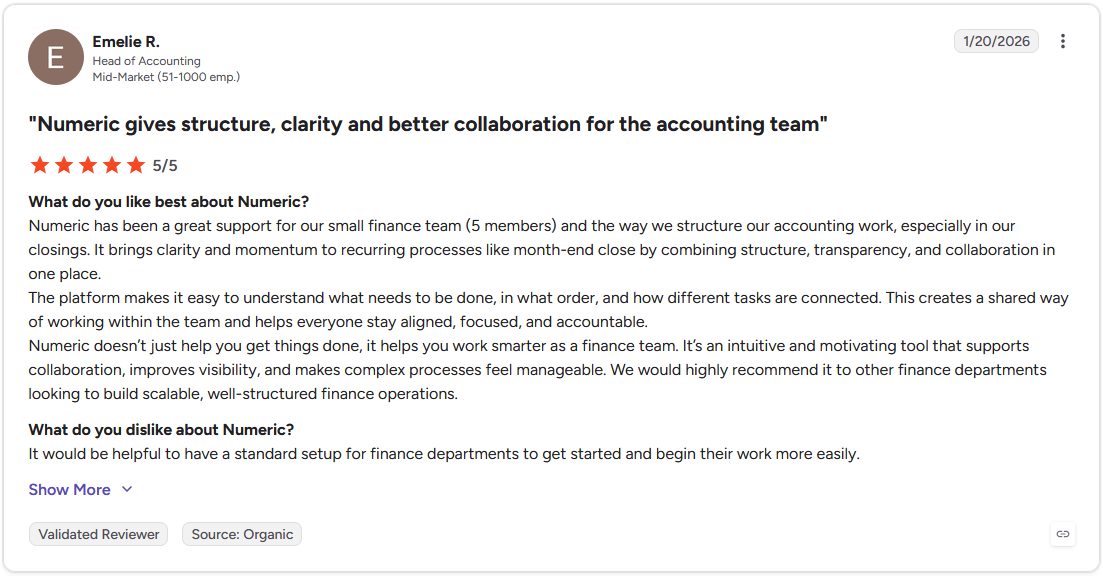
Pro: "It brings clarity and momentum to recurring processes like month-end close by combining structure, transparency, and collaboration in one place. The platform makes it easy to understand what needs to be done, in what order, and how different tasks are connected." - Emelie R., G2
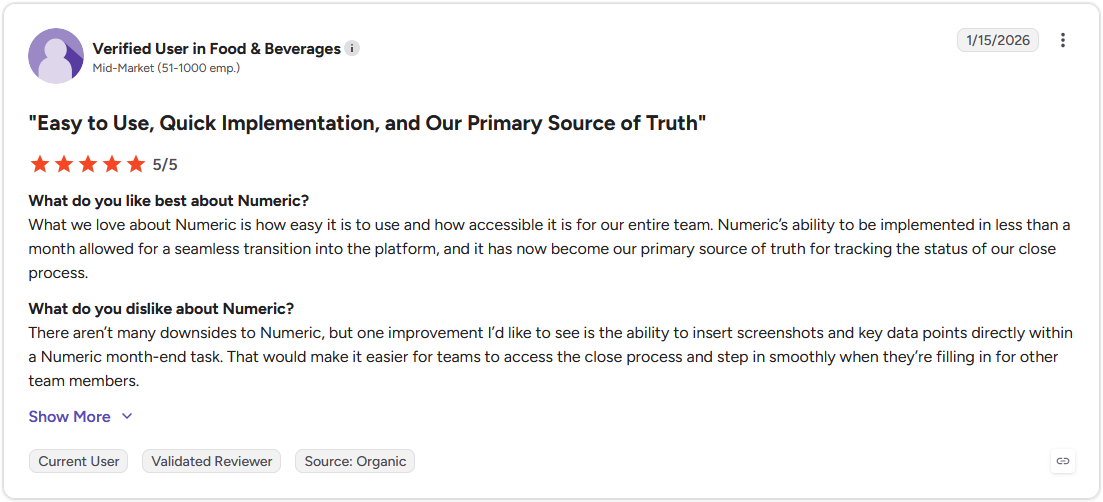
Con: "There aren't many downsides to Numeric, but one improvement I'd like to see is the ability to insert screenshots and key data points directly within a Numeric month-end task. That would make it easier for teams to access the close process and step in smoothly when they're filling in for other team members." - Verified User in Food & Beverages, G2
Pricing
Numeric starts at $30 per user per month, billed monthly.
Bottom line
Numeric's AI flux agent covers variance commentary across the full balance sheet rather than just the accounts teams have time to review manually, which can change how much of the close your team can actually sign off on with confidence. If your priority is AP automation and invoice processing rather than close management, Vic.ai might be a better fit.
Special mentions
These tools didn't make the main sections, but depending on your firm's size, workflow, and where you're losing the most time, any of them could be a worthwhile addition to your stack.
Here are 24 more AI tools for accounting firms worth considering:
Tax-specific
- CoCounsel is Thomson Reuters' agentic AI assistant for tax, audit, and accounting professionals, pulling sourced answers directly from the Checkpoint research database. It's faster than navigating Checkpoint manually, though the value is closely tied to the Thomson Reuters ecosystem. Firms that don't already use Checkpoint may find it harder to justify.
- Blue J is an AI tax research platform that predicts likely outcomes on specific tax positions by drawing from thousands of cases, rulings, and regulatory materials. The cited sources make it easier to explain positions to clients, though how you frame the question has a significant impact on output quality. It works best when you already understand the underlying issue.
- SurePrep 1040SCAN is an AI-powered document tool that scans, organizes, and assembles tax workpapers from client-provided documents with minimal manual data entry. Based on demos, it handles mixed-format document batches quickly. But it's purpose-built for 1040 workflows, so firms handling primarily business or entity returns may find its scope narrower than they need.
Bookkeeping/Finance ops
- QuickBooks is one of the most widely used small business accounting platforms, with AI covering transaction categorization, anomaly detection, and cash flow forecasting built into its core workflows. Automatic categorization holds up well on standard transactions, but tends to be less reliable on unusual or one-off items.
- Xero is a cloud-based accounting platform with AI-powered bank reconciliation, invoicing, and expense tracking at its core. In testing it matched the majority of entries correctly on a multi-month transaction backlog, though managing multiple company files simultaneously isn't supported. This can slow down firms handling several client books at once.
- Docyt is an AI bookkeeping platform that categorizes transactions, manages expenses, and generates real-time financial reports across multiple entities. The continuous reconciliation approach keeps books current rather than catching up at month-end, though user reports suggest support quality can be inconsistent across high client volumes.
- Dext is a bookkeeping automation platform that captures receipts and invoices, extracts the data, and pushes it directly into your accounting software. Optical character recognition (OCR) accuracy holds up well on clean, standard documents but is less reliable on lower-quality scans, and it's designed to prepare data for accounting software rather than replace it.
- Nanonets is an AI data extraction and reconciliation platform that pulls structured data from invoices, bank statements, and receipts using OCR and machine learning. Customizable extraction rules improve accuracy as the system learns from corrections. Teams without a clearly defined data workflow may find the initial setup takes longer than expected.
- Zeni is an AI bookkeeping service that pairs automated transaction categorization and financial reporting with a dedicated human finance team for review and advisory support. It can reduce the back-and-forth that typically extends the close cycle, though firms with established in-house accounting teams may find the advisory component overlaps with what they already have.
- BILL is an accounts payable (AP) and accounts receivable (AR) automation platform that captures invoice data, routes approvals, and schedules payments within a single workflow. Approval routing is straightforward to configure, though international payment support has gaps that firms working with overseas vendors may run into depending on the currencies and regions involved.
Client management/Practice ops
- Assembly is a client platform with an AI app builder that lets accounting firms build client-facing apps such as a document collector, client onboarding wizard, or project tracker without writing code. Apps ship into a branded client experience connected to each client's files, messages, and billing, so firms still need a dedicated accounting tool.
- Aiwyn is a practice management platform for accounting firms built around revenue operations, covering billing, collections, client payments, and time tracking. Real-time visibility into work in progress (WIP) and AR can help firms shorten collection cycles. Smaller practices may find some of the module depth more than their current workflows require.
- Silverfin is a cloud-based working papers and client management platform with an AI assistant that analyzes client files, flags unusual balances, and surfaces missing transactions during review. It performs best on structured, consistently formatted financial data, so firms that regularly receive messy client documents may need to structure the data initially.
- Rillet is an AI-native enterprise resource planning tool for multi-entity finance teams, offering a real-time general ledger, automated bank reconciliations, and accounts payable and receivable automation. The books update in real time rather than in batches, which reduces reporting lag. Firms with lease obligations will need a separate tool since it doesn't cover lease accounting.
- Botkeeper is a bookkeeping automation platform that combines machine learning for transaction categorization with a human review layer that catches and resolves exceptions. The human oversight can help reduce error rates on edge cases, but it's designed for accounting firms managing multiple client books at scale rather than simpler, single-entity needs.
Meeting/Communication
- Otter is an AI meeting transcription tool that joins Zoom, Google Meet, and Teams calls automatically, producing a searchable transcript with action items after each meeting. Transcription accuracy holds up well on clear audio, but background noise and overlapping speakers can reduce it noticeably.
- Fireflies.ai is a meeting recording and transcription tool that indexes your full call history so you can search by topic, keyword, or date without replaying recordings. The conversation intelligence features skew toward sales use cases, so most accounting firms will get the most use from the core transcription and search functionality.
General AI assistants
- ChatGPT is OpenAI's general-purpose AI assistant, widely used for drafting client communications, summarizing documents, and supporting research tasks. It produces usable first drafts quickly with detailed context, but it doesn't connect to accounting systems or maintain an audit trail. It fits drafting and research workflows rather than core accounting tasks.
- Claude is Anthropic's AI assistant, and it handles long documents and complex reasoning particularly well, making it reliable for summarizing dense financial material and drafting clear explanations from it. Like ChatGPT, it doesn't integrate with accounting systems or produce auditable outputs.
- Microsoft Copilot is Microsoft's AI assistant embedded across Outlook, Excel, Word, and Teams, useful for writing formulas, summarizing datasets, and drafting structured outputs without leaving your existing tools. Its practical value scales with how deeply your firm already uses Microsoft 365, so teams outside that ecosystem may not find as much value from it.
- Perplexity is an AI-powered research tool that answers questions with cited, sourced responses, making it faster than traditional search for getting oriented on tax topics, regulatory updates, and accounting standards. It fits the early research stages of a workflow better than execution, since it's built for exploration rather than action.
- Google Gemini is Google's AI assistant, integrated across Docs, Sheets, and Gmail, and it's competent at formula writing, data summarization, and drafting structured content within Google Workspace. Its value is closely tied to the Google ecosystem, and firms that don't run on Google's suite may find less reason to adopt it over other options.
Writing/Research
- Jasper is an AI content platform that generates marketing copy, blog posts, and email campaigns in a consistent brand voice using your firm's guidelines. It produces structured drafts quickly when given clear direction. Practices that produce minimal external content may find lighter or general tools like AI assistants can cover their needs just as well.
- Grammarly is an AI writing assistant that checks grammar, suggests tone adjustments, and flags clarity issues across emails, documents, and client-facing reports. The tone and conciseness suggestions are particularly useful for client communications, though it occasionally over-corrects on accounting-specific terminology and phrasing.
- Superhuman is an AI-powered email client for Google and Microsoft Outlook users that uses smart triage, split inboxes, and keyboard shortcuts to reduce time spent managing email. The split inbox and snooze features help separate urgent client emails from lower-priority items. However, the keyboard-first interface has a learning curve for teams used to more visual email workflows.
Which AI tool for accounting firms should you choose?
The right tool depends on where your firm loses the most time and which workflows you need to fix first.
Choose Karbon if you:
- Manage multiple client engagements at once and need your team working from a shared, organized workflow
- Want email, tasks, and client communication connected in one place rather than spread across separate tools
- Need visibility into who on your team is working on what, and when deadlines are at risk
Choose TaxDome if you:
- Run a tax-focused practice and need client intake, document collection, e-signatures, and billing in one place
- Want a client-facing portal your clients can actually navigate without hand-holding
- Need to automate recurring workflows like onboarding, tax return delivery, and follow-up reminders
Choose Vic.ai if you:
- Process a high volume of invoices and want to reduce manual data entry and coding errors
- Need AP automation that learns your GL coding preferences and adapts over time
- Work across multiple regions or currencies and need invoice handling that keeps up
Choose DataSnipper if you:
- Work in Excel and want AI-powered document matching and extraction without leaving your spreadsheet
- Need to link audit evidence directly to source documents for faster, more traceable sign-offs
- Handle large volumes of audit documentation and want to cut down on manual ticking and tying
Choose MindBridge if you:
- Need to analyze large volumes of transactions for anomalies, errors, or fraud indicators
- Want risk scoring across your entire general ledger rather than relying on sampling
- Manage audit or risk workflows where explainability and auditability of AI outputs matter
Choose Trullion if you:
- Handle complex lease portfolios and need a purpose-built tool for ASC 842 or IFRS 16 compliance
- Want AI-driven data extraction from contracts and documents with a full audit trail behind every output
- Need a platform that covers lease accounting, revenue recognition, and audit prep in one place
Choose Numeric if you:
- Want to cut time off your month-end close with automated reconciliations and a structured close checklist
- Need your whole accounting team working from the same close workflow with clear task ownership
- Manage flux analysis manually today and want a faster, more consistent way to handle it
Skip this category entirely if you:
- Are looking for a full ERP or general-purpose accounting platform to replace your existing system
- Need a tool primarily for tax filing or compliance reporting rather than workflow and operations management
- Are a solo practitioner with a small, simple client base where manual processes are still manageable
Your clients deserve more than a bundled template
Every tool on this list solves a problem inside your firm. Karbon organizes practice workflows, TaxDome handles tax-specific processes, and Vic.ai automates AP. But in the end, they're built around your team's side of the work.
The part your clients actually interact with, like the login screen, the document requests, and the invoice they pay, usually ends up being whatever the accounting software happened to bundle in.
Assembly starts from the other direction. Instead of handing clients a fixed portal template, your firm can describe the dashboard, onboarding flow, or tool you need, and the AI app builder builds it directly into the branded space your clients already use.
Here’s how Assembly can help:
- Client-facing app generation: Describe the dashboard your clients need, whether that's engagement status, financial summaries, or document checklists, and the app builder generates the screens and layout from that description.
- Built-in client platform: The app ships into the branded space your clients already use, alongside contracts, invoicing, and messaging, so document requests and billing connect to real client data without separate integrations.
- Enterprise-grade security: Assembly maintains SOC 2 Type II compliance and supports GDPR, CCPA, and HIPAA compliance, so client financial data stays protected.
If you'd rather build the client experience around your firm than adapt to a vendor's portal, try Assembly for free today.