



A no code app builder always looks great for the first 10 minutes. You drag in a form, connect a sheet, and watch something that looks like a real app appear.
Then you ask for one more thing, like a client login, a separate team view of the same data, or a way to take your work with you if you switch tools. That is where most of them show their limits.
So I rebuilt the same small app in most of these 10 no-code builders, using one simple brief every time, and checked the rest against each tool's own documentation.
Each one needed a client intake form and a list of client records. It also needed a login where each client only sees their own record, and an admin view for the internal team.
This roundup covers everything from full web apps to the branded, client-facing portals a professional service firm builds for its clients. By the end, you will know which of these 10 fits the app you are trying to build, beyond how good it looks in a demo.
No-code app builder: TL;DR
- Assembly: Best for client-facing apps that professional service firms build for their own clients.
- Bubble: Best for complex web apps, SaaS products, and marketplaces.
- Softr: Best for turning data you already keep in Airtable or Sheets into a working portal.
- FlutterFlow: Best for native iOS and Android apps you can also export as real code.
- GlideOS: Best for building fast from a spreadsheet, a prompt, or a file.
- Adalo: Best for one project that publishes to the web, iOS, and Android at once.
- Microsoft Power Apps: Best for internal apps built on data you already run through Microsoft 365.
- WeWeb: Best for a polished set of screens you connect to a system you already run.
- Base44: Best for turning a plain-language prompt into a working web app fast.
- Thunkable: Best for a beginner-friendly, block-based path to a real mobile app.
How I researched and tested these no-code app builders
Every tool below got the same brief. It describes the kind of app an agency, accounting firm, or consultancy would need. It is also specific enough to expose where a tool gets stuck.
The brief itself:
Build me a client-onboarding app for a professional service firm. The firm needs a client intake form to capture a new client when they come on board, and a client-records database behind it that holds every intake the firm has ever taken, so nothing gets lost once the form is submitted.
Add a login too. When a client signs in, they should land on their own record and nothing else: no shared list to scroll through, no way to open a record that isn't theirs, however they try to get there. Then build a second, separate view for the firm's own internal team: one admin screen that shows every client record at once, with none of the restriction the client-facing login has, so the team can open any client's file directly.
Nothing beyond that needs to exist yet: no public sign-up page, no extra screens, just what gets a working client record in front of the right person and keeps everyone else out.
How I judged each tool
I judged each tool on five things:
- How far a non-technical person could get through the whole build alone.
- Whether the finished client-only login kept each client locked to their own record.
- Whether the app itself looked convincing to an actual client.
- Whether cost stayed predictable as the number of clients and users grew.
- Whether my data and my work had a real way out if I ever left the platform.
I spent a few days working through these tools, building most of them by hand and checking the rest against their own documentation, start to finish.
All 10 builders below earned their place on this list. Each one fits at least one of the four app types this test covers. Those four are full web apps, native mobile apps, internal tools, and the branded client portals a service firm hands to its own clients.
What a no-code builder does
A no-code builder lets you create an app's data storage, interface, and logic visually. The logic controls what happens when someone fills out a form or taps a button. You can arrange these pieces yourself or use AI to generate the first version. You can build internal tools for your own team and custom business apps for a specific workflow.
Three categories worth keeping separate:
- No-code: You build visually with ready-made pieces and never touch code.
- Low-code: Mostly visual, but you drop into real formulas or code for anything custom.
- AI or "vibe-coding" builders: Generate the app from a prompt, a different process altogether. Our separate guide to AI app builders covers that whole category in full.
The difference shows up when something breaks. A true no-code tool lets you fix it by rearranging pieces in the visual editor. A prompt-based AI tool depends instead on whether the AI touches sign-in and permissions when it regenerates the app, and getting that wrong means re-prompting or opening code you didn't write. Teams reach for these tools over a custom build for speed, cost, and collaboration. A working version is ready in hours or days instead of months, there's no developer salary or agency invoice for a first version, and a non-technical teammate can build and change the app directly instead of waiting on a developer ticket queue. A visual builder also keeps gaining capabilities over time, so the app you ship today can usually do more next year without a rebuild.
10 best no-code app builders: quick comparison
How the 10 stack up on cost and strength:
| Tool | Best for | Starting price | Key strength |
|---|---|---|---|
| Client-facing apps for service firms | $49/month ($29/month, billed annually) | A built-in CRM plus a branded client experience | |
| Complex web apps and marketplaces | $39/month ($32/month, billed annually) | The deepest visual logic and database of the 10 | |
| Portals on Airtable or Sheets data | $25/month ($19/month, billed annually) | One of the fastest routes from existing data to a working portal | |
| Native mobile apps | $39/month ($29.25/month, billed annually) | Real Flutter code you can export and keep | |
| Spreadsheet, prompt, or file-based apps | $25/month (monthly only) | Builds straight from a sheet or a plain description | |
| One project, every platform | $65/month ($52/month, billed annually) | One build publishes to web, iOS, and Android | |
| Internal Microsoft 365 apps | $20/user/month, billed annually | Deep ties to Dataverse, SharePoint, and Teams | |
| Pixel-level screen control on a system you already run | $25/month ($20/month, billed annually) | Production-grade design with no database lock-in | |
| Fast prompt-to-app builds | $20/month ($16/month, billed annually) | A full working system generated from one description | |
| Beginner-friendly native mobile | $19/month ($18/month, billed annually) | Visible, block-based logic that is easy to debug |
1. Assembly: Best for client-facing apps that professional service firms build for their own clients
What it does: Assembly is an AI app builder and client experience platform for service businesses. It pairs a CRM for the firm's own team with a branded client experience for the firm's clients. An AI app builder covers anything its ready-made templates don't already handle.
Best for: Agencies, accounting firms, consultants, and law firms that need a client-facing app their own clients log into directly.
I gave Assembly the same brief as the rest of this list, a client intake form, a client-only login, and an admin view for staff, and the login came generated automatically, nothing I had to configure myself. Everything was wired together and working in under eight minutes, faster than most other builders here manage out of the box.
The client-facing side looked done before I touched it. Branding, layout, and permissions were already in place, so I spent my time approving a finished look, not building one, something a few other builders on this list can't say.
Cost is predictable only up to a point. Contact caps scale by tier, from 50 on Starter to 500 on Professional, with no cap on Advanced or Enterprise, so a growing client list hits that Starter cap fast.
Data portability is the weak spot. Client records live inside Assembly's own system, and I never found a documented way to export the built app itself if you switch platforms. Your data leaves with you, but the app stays behind.
Key features
- AI app builder: Describe what you need in plain language, approve the build plan, and the app is built into the firm's workspace with sign-in, permissions, and branding already handled.
- 30+ pre-made apps: Common workflows (intake, onboarding, proposals, payments, project tracking) start from a template and get reshaped by chat until they fit.
- Branded client experience: Each client logs into their own view. A custom domain is available from the Professional plan up; lower tiers use an Assembly domain. The firm's team works from its own internal dashboard.
- Built-in CRM: Client records, notes, and history live in one place, already part of the platform.
Pros and cons
Pros:
- The client-facing side arrives branded and laid out, so most of the work is a review pass.
- The CRM, the client portal, and the app builder all run under one subscription.
- A free-forever plan exists, with build credits to start building before paying anything.
Cons:
- Costs scale with active client contacts and internal seats, so a fast-growing firm needs to plan for the next tier.
- Client records live in Assembly's own CRM, and the app itself has no documented export path if you switch platforms later.
- Below Professional, an app can only be shown to all contacts or hidden from all of them; limiting it to specific contacts needs the Professional plan or higher.
What users say
Mark H.
Efficient Client Portal with Room for Improvement
Pros
I like using Assembly because the messages and client portal features stand out to me. I can save documents and share files, and they are all in one place, making it easier to find. It's also easier for my clients, and we can message each other with an instant trail.
Cons
If you're a startup company and it's just you, you can't get all the features. I would like a package that includes all the features for those who only need one-person access. Also, I'd prefer a way to turn off on the message board all the notes and only see the ones that people have written rather than those generated by the system.
Prem A.
Streamlined, Simple, and Clients Love It
Pros
Super clean and professional client portal. Replaces a bunch of tools (messaging, billing, file sharing) in one place. Clients love it.
Cons
The UI is clean but a bit rigid - would love more layout control and customization options. Overall it's a great tool.
Pricing
Assembly's pricing breaks down into these tiers:
- Free: five active contacts, one internal user, 75 build credits a month, and three apps.
- Starter: $49/month ($29/month, billed annually).
- Professional: $139/month ($99/month, billed annually).
- Advanced: $599/month ($499/month, billed annually). On this tier, you can request a business associate agreement (BAA) and configure Assembly’s apps for HIPAA compliance.
- Enterprise: a custom plan starting at $2,000/month.
Extra build credits cost $0.60 each above the 200 included on paid plans, and unused credits roll over for one additional month.
Bottom line
Reach for Assembly when the app you are building is the one your own clients log into. One of the other nine builders fits better for a consumer app, a game, or anything reaching anonymous public traffic.
2. Bubble: Best for complex web apps, SaaS products, and marketplaces
What it does: Bubble is a visual programming platform. It handles the interface, the database, and the logic for a full web app in one place. AI features layer on top of the visual editor.
Best for: Founders and product teams building a marketplace, a SaaS product, or a web app with real complexity behind it.
Bubble's AI assistant can turn a brief like this into a working first draft of the intake form and client database, but the client-only login still needs locking down by hand in the workflow editor and privacy settings. That manual step is where Bubble's learning curve shows up early, before a build even gets bigger.
That still leaves a build that isn't client-ready out of the box. Bubble's canvas is deep and flexible, but it doesn't hand you client-ready branding or layout the way a narrower, client-facing tool elsewhere on this list does. Getting there takes design work on top of the login work.
Cost is where Bubble gets hard to plan for. Billing runs on a usage-based system layered on top of your plan, so the bill gets harder to predict as client numbers and usage climb.
There's no way to export the finished app itself as a standalone project if you leave, though your database records come out cleanly as CSV or JSON, so the data isn't locked in even if the build is.
Key features
- AI plus a full visual editor: Generate a first draft from a prompt, then control the design, data, and logic by hand in the visual builder.
- Thousands of plugins: Ready-made connectors cover most outside tools without custom work.
- Built-in database and hosting: Define data types and privacy rules directly, with Bubble managing the technical side of running the app.
- Native mobile output: Publish to iOS and Android from the same project as the web app, with native code for each platform.
Pros and cons
Pros:
- The most capable builder on this list for a complex, multi-sided app, like a marketplace.
- A huge, active community, so tutorials, templates, and freelance help are easy to find.
- Bubble's own plugin directory lists more than 7,600 plugins, enough that most common tools already have a ready-made connector.
- A deep, flexible data model built to handle complexity in a growing app.
Cons:
- The steepest learning curve of the 10, so a complex build can mean hiring a Bubble developer to finish the job.
- A busy month can push the bill past what the Growth tier's workload allowance covers, and the resulting overage is hard to pin down in advance.
- Bubble doesn't let you export your app's code to run elsewhere, so you'd need to rebuild the app on another platform. You can still export your database records.
What users say
Murugappan v.
Build Apps Without Coding Like a Pro
Pros
Strong community & resources: templates, tutorials, forums, plugin marketplace help you accelerate development
Cons
Reliability and uptime sometimes arise as concerns in community discussions, although for most everyday projects, these hiccups are manageable.
Verified User in Computer Software
It's good at what it does - prototyping
Pros
I'm a software developer, and would prefer to just write software. However if you want to start VERY quickly, and not deal with authentication / accounts, database management, hosting, etc, then this tool is pretty good.
Cons
There's a lot of "quirks" that you'll just have to learn to make it work. The order or methodology for writing Bubble expressions can sometimes be extremely fidgety. Also, it sometimes appears "unstable" and you'll spend a while trying to work out what is wrong with how you're trying to do something, when the answer is "refresh the page" to make something work.
Pricing
Bubble's free plan covers building and testing but can't publish live; paid pricing splits into three tracks:
- Web-only: $39/month ($32/month, billed annually) for Starter, $134/month ($119/month, billed annually) for Growth, $399/month ($349/month, billed annually) for Team, and a custom Enterprise tier with no public price.
- Mobile-only: $49/month ($42/month, billed annually) for Starter, $199/month ($169/month, billed annually) for Growth, $529/month ($449/month, billed annually) for Team.
- Combined web and mobile: $69/month ($59/month, billed annually) for Starter, $249/month ($209/month, billed annually) for Growth, $649/month ($549/month, billed annually) for Team.
Each track carries its own separate Growth and Team price.
Bottom line
Choose Bubble for a marketplace or SaaS product you plan to grow for years, and set aside the time to learn it properly, or the budget to hire a developer instead.
3. Softr: Best for turning data you already keep in Airtable or Sheets into a working portal
What it does: Softr builds portals and lightweight business apps directly on top of data you already keep in Airtable, Google Sheets, or its own built-in database.
Best for: Operations and client-services teams that want a portal fast, on data that already lives in a spreadsheet.
I put Softr through that same brief, a client intake form, a client-only login, and a staff admin view, starting with a short prompt that got Softr's AI to scaffold a first version of the client portal, finished by hand in the block editor. The client-only login took me two passes to get right. The editor's defaults showed slightly more of the shared data than I meant to expose, so I went back and tightened the record-level permission before I trusted it. The whole portal came together in 21 minutes, helped by the fact that the client data was already sitting in a connected Airtable base.
That speed comes with a tradeoff. A Softr build visibly reads as assembled from pre-built pieces, so a firm that wants pixel-level control over every screen will feel that ceiling faster than one that only needs the data exposed safely. For something closer to a pure data app, our Caspio alternatives roundup covers that case.
Cost stays mostly predictable. Each paid tier scales by fixed user, record, and AI-credit caps you can check in advance, though each client beyond Pro's 50 included users adds $1/month, up to 250, so a fast-growing client base can nudge the bill up between tiers.
Data portability worked out in my favor, mostly by accident. Because the client records lived in Airtable rather than Softr's own database, the data stays exactly where I put it even if I leave Softr, though I'd lose the portal's layout and permission logic.
Key features
- Data-connected apps: Read directly from Airtable, Google Sheets, Notion, HubSpot, or Softr's own database with no import step.
- Block-based builder: Build pages by assembling pre-built pieces and templates.
- Access control: Built-in sign-in, user groups, and record-level data restrictions so clients only see their own data.
- Workflow automations: Trigger emails and updates on record changes, or connect to Make and Zapier for more.
Pros and cons
Pros:
- Connects to an existing Airtable base with no import step, so a portal can go live the same day.
- Softr's free tier includes an Airtable connection and room for 5,000 database records, enough to build and test a portal before you pay anything.
- Softr's own integrations page lists more than 80 native connections, from Salesforce and QuickBooks to Zapier and Make, well beyond the Airtable source this build used.
Cons:
- The output can look templated and blocky until you put design work into it.
- You are limited by whatever your connected data source (Airtable, Sheets) can handle.
What users say
Christina P.
Intuitive, Reliable, and Well-Connected - Plus Fast Support and Better Pricing
Pros
It's easy and intuitive to use and looks great. When I have a problem, the support staff are able to resolve my issues relatively quickly. I love how Softr easily connects to the many different apps I use, including Airtable and Fillout for forms. I also LOVE how they lowered the price because it's expensive running a business. I like the AI features but I don't really use them because I have a lot of moving parts on my pages and I need to be able to precisely control things, which Softr gives me the option to do which I like. I have also been impressed with reliability, I've been building for almost a year and have had no issues with reliability.
Cons
The only thing that has bothered me is that I've been building a site over this past year and the blocks have been updating without notice and they have been replacing blocks rather than just adding and the blocks they had in the past were more useful than the ones they've replaced them with. I have had to try pray I didn't delete old blocks in my project to be able to duplicate them across pages because the new blocks don't work for what I need.
Lindsey M.
I finally have the perfect app for my small/medium business
Pros
The customization is limitless, and the difference is stark coming off of an old legacy app where that wasn't possible. While the native blocks have also been a vital tool in building our company's app, with the Claude MCP and Softr's AI we've been able to build it exactly how I want.
Cons
The MCP does have a couple of limitations, such as not being able to modify many of the native blocks. For that reason building fully with AI may be more appealing to some users
Pricing
Softr offers these pricing tiers:
- Free tier.
- Basic: $25/month ($19/month, billed annually).
- Pro: $119/month ($99/month, billed annually).
- Business: $395/month ($329/month, billed annually).
- Enterprise: above Business, adds SSO, SCIM, and audit logs, with no public price.
Pro and Business both raise user, record, and AI-credit limits over Basic.
Bottom line
Softr is the fast lane when your client data already lives in Airtable or Sheets and you need a safe, working portal on top of it this week.
4. FlutterFlow: Best for native iOS and Android apps you can also export as real code
What it does: FlutterFlow is a visual builder for true native mobile, web, and desktop apps. AI can generate screens or full apps from a prompt or an imported Figma design.
Best for: Startups and small teams who need a native mobile app and want the option to hand the code to a developer later.
A FlutterFlow project runs across both mobile and web from one build, so a client-only login has to hold up on both a phone screen and a browser window. FlutterFlow's Firestore rules restrict each record to the signed-in user automatically, no custom code required. Giving staff full access to that same data takes one extra step: a security rule written by hand in the Firestore console.
FlutterFlow's navigation setup takes longer to learn than on the web-only builders on this list. That's the cost of Flutter's own logic, which takes longer to get comfortable with than a typical drag-and-drop builder. The payoff is genuinely native output, with tab bars and navigation built the way a phone app works, instead of the web-view wrapper some other builders on this list use.
Cost comes from two separate bills, since the app's database and sign-in run on Firebase or Supabase and bill separately from your FlutterFlow plan. Portability is the clear win, though. FlutterFlow lets you download the full project and keep working on it outside the platform, one of the strongest exit stories on this list.
Key features
- True native output: Build once for iOS, Android, and web with native mobile navigation patterns built in from the start.
- Figma import: Turn an existing Figma design into FlutterFlow components with styles and fonts mapped across automatically.
- Full code export: Download the complete codebase at any time and keep developing it outside the platform.
- Deep system integrations: Strong support for Firebase and Supabase for sign-in, data, and storage.
Pros and cons
Pros:
- The client-side restriction needed no manual setup, unlike the staff-access rule, which took one written by hand in the Firestore console.
- Code export is included from the $39/month Basic plan, FlutterFlow's cheapest paid tier. Base44 gates its own GitHub sync to a pricier tier instead.
- Active AI assistance for generating and troubleshooting screens.
Cons:
- The visual builder covers the basics, but going further takes hands-on Flutter experience that most non-technical builders won't already have.
- FlutterFlow's own subscription doesn't cover the app's database and sign-in. Firebase or Supabase usage lands as its own invoice, on top of what you pay here.
What users say
Sara R.
My favourite app builder
Pros
The thought and effort put into the design of the product and how this relays into the apps build on the platform. Additionally, it's limitless in terms of the freedom, if the features you need don't exist yet, you can simply build them.
Cons
They are increasing the price in 2 months. Though to be fair it's a very affordable solution for what it is.
Furkan A.
A Flexible No-Code Tool Without Too Many Limits
Pros
The visual builder gives me a lot of control without making me build every part of the app from scratch. I especially like the customization options and the ability to move beyond basic no-code workflows when needed. Managing UI, backend connections, APIs, and custom code from the same environment makes development much faster. Being able to work with the generated Flutter code is also a big advantage compared with more restrictive no-code tools.
Cons
There is still a learning curve once you move beyond basic screens and start working with more complex logic or custom code. I have also run into occasional bugs where something in the builder did not behave exactly as expected. Usually these are manageable, but troubleshooting can take some time.
Pricing
FlutterFlow pricing includes these plans:
- Free: limited to two projects.
- Basic: $39/month ($29.25/month, billed annually), which adds code export, unlimited projects, and custom domains.
- Growth: $80/seat/month ($60/seat/month, billed annually) for the first seat, plus $55/seat/month ($41.25/seat/month, billed annually) for a second seat.
- Business: $150/seat/month ($112.50/seat/month, billed annually) for the first seat, plus $85/seat/month ($63.75/seat/month, billed annually) for seats two through five.
Bottom line
Pick FlutterFlow when a native mobile app is the goal and you want the option to own the code outright later. Budget extra time for the learning curve that comes with it.
5. GlideOS: Best for building fast from a spreadsheet, a prompt, or a file
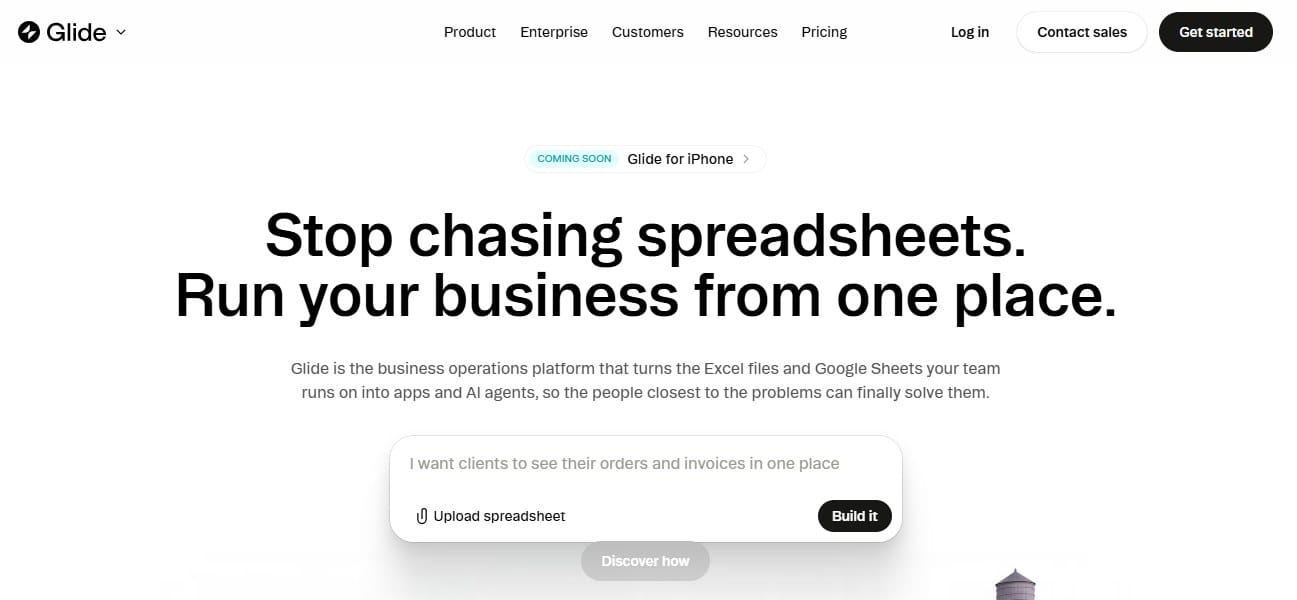
What it does: GlideOS turns a spreadsheet, a plain-language prompt, or an uploaded file into a working internal business app. Glide Classic, the company's original visual builder, remains available as a separate product.
Best for: Operations teams that already keep client or project data in a spreadsheet and need a usable app built from it fast.
With the client data already shaped as rows in a spreadsheet, the client-only login and admin view were both working in under two hours. I could only check the login in preview, since publishing needs a paid plan here, and there's no path to an app-store listing, only a web app, a limit if native mobile matters to you.
The build matched exactly what Glide does best. It's a fast, functional tool built around the internal admin view, though a fully branded client experience needs more customization here than on a platform built for that job specifically.
Data portability comes with a catch. GlideOS copies your sheet into its own database and doesn't write back, so new intakes live only in GlideOS.
Cost is simple, at least. Billing is monthly only, with no annual option to plan around, so whatever tier you land on is the number you keep paying.
Key features
- Spreadsheet, prompt, or file input: Start from an existing sheet, a plain-language description, or an uploaded file.
- AI-generated fields: Generate computed fields, summaries, and data extraction automatically from your source data.
- Automations: Multi-step flows that trigger on a schedule or a user action.
- External database connections: Give outside tools a read-only or read/write Postgres connection to your project data, or pull data in from another tool's API with a saved key.
Pros and cons
Pros:
- Every table exports to CSV, so records added through the app can leave with you.
- A free tier to start building and testing on.
- Role-based access worked exactly as configured for this test, keeping the client side and the internal side separate with no extra workaround needed.
Cons:
- There's no route to the Apple or Google app stores, but GlideOS apps can be installed to a phone's home screen as a Progressive Web App, complete with their own icon.
- Older Glide Classic tutorials may not apply to GlideOS because they're separate products.
What users say
Alyssa J.
Efficient No-Code Development, Minor Integration Hurdles
Pros
I find GlideOS to be really responsive and very fast, which is great because it's not clunky. I can pretty much figure out how to use it with the visual mock-up, which is super cool and helpful before building anything. The mock-up feature is pretty quick; once it determines what you're asking, it shows you visual representations without committing too many resources, which helps manage spending. GlideOS does the nitty-gritty coding tasks visually, making it very useful for no-code applications. The initial setup was very easy, and I also like how it integrates with tools like Cloudinary and Google Sheets. Overall, these features make it so that I'd give it a solid ten if asked to recommend it.
Cons
GlideOS has a bit of trouble when it comes to remembering instructions across a project. It gets frustrating because I have to repeat myself and provide instructions multiple times for things I've already covered.
Isabel W.
GlideOS: Intuitive Setup and Helpful Guidance, Needs More Features
Pros
I like how GlideOS helps with decorating, adding descriptions, and setting up Stripe. When I have a problem, I can just ask, and it seems to know how to do everything and gives me options for what I would like to do next. I also appreciate how it tells me what I should work on and gives me tips. It helps me write summaries and does most of the work for me. I never get frustrated when I want to change something as it can be done in seconds. The initial setup was extremely easy.
Cons
I feel like GlideOS should have more decorating options. It feels restrictive, like I'm being kept in a box where I can't fully customize my business the way I want. I'd like to be able to upload a picture for the background and have more color options and freedom to move things around. Also, the credits run out too quickly, which makes it hard to keep working on my business throughout the month without additional expensive purchases.
Pricing
GlideOS prices by monthly AI credits, starting with a limited free tier:
- Free: limited tier.
- Basic: $25/month (100 credits).
- Plus: $50/month.
- Pro: $125/month.
- Enterprise: above Pro, with a custom team size and credit allotment, SSO, and dedicated support, no public price.
GlideOS lists monthly prices only, with no annual option on its pricing page. Once a workspace's monthly credits are used up, AI work pauses until the credits reset, or until you buy extra credits or upgrade. Basic allows one top-up purchase a month, Plus allows two, and Pro and Enterprise allow unlimited top-ups.
Bottom line
GlideOS fits best when your data already lives in a spreadsheet and the finished app only has to run in a browser.
6. Adalo: Best for one project that publishes to the web, iOS, and Android at once

What it does: Adalo is a visual, canvas-based builder that publishes native iOS, Android, and web apps from a single project. It now comes paired with an AI assistant called Ada.
Best for: Founders and small business teams who want one build to reach every device without three separate projects.
The client-only login and admin view went together quickly for me on Adalo's freeform canvas, with a place to store client records already built in, so there was nothing to set up separately there.
You need a paid plan before you can publish at all. The free plan gets you a working build, but you need to pay before a client can download it. That's worth confirming before you sink time into a free build you plan to ship.
The screens turned out clean and consistent, closer to a finished product than the block-assembled look some other builders on this list produce, since Adalo's freeform canvas let me place things exactly where I wanted rather than snapping together pre-built pieces.
Pricing is flat, a monthly fee with no per-action metering or per-seat cost, so the bill stays the same at one client or 10. The tradeoff shows up at scale, since Adalo flags query speed as something to watch at higher record counts, and there's no code export if you want to move the project elsewhere.
Key features
- One project, three platforms: Build once and publish to iOS, Android, and the web from the same canvas.
- Included database: A hosted database comes built in, or connect Airtable, Sheets, or Supabase instead.
- Freeform canvas: Arrange a screen's layout freely, placing each element exactly where you want it.
- Payments and integrations: Stripe for physical goods and services, a separate in-app purchase component for digital goods, plus Zapier and Make for everything else.
Pros and cons
Pros:
- The whole build, client login and admin view included, stayed on Adalo's free plan from start to finish.
- The result looked more finished than Softr's blockier output, with no extra design pass needed to get there.
- The flat bill doesn't move as a small team grows. FlutterFlow charges per seat instead for extra team members on Growth and Business.
Cons:
- Adalo's free plan caps out at 500 records per app.
- App Store and Google Play publishing requires the Builder plan, at $65/month ($52/month, billed annually). The free plan stops at a working build that a client still can't download.
- There's no way to export the underlying app logic to a different builder. But you can export records from Adalo's hosted database as CSV files, and if you use Airtable or Supabase as the data source instead, those records stay outside Adalo entirely.
What users say
Eva E.
Great Low Code/No Code Tool
Pros
Adalo is a simple and easy-to-learn low code no code editor. There are many great templates you can easily customize and get started with. You can start from scratch and have many options.
Cons
The pricing model of Adalo is a bit complex, and it gets expensive if you want to publish multiple apps. Excellent and fair is also the free modus with which already a lot is possible. There could be a few more templates. Otherwise, there is nothing negative.
Pricing
Adalo's pricing structure:
- Free: building and testing, up to 500 records per app.
- Builder: $65/month ($52/month, billed annually), which adds app store publishing.
- Business: $200/month ($160/month, billed annually), for more published apps and team seats.
- Adalo Blue: a separate enterprise option built for dedicated infrastructure and on-premise hosting, with no public price.
Bottom line
Adalo makes sense when you want one build to reach the web and both app stores without three separate projects, and you are comfortable paying for that publishing step.
7. Microsoft Power Apps: Best for internal apps built on data you already run through Microsoft 365
What it does: Microsoft Power Apps builds business apps on data that already lives in Microsoft 365, Dataverse, or SharePoint, using templates and ready-made connectors instead of custom code.
Best for: IT and internal-operations teams at an organization already standardized on Microsoft 365.
Power Apps builds on data already sitting in SharePoint and Excel, which a Microsoft 365 team is likely to already have, so the admin view comes together quickly from its own templates and connectors. The free Developer Plan is meant for testing only, not production, so shipping for real means a paid plan regardless of how far the free tier stretches.
A signed-in client isn't restricted to their own record by drag-and-drop alone. It takes a formula built on Power Fx's own User() function, and a non-technical builder will likely need IT's help to write and test it. A client-records table built on Dataverse adds a further requirement, too, since Dataverse itself is a premium connector; Assembly builds that same restriction automatically, with no manual step needed.
Power Apps' templates and governance tools are built for IT and internal operations, a different job than a branded client-facing portal. Cost follows the same pattern. Pricing runs per user and climbs once premium connectors or outside users enter the picture, which is exactly what a client-facing app needs.
Canvas apps export and import as packages between Power Platform environments, but the exported app still depends on Microsoft's platform. Running it anywhere else means rebuilding or migrating it.
Key features
- Prebuilt templates and connectors: Start from templates tied to common Microsoft 365 data sources, including SharePoint and Excel.
- Standard and premium connectors: SharePoint, Excel, and Teams connect through standard connectors included on every plan; Dataverse and other premium connectors need the paid Premium plan.
- Enterprise governance: Centralized admin controls, security policies, and compliance tools built for IT oversight.
- AI features: Copilot-assisted building and in-app chat, available on premium plans.
Pros and cons
Pros:
- The free Developer Plan supports more than solo building. Microsoft's own product FAQ says the Developer Plan lets users share and collaborate with others.
- The Premium license's per-user allowance covers unlimited Power Apps and Power Pages for that person, with no extra per-app charge.
Cons:
- Each Premium license adds only 250 MB of Dataverse database capacity, so a data-heavy app may need paid capacity add-ons.
- Licensing gets complicated once a build needs premium connectors or external users.
- The free Developer Plan's unmanaged environments are being phased out. Power Platform stops creating new ones on November 15, 2026, suspends existing ones on December 15, 2026, and deletes them on January 15, 2027, unless they're converted to a managed environment first.
What users say
Chetan G.
Great Microsoft Integration and Low-Code Ease, But Slows with Large Data
Pros
Integration of all Microsoft tools to automate the process and low code development is the best feature I would say. And faster communication between the apps is what makes the Power Apps more powerful. Coming to the pricing, I feel the majority of the tools are under budget only. The design was also so easy to understand and the support is also very quick. Another added advantage is the copilot auto-fix for any issues that arise in the tool connections and communications, making our work simpler.
Cons
Due to high power tools sync and link, the speed gradually reduces when we are dealing with huge data or running which connecting a huge number of tools into one.
Jeet S.
Effortless App Building with Minor Performance Hiccups
Pros
I use Microsoft Power Apps to build custom business apps quickly for workflows like approvals, data collection, and tracking without heavy coding. It solves the problem of slow, manual spreadsheet-based workflows. What I like most is its easy-to-build custom apps with low-code, and the drag and drop interface along with prebuilt connectors works like a charm. The prebuilt connectors make it super easy to link my apps to SharePoint, Office 365, Teams, etc., so I can quickly read/write data, send approvals in Teams, and automate workflows. The initial setup was super-easy as it came along with our M365 license, so we did not need to buy a separate tool, which makes the pricing and ROI very attractive for us because we are getting a lot of automation and time savings from something already included in our existing subscription. On top of that, the built-in AI features, like AI Builder and intelligent controls, help us add capabilities such as form processing and predictions without needing data science expertise, which makes our apps smarter and adds even more value to the solution. It's onboarding is automatic as it comes with the M365 license
Cons
A few things can be improved: Performance can be slow with large data sets or complex formulas, and error messages. Performance issues arise when loading large SharePoint lists or SQL data - Screen lags, galleries.
Pricing
Power Apps prices across these tiers:
- Developer Plan (free): for building and testing, capped at 750 flow runs a month.
- Premium: $20/user/month, billed annually (Microsoft publishes no separate month-to-month rate), or $12/user/month, billed annually, for organizations buying 2,000 or more licenses at once.
- Pay-as-you-go: for organizations with variable or seasonal app needs, billed through Azure and metered by actual usage.
Bottom line
A dedicated client-facing app builder fits better for a branded portal a firm's own clients log into. Power Apps earns its spot for internal tools built on Microsoft 365 data.
8. WeWeb: Best for a polished set of screens you connect to a system you already run
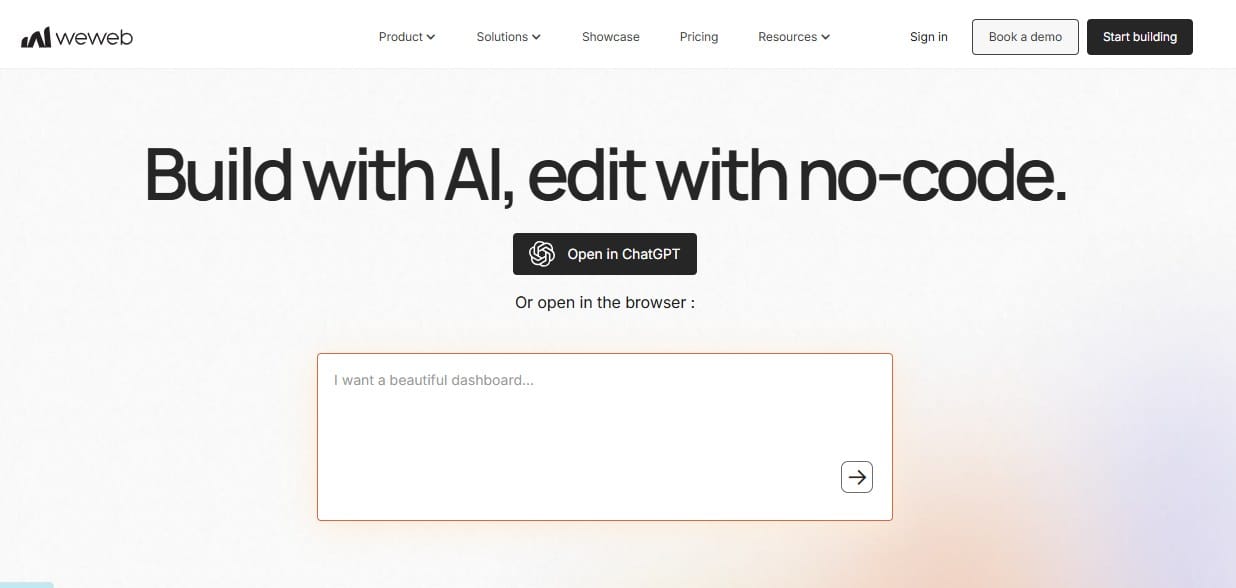
What it does: WeWeb is a visual web app builder with its own built-in database, user sign-in, and server-side logic. It can also connect to outside systems such as Supabase, Xano, or a plain outside service.
Best for: Teams and agencies that want full design control over the interface without being locked into one platform's own storage.
I found the client portal's interface quick to build in WeWeb. It looked production-ready, close to something you could hand off right away.
WeWeb's own built-in database is only a small testing instance on the free tier, so I ran the client-only login and each client's data on a separate outside system instead, with the permission rule set there too. That meant setup work outside the builder itself, wiring up sign-in, the database tables, and the connection between WeWeb and that system, and it takes existing comfort with a tool like Supabase or Xano to pull off without help.
Hosting costs come in two separate bills. A published app runs on its own hosting plan, and AI usage inside it bills separately again on top of that, so the total adds up across more than one line item.
That external-data split pays off on the way out, though. Client records stayed in the outside system I connected rather than inside WeWeb, so I could switch design tools later without migrating that data.
Key features
- Connect your own system: Link up with Supabase, Xano, or another outside service, or use WeWeb's own native database on a hosting tier that includes it.
- Visual, component-based editor: Pixel-level control over every layout and interaction.
- Code export and self-hosting: Export the whole project's code and host it on your own servers.
- No database lock-in: Your data stays on whichever system you connect, untouched if you ever leave WeWeb.
Pros and cons
Pros:
- Switching design tools later wouldn't mean migrating client data, since none of it ever lived inside WeWeb itself.
- Giving the whole team access took one permission change, not a second login system to build.
- Essential adds daily editor auto-backups, upgraded to hourly on Pro and up, so you can recover a bad edit session.
- Connects to Claude, Cursor, or another AI tool through the WeWeb MCP Server, unlimited on Pro and up, with a 14-day trial on Free and Essential.
Cons:
- Using an external system like Supabase or Xano adds setup and maintenance work, though WeWeb's own built-in database and user sign-in can replace that step.
- The free plan allows 1,000 sessions in total, and the cap is hard. Once the app hits it, it may go offline until you move to a paid hosting tier.
- AI usage inside a built app comes as its own line item, on top of the plan price.
What users say
Helder A.
Powerful, accessible, and constantly evolving platform
Pros
When I started using WeWeb, I had no background in programming logic - and that was never a barrier. On the contrary, the platform is so intuitive that I was able to start building my applications with ease, showcasing excellent ease of use. Over time, using workflows and other features helped me naturally develop a deeper understanding of logic and system structuring, perfectly embodying low-code development. Customer support is evident through the significant improvements the platform has had since I first discovered it, with regular updates that keep enhancing the experience. The built-in AI has also been surprisingly helpful, especially with its recent advancements. The user interface stands out for its ability to create custom components outside of the WeWeb environment and still have them behave like native ones. I can access variables, adjust layout through the visual editor, use workflows, and leverage all native component features seamlessly. The WeWeb component repository is also a great resource for learning and productivity, allowing you to download ready-made components as a foundation to build your own, which greatly speeds up development and improves process management. The cost-benefit ratio is excellent, especially considering the complete site creation capabilities and efficient handling of images and media. I highly recommend WeWeb - whether you're just starting out or already experienced and looking for flexibility with speed.
Cons
It's not necessarily something I don't like, but more of a personal limitation. WeWeb provides a way to interact with the platform using JavaScript through its wwLib, which is very powerful. However, since I'm still learning JavaScript, I sometimes find it a bit challenging to use this feature to its full potential. The documentation is helpful but a bit technical for someone without a coding background. That said, the AI assistant in WeWeb has been a great help in bridging that gap and making the learning curve smoother.
Martin K.
Design production grade frontends with confidence and speed
Pros
The recent AI features make it remarkably easy to move from a blank canvas to a polished first implementation even if you are not a seasoned frontend developer. The visual builder feels intuitive without dumbing anything down, so you can create interfaces that look professional and feel robust. After a short learning phase the workflow becomes fast and forgiving and designing screens starts to feel natural rather than tedious. Connecting to backend services like Xano, Supabase, or your own REST APIs is straightforward and thoughtfully laid out, which keeps momentum high when you are stitching together data and UI. Beginners find their footing quickly while more advanced builders still get the control they need to structure, scale, and refine. A basic grasp of web technologies, APIs, and REST calls helps smooth the path, but it is not a hard prerequisite to start shipping real products.
Cons
At times components behave a little differently across browsers, which is understandable given differences in browser engines, yet it can reduce the sense that everything will just work everywhere. The online documentation is generally strong but can lag behind new feature releases, and in day to day work the community and video resources on YouTube usually fill the gaps quickly. Some official examples lean toward beginners and can leave advanced users wanting deeper patterns and recipes, although with experience and community input you can usually assemble solid solutions. These are small complaints about an otherwise impressive toolset.
Pricing
WeWeb's plans and pricing:
- Free: 1M AI tokens a month, with hosting on a WeWeb subdomain for up to 1,000 sessions in total.
- Essential: $25/month ($20/month, billed annually), which adds code export and self-hosting.
- Pro: $60/developer/month ($50/developer/month, billed annually), for teams that need to add seats and collaborate.
- Partner: starts at $95/developer/month ($79/developer/month, billed annually), for agencies that want client-workspace access and a referral commission.
- Enterprise: above Partner, with custom limits and invoicing, no public price.
Bottom line
WeWeb is the better fit for a team comfortable running its own data system, or willing to, that wants design quality above all. It can now handle both design and data on its own, though a more advanced build still takes some technical know-how to configure.
9. Base44: Best for turning a plain-language prompt into a working web app fast
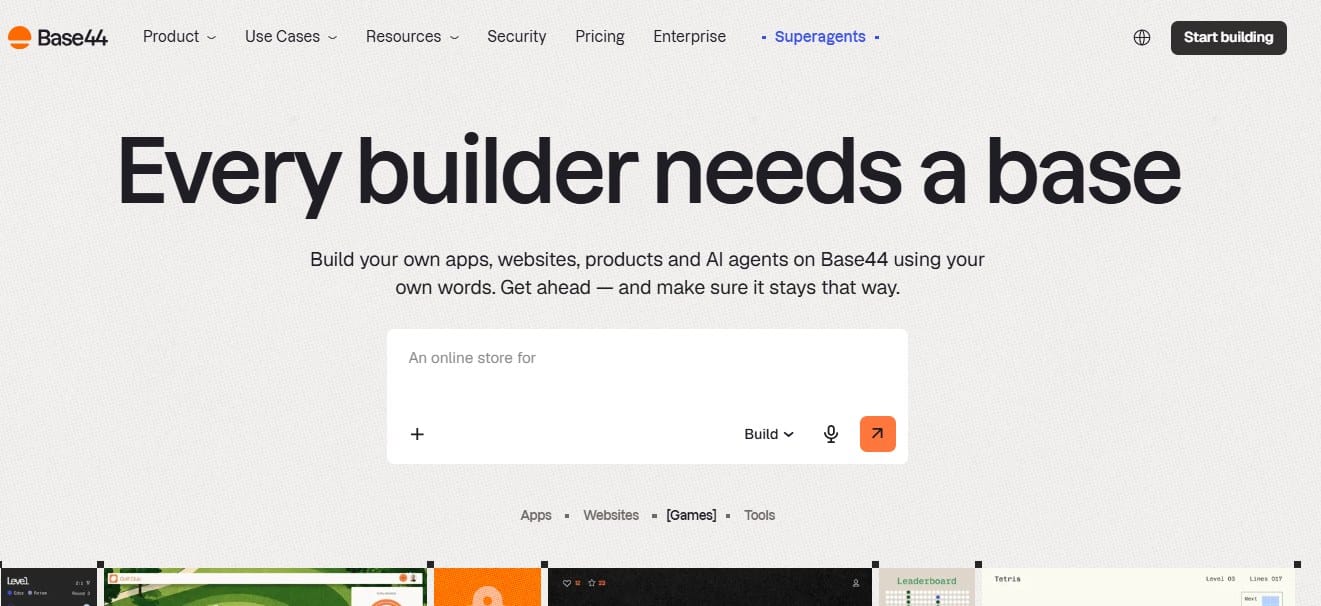
What it does: Base44 is a prompt-based AI app builder. You describe what you want, and it generates a full web app (interface, database, and logins) that runs on its own hosted system.
Best for: Solo founders and small teams who want to go from an idea to a working web app as fast as possible.
Base44 is the clearest example here of an AI or vibe-coding builder. You describe the app in a prompt, and it writes real code behind the scenes. The AI turned the intake form, the client records, and the admin view into a working app in well under an hour. It also added a public sign-up page nobody asked for, and I had to find and turn it off before the client-only login worked as briefed.
The result was a competent first draft, functional and usable but visibly AI-generated. That's the cost of letting the AI place every element on its own.
Cost holds steady within a tier, since each plan includes a fixed monthly credit allotment, but a heavier AI-generation month can still push you to upgrade sooner than planned. Leaving takes work, but the code can come with you. Base44's two-way GitHub sync puts the generated code in your own repository, though you'd still need to export client data separately and replace Base44's hosted sign-in and database to run independently.
Base44's "native" mobile output is a web view wrapping the web app, unlike the FlutterFlow or Adalo entries on this list, which compile to native code. That's a non-issue for a web-only app like this one, but a hard limit if native mobile matters for your clients. Base44 sits in the same prompt-to-app category as tools like Lovable; our Lovable alternatives guide covers that field if you want more of them.
Key features
- Prompt-to-app generation: Describe the app in plain language and get a working interface, logic, and database in one pass.
- Integrated system: Sign-in, data storage, and role-based permissions are set up automatically.
- Two-way GitHub sync: Export the full source code to your own GitHub account at any time, available from the Builder plan up.
- Visual and code editing: Adjust the app visually or drop into the generated code after the first draft.
Pros and cons
Pros:
- One of the quicker builds in this roundup, with a working app ready in well under an hour.
- Sign-in, data storage, and permissions were already wired together before I had to touch anything, apart from switching off an unrequested sign-up page.
Cons:
- Unrequested extras can slip into the build, and clearing them out falls on you after the fact.
- Base44's "native" output is a web view, a limit if true native mobile capability is what you need.
What users say
Asesor C.
A great AI to convert ideas into real and useful solutions
Pros
I think it's great to have the support of an AI that helps turn an idea into something real and useful, especially when that idea aims to solve a problem.
Cons
I think it can still improve in some aspects of usability.
Verified User in Construction
Facilitate testing by acting as a user: a key improvement
Pros
The truth is, at first it wasn't as refined as it is now. The fact that you can act as a user has been considerably important because it makes the whole testing process easier.
Cons
The lack of support, I understand that it's difficult because each app is a world.
Pricing
These are Base44's pricing tiers:
- Free plan.
- Starter: $20/month ($16/month, billed annually).
- Builder: $50/month ($40/month, billed annually).
- Pro: $100/month ($80/month, billed annually).
- Elite: $200/month ($160/month, billed annually), with the most message and integration credits of any tier.
- Enterprise: above Elite, with custom credits and a dedicated architect, contact sales.
Bottom line
Speed is the whole case for Base44. Pick it when a working web app has to exist today. Pass on it if a true native mobile build is part of the brief.
10. Thunkable: Best for a beginner-friendly, block-based path to a real mobile app
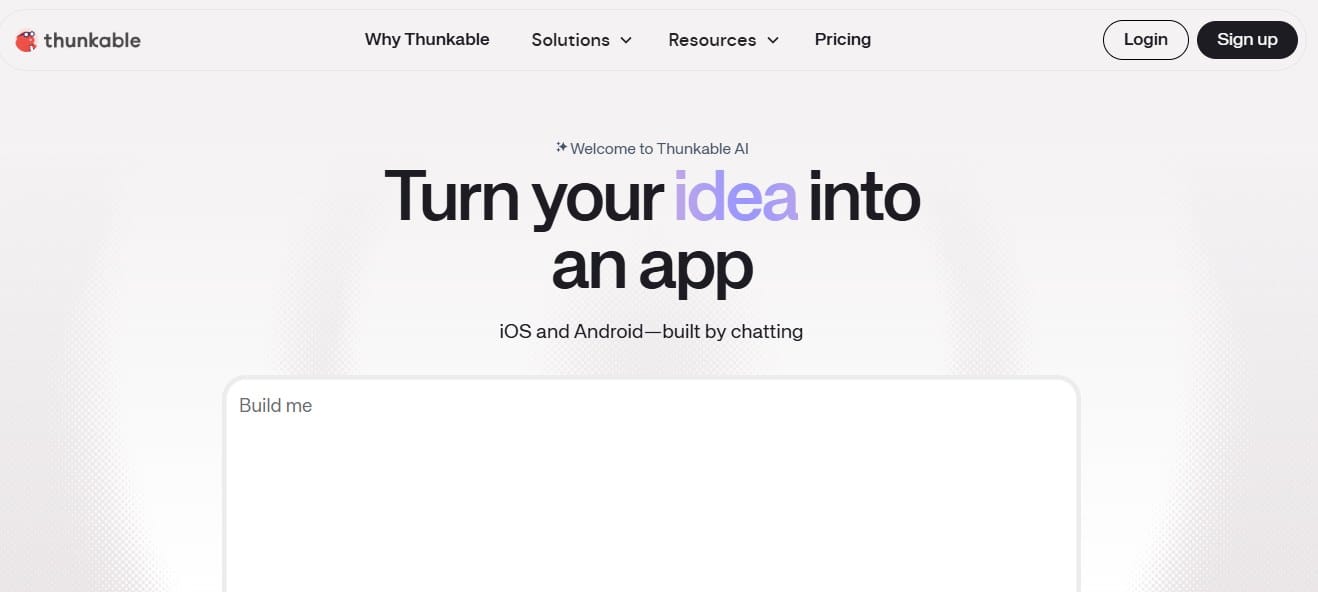
What it does: Thunkable is a block-based visual builder for native iOS and Android apps. You snap blocks together to build the app's logic.
Best for: First-time builders, including non-developers and students, who want to understand the logic behind the app they are building.
Thunkable's block-based checks only decide what each screen shows, and the client records underneath aren't locked off from each other unless you add a separate database with its own security rules, a gap to close before calling the client-only login done. That same block logic let me set up an admin view that shows every client record to the internal team.
The intake form and login rule took me noticeably longer to assemble from blocks than on the prompt-based or template-first builders elsewhere in this roundup, a fair tradeoff if you're new to building, frustrating if you're in a hurry. On my own phone, though, the preview felt like a fully native app, and the publishing path to the App Store and Google Play ships as real native code.
Thunkable also meters by AI tokens, from 2,000 a month on Free up to 100,000 on Advanced, so a heavy-AI build can push you to the next tier faster than the project or screen caps do.
Data portability is the weak point. There's no export path, and a lapsed subscription drops a private project into read-only mode and takes published apps offline until you renew.
Key features
- Block-based logic: See every rule as a visual block you can snap into place.
- Live testing on your own phone: Preview changes on a real device instantly without waiting for a build.
- True native publishing: Publish finished apps directly to the Apple App Store and Google Play.
- A gentle, education-friendly on-ramp: A visual-block approach suited to students and first-time builders.
Pros and cons
Pros:
- The clearest, most visible logic of any builder on this list, easy to debug by eye.
- Build and test multiple public projects on the free plan before paying anything.
- The native publishing path compiles to genuine native code, unlike Base44's web-view wrapper.
Cons:
- Blocks take longer to work with than typing a prompt or filling in a template, and each tier caps monthly AI tokens.
- Miss a payment and the project locks. A private build goes read-only, a published one disappears for its own users, and nothing here travels with you if you decide to leave.
What users say
Verified User in Computer Games
Easy AI Interaction with the New Chat & Prompt-Based Interface
Pros
The new chat and prompt based interface makes it easy to interact with the AI.
Cons
I don't have any feedback on this just yet.
Kira H.
Great No-Code Platform for Building Simple Mobile Apps
Pros
I really enjoyed how User-friendly drag-and-drop interface makes app development accessible without coding experience. Cross-platform capabilities allow building for both iOS and Android simultaneously. Good selection of pre-built components and integrations. Enables rapid prototyping and deployment of simple apps. Active community and good documentation support.
Cons
Limited customization options for advanced users or highly complex apps. Performance can be inconsistent, especially with more complex projects. Some features available only on higher-tier paid plans. Occasional bugs or glitches reported in the platform.
Pricing
Thunkable prices its plans like this:
- Free: limited to public projects.
- Accelerator: $19/month ($18/month, billed annually), which adds private projects.
- Builder: $59/month ($37/month, billed annually), for a live published app.
- Advanced: $189/month ($99/month, billed annually), for unlimited published apps and priority support.
- Enterprise: above Advanced, for teams that need to deploy at scale, with no public price.
Bottom line
Several other tools get you there quicker if you need the app shipped fast above all else. Thunkable is worth the slower pace for a first-time builder who wants to understand the logic they are building.
Which no-code app builder should you choose?
Choose based on who will use the app and what they need to do inside it.
Choose Assembly if you:
- Run a professional service firm and need a branded app your own clients log into.
- Want a CRM, a client experience, and an app builder bundled into one place.
Choose Bubble if you:
- Are building a marketplace, a SaaS platform, or any complex web app that will grow for years.
- Can invest substantial time, or a developer's time, in learning the platform properly.
Choose FlutterFlow or Adalo if you:
- Need a true native mobile app and want to own the exported code (FlutterFlow).
- Want a native mobile app built on a freeform visual canvas where you place every element by hand (Adalo).
Choose Softr or GlideOS if you:
- Already keep your data in Airtable or a spreadsheet and want a portal built from it fast.
- Need the finished app to run only in a browser.
Choose Power Apps if you:
- Live inside Microsoft 365 and need an internal tool.
Choose WeWeb if you:
- Want full design control on a system you already run.
Choose Base44 if you:
- Need the fastest possible prompt-to-app build.
Choose Thunkable if you:
- Are building your first app and want to understand the logic.
Skip no-code if:
- You need deeply custom infrastructure that no visual builder handles today.
- You are building a real-time multiplayer game, which calls for a custom build with real developers instead.
Final verdict
The best no-code app builder depends on the type of app you're building. Bubble has the deepest toolset of the bunch for a general-purpose web app, SaaS product, or marketplace. FlutterFlow or Adalo lead if mobile is the goal. Softr builds directly on top of your data if it already lives in a spreadsheet. GlideOS copies that data into its own database and doesn't write changes back to the sheet.
Assembly is the pick for the specific job of a client-facing app your own clients log into. It is narrower than the general-purpose builders on purpose, aimed squarely at that one client-facing job. If that is the app you are building, get started with Assembly for free and see what the first build looks like for your own clients.
Frequently asked questions
Can I build an app without coding?
Yes. A no-code app builder gives you the database, interface, and logic as visual pieces you drag into place, so a non-developer can finish a working app alone. There are two routes: a visual builder like Bubble or Adalo drops you straight into a drag-and-drop editor, while an AI-first tool like Base44 or Assembly’s app builder generates the first version from a plain-language description.
What is the best app builder for non-coders?
The best app builder for non-coders depends on the app: Assembly, Bubble, FlutterFlow, or Adalo. Assembly is the pick for a branded tool your own clients log into. Bubble fits a complex web app or marketplace instead. FlutterFlow or Adalo fit a true native mobile app. Assembly, Bubble, and Adalo need no hand-written code. FlutterFlow and Bubble take more effort to master than Assembly or Adalo.
What is Google's no-code app builder?
Google's no-code app builder is AppSheet, now part of Google Workspace and Google Cloud. It turns data from Google Sheets, Excel, or a connected database into working web and mobile apps with no code. Our AppSheet alternatives guide compares it against the other main options.
Can I build mobile apps with no-code?
Yes, several no-code platforms publish native mobile apps. Bubble, FlutterFlow, Adalo, and Thunkable all build true native iOS and Android apps and publish them directly to the App Store and Google Play. FlutterFlow also lets you export the underlying Flutter code afterward.
How much does a no code app builder cost?
No-code app builders typically range from a free plan to $19-$65/month for the first paid tier. Costs then climb with the number of active users, clients, or AI build credits you need. The right pick depends on how many people will use the finished app.
Can no-code apps scale?
Yes, with the right platform. Tools with a real database, authentication, and managed hosting handle production traffic. Several builders here (Bubble, FlutterFlow, Adalo) publish apps that run at real scale. High-performance or real-time apps, like a multiplayer game, can still outgrow no-code and are better built custom.