



If you're weighing Freshdesk vs Zoho Desk, the short version is this: Zoho Desk tends to cost less and packs more into each tier, while Freshdesk is easier to roll out and connects to more of the tools you already run.
I dug into pricing, reporting, and integrations, then put ticketing, AI, self-service, and automation through hands-on testing. I'm not out to crown one tool the winner overall. I want to show you which one fits how your support team runs, category by category.
Freshdesk vs Zoho Desk: what's the difference?
Both tools do the same core job: turn a flood of customer emails, chats, and calls into organized tickets your team can work through. They diverge on price and on how much you get out of the box.
Here's how they stack up at a glance:
| Feature | Freshdesk | Zoho Desk |
|---|---|---|
| Best for | Support teams that want the fastest setup and the widest integration library | Teams already using Zoho, or anyone who wants the lowest per-agent price |
| Free plan | Up to 2 agents, limited to 6 months | Up to 3 agents, no time limit |
| Starting price | $19 per agent per month (Growth, billed annually) | $7 per agent per month (Express, billed annually) |
| Standout strength | Clean interface, quick onboarding, 1,200+ integrations, mature Freddy AI | Low price, more built in at every tier, tight links to the rest of Zoho |
| Main weakness | Costs climb quickly, and some AI is a paid add-on | Admin setup can look cluttered, and the best value assumes you're in Zoho |
Freshdesk is Freshworks' customer support product, built around ticketing and known for how quickly a new team can get productive in it.
Zoho Desk is Zoho's customer support product, part of Zoho's broad suite of business apps, and priced to be the affordable pick.
Choose Freshdesk if: you want the smoothest onboarding, you lean on a lot of third-party apps, or you're scaling a support team fast and want AI features that are already mature.
Choose Zoho Desk if: you already run other Zoho tools, you want the lowest cost per agent, or you'd rather have more channels and automation built in than bolt them on later.
Meet Freshdesk
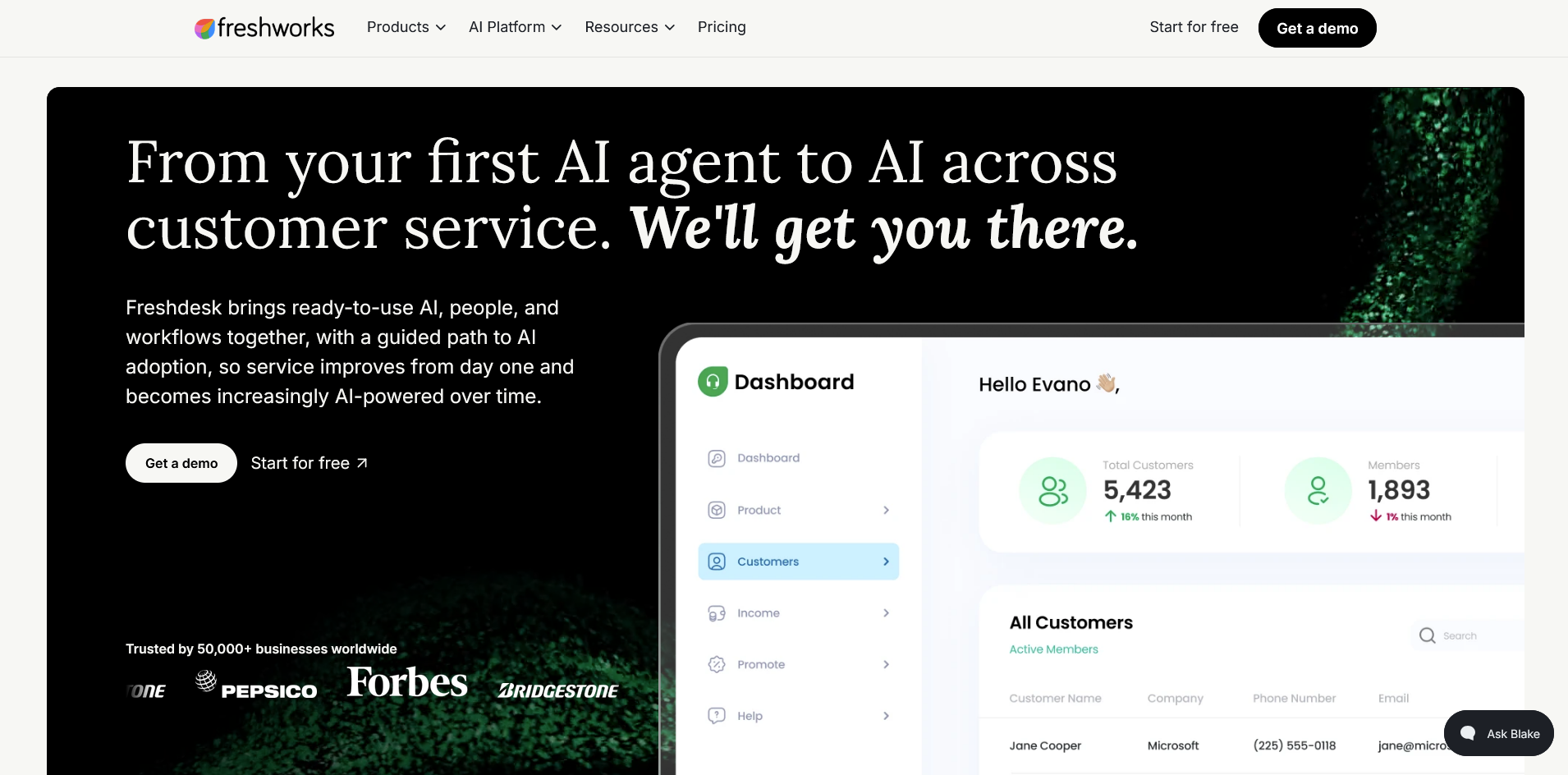
Freshdesk is the help desk product inside Freshworks, and it built its reputation on ease of use. Agents tend to find their way around it fast, and admins don't need a consultant to get a queue running. I've tested a lot of help desk tools, and Freshdesk holds up as one of the quicker ones to get a team productive.
At its core, Freshdesk turns email, social media, and web form submissions into a single ticket queue. From there, agents work out of a shared inbox with canned responses and SLA tracking built in.
Admins set up automation rules for routing and prioritizing tickets, and agents work from threads that group related messages together instead of a flat list. I find that structure is what makes the tool feel organized even when ticket volume gets heavy.
Meet Zoho Desk
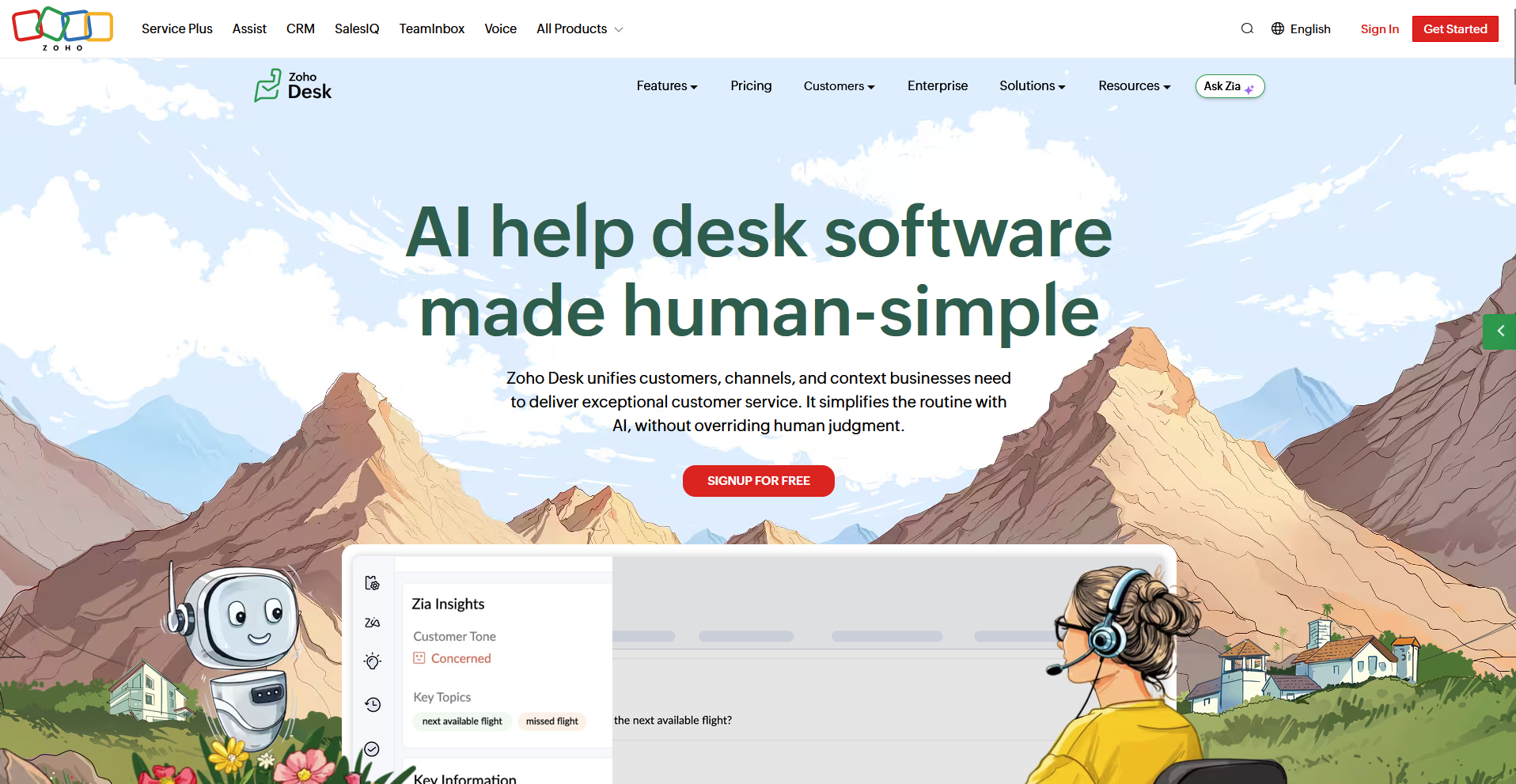
Zoho Desk is Zoho's take on customer support, and it rarely travels alone. It's one app in Zoho's broad family of products, so it makes the most sense if you already use Zoho CRM or Zoho's other tools.
Zoho Desk builds in channels, automation, and AI a tier or two earlier than Freshdesk. Its built-in assistant, Zia, now taps ChatGPT for generative replies and summaries.
I think that earlier access to AI is Zoho Desk's strongest argument against Freshdesk on paper. The catch is that the admin side asks more of you upfront, and I've found that setup takes longer to feel comfortable in than Freshdesk's does.
Freshdesk vs Zoho Desk: side-by-side comparison
I compared Freshdesk and Zoho Desk across the same 8 categories to see where each tool pulls ahead. Here's how they compare:
1. Pricing and plans
Price is the biggest gap between Freshdesk and Zoho Desk, and the two plan structures below show why. All figures are per agent, billed annually:
Freshdesk: Runs 3 paid tiers on top of a free plan for up to 2 agents: Growth at $19, Pro at $55, and Enterprise at $89 per agent per month.
Zoho Desk: Spreads across more rungs, with a free plan for up to 3 agents, then Express at $7, Standard at $14, Professional at $23, and Enterprise at $40 per agent per month.
| Plan level | Freshdesk | Zoho Desk |
|---|---|---|
| Free | Up to 2 agents | Up to 3 agents |
| Entry paid | $19 (Growth) | $7 (Express) |
| Mid | $55 (Pro) | $14 to $23 (Standard, Professional) |
| Top | $89 (Enterprise) | $40 (Enterprise) |
Zoho Desk costs less at every rung, and its top tier lands below Freshdesk's middle one. Its free plan also covers 1 more agent.
There's a catch on Freshdesk's total cost: ticketing is the core product, and full omnichannel support means adding Freshchat, Freshcaller, or the pricier Omni bundle on top. Freddy AI Copilot adds another $29 per agent per month. I'd budget for Omni from the start if omnichannel is the plan, since patching it together later costs more than committing upfront.
Winner: Zoho Desk, on price and on what's included per dollar. Freshdesk's free plan is the smaller of the two.
2. Ticketing and omnichannel support
Zoho Desk: Layers channels in as you climb. Email, social, and web forms come on Express, then instant messaging and live chat on Standard, telephony on Professional, and SalesIQ-powered chat on Enterprise. Most of it runs in one console.
Freshdesk: Centralizes email tickets cleanly, but chat and voice aren't part of that product. Freshchat handles chat and Freshcaller handles voice, each sold as its own separate tool. Freshdesk Omni combines all 3 under one plan if you'd rather not manage them separately.
Winner: Zoho Desk, for bundling more channels into a single plan at a lower price.
Tip: If neither tool handles the channel mix you need, check out our guide to help desk software for more options.
3. AI: Freddy AI vs Zia
Freshdesk: Freddy AI comes in 2 pieces. Freddy AI Agent, the customer-facing chatbot, includes a one-time block of 500 sessions, then $49 per 100 sessions after that.
Freddy AI Copilot, the agent-side assistant that drafts replies, summarizes threads, and translates in 60+ languages, is a separate $29 per agent per month add-on, also limited to Pro and Enterprise. It's polished, but it adds up to 2 extra line items once you're paying for both.
Zoho Desk: Zia starts earlier and in smaller pieces. From Express, you can bring your own key (BYOK) and connect your own OpenAI account for generative replies and summaries (DeepSeek is also supported as a BYOK option, but only for accounts hosted in Zoho's China data center).
Answer Bot and sentiment analysis unlock at Standard, and native Zia AI, the version that skips the API key requirement, arrives at Professional.
Winner: It depends on your setup. Freshdesk for a single, more capable AI layer if you're already paying for Copilot. Zoho Desk for AI access at lower tiers, even if some of it depends on your own API key.
4. Self-service and knowledge base
Zoho Desk: Bundles a knowledge base, community forum, and its ASAP widget starting at the Standard tier. ASAP drops search, a bot, and live chat onto any page you add it to.
Freshdesk: Offers a knowledge base, community, and customer portal too, with article versioning and approval workflows arriving on higher plans.
The difference is mostly packaging. Zoho pushes more self-service into one embeddable widget, while Freshdesk spreads the pieces across its own portal.
Winner: Zoho Desk, by a hair, for how much self-service it packs into the ASAP widget.
Tip: If self-service is central to your plan, check out our guide to dedicated knowledge base software.
5. Automation and workflows
Automation is where power users spend the most time, and it's also where these two tools split hardest by plan tier:
| Feature | Freshdesk | Zoho Desk |
|---|---|---|
| Standout tool | Time and event-based automation, included on every plan | Blueprints (drag-and-drop builder for multi-step processes) |
| Round-robin assignment | Pro | Professional |
| Webhooks | Included on every plan | Professional |
| Multi-level escalations | Included on every plan | Express |
| Multiple service level agreement (SLA) policies | Pro | Included on every plan |
| Skill-based routing | Enterprise | Enterprise |
| Custom functions | Not offered | Enterprise |
| Time tracking | Basic time logs on Growth, Pro, Enterprise | Included on every plan |
Winner: Zoho Desk, for more automation muscle at a lower tier.
6. Ease of use and setup
Freshdesk: I got a queue running without cracking open a help article. Menus sit where I expected them, and setting up my first automation rule took a few minutes. That tracks with the wider reputation Freshdesk has built. It's the one teams tend to describe as fast to learn.
Zoho Desk: The interface runs quick and lightweight once it's set up, but getting there takes more work. Configuration options are spread across more menus than I expected, and I ran into a quirk where the phone panel locks you inside its own tab mid-call. Small things individually, but they added extra time to my setup.
Winner: Freshdesk, for the gentler learning curve.
7. Reporting, analytics, and customization
Freshdesk: Custom dashboards arrive on Pro. Freddy AI Insights, with root-cause analysis, is reserved for Enterprise. Export options lean toward PDF, and custom dashboards are capped. That's worth knowing if your team relies on live, shareable dashboards over static reports. On customization, Freshdesk leans on custom fields and workflows.
Zoho Desk: Ships custom reports and dashboards from the Standard tier and plugs into Zoho Analytics for deeper work. On customization, Zoho adds department-specific layouts and team structures for firms that run multiple support groups.
Winner: It depends on what you need. Zoho Desk for more reporting options at a lower price. Freshdesk for AI-driven insight if you're already on Enterprise.
8. Integrations and which suite you're buying into
Freshdesk: Connects to a marketplace of 1,200+ integrations plus mainstream tools like Slack, Shopify, and Salesforce. If your stack is varied, that wider library is the safer bet.
Zoho Desk: Its advantage is depth inside Zoho. It wires directly into Zoho CRM, Zoho Analytics, and SalesIQ, so if you're already running on Zoho, everything shares data cleanly. Step outside that ecosystem and the integration list gets thinner.
Winner: Freshdesk, unless you're committed to Zoho, in which case Zoho Desk wins on native depth.
How to make your choice
Zoho Desk comes out ahead if cost is the priority and you want more built into a lower-priced plan, especially if you already use other Zoho products.
Freshdesk is the better pick if you want an easier setup, a wider integration library, or a more capable AI layer once you're ready to pay for Copilot.
Your call comes down to how much you value a lower price and more built-in features versus a faster setup and deeper AI.
Zoho Desk is better for:
- Budget-conscious teams: Anyone who wants the lowest cost per agent, with more channels, automation, and self-service included at each tier.
- Teams already in Zoho: Support teams that already run Zoho CRM, Zoho Analytics, or SalesIQ and want ticketing data to share cleanly.
- Teams that want AI without an extra invoice: Anyone who wants generative AI features without paying Zoho a separate per-agent fee.
Freshdesk is better for:
- Teams that want a fast setup: Anyone who wants a queue running quickly without a steep admin learning curve.
- Teams with a varied tech stack: Support teams connecting many 3rd-party tools, since Freshdesk's integration library is wider.
- Teams that will pay for deeper AI: Anyone who wants Freddy AI Copilot's drafting, summarizing, and translation features and doesn't mind the $29 per agent add-on.
My verdict
Between these two, I keep landing on the same answer: Zoho Desk wins on value.
It's cheaper at every tier, it packs more channels and automation into each plan, and its AI features don't carry Zoho's own per-agent markup. For most teams counting cost per seat, that's hard to argue with.
But that said, Freshdesk earns its place too. If setup speed and a more capable AI assistant matter more to you than price, I wouldn't talk you out of it. Admins get moving fast, and Copilot's writing quality holds up once you're paying for it.
Pick Zoho Desk if the budget is doing the deciding. Pick Freshdesk if you'd rather pay more for an easier rollout and stronger AI.
The alternative support tool for ongoing client relationships
Freshdesk and Zoho Desk both turn anonymous requests into organized tickets, built for high-volume, one-off support from strangers.
A client you've worked with for months is a different case. They expect whoever picks up the thread to already know their contract, their files, and their last conversation. That's a client experience problem, and it's what Assembly is built to solve.
Assembly's AI app builder lets you describe the client support workflow you need and builds an app that ships straight into the branded space your clients already use for contracts, invoicing, and messages.
Here's how Assembly can help:
- Client-facing app generation: Describe the client help desk you want, and get a working app built for that exact workflow instead of configuring a generic ticketing queue.
- Built-in client platform: Support requests ship alongside the contracts, e-signatures, invoicing, and messaging your clients already use, so nothing lives in a separate system.
- Permissions and branding by default: Each client sees only their own support history, inside a white-labeled space that carries your brand.
- Client records: Every request ties back to a client's full history, so context is already there before your team responds.
- Security: Assembly meets SOC 2 Type II, GDPR, CCPA, and HIPAA standards, so client support data stays protected under the same controls as the rest of the relationship.
Ready to build support around clients you already know? Try Assembly for free.